
kaaohmdnmbdagpnenakakpkinddjmenp

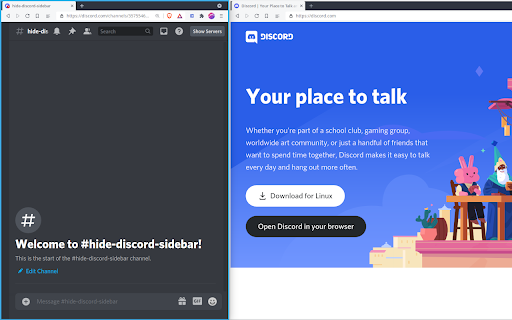
Hide Discord Servers and Channels! Installs a button that hides/shows the Discord server list and autohides the channels list. If you find this extension helpful, I would be grateful if you can buy me a coffee at https://ko-fi.com/patrickxchong. 🙏 Hide Discord Sidebar is a Chrome extension that minimizes the channels list into a small left sidebar when it is not in use and installs a button on the top right corner to hide/show the Discord server list. Users are able to customise the extension with the popup that shows when the extension button is clicked. Appreciate feedback/support in the reviews! Or email me at patrickxchong@gmail.com. Source code can be found at https://github.com/patrickxchong/hide-discord-sidebar. IMPORTANT: This extension is only meant to work on Discord in Chromium based browsers. Tested and working on Windows, Mac and Linux versions of Brave Browser and Chrome. === Version History === v5.0.0: Update extension selectors after Discord update v4.4.0 Update channel list query v4.3.0: improve server list query v4.2.0: fix servers query from Discord update v4.1.0: Proxy refresh event with onUpdated instead of webNavigation API v4.0.1: UX improvements on client startup and server list v4.0.0: migrate extension to Manifest V3 v3.3.1: fixes hide/show servers button covering inbox button v3.3: fixes autohiding channels not working after discord update v3.2: update code to use Vanilla javascript for Firefox support v3.1: revamp architecture to support auto initialising extension when moving from Discord non-chat page (like homepage) to chat page v3.0: add extension popup menu to customise extension behaviour v2.17: update extension description for SEO v2.16: fixes extra space on the right of sidebar after discord update v2.15: fixes hide server button not working after discord update v2.14: set !important on some CSS properties to fix sidebar not collapsing on Edge Dev v2.13: enable/disable extension by clicking on extension button v2.12: changes tab permission from discordapp.com to discord.com v2.11: fixed width of left sidebar on hover v2.10: fixes channels issue from discord update

Nova Extension
Buy, snipe & sell tokens on Solana using Nova Extension. Nova is the fastest all-in-one trading platform. Buy, snipe & sell tokens on Solana using Nova Click supporting Photon and BullX.

Domain Age Checker by Semantic Pen
Check domain age and registration details for any website Curious about a website's credibility? Our extension unveils the age of any domain you visit with a single click. Perfect for: • Online shoppers verifying store legitimacy • Researchers evaluating source reliability • Anyone curious about a website's history Powered by Semantic Pen's robust domain data, get accurate age information effortlessly. Enhance your browsing experience with this lightweight, user-friendly tool. Install now to add an extra layer of insight to your web exploration!

Harmony
Adds useful features to the Discord interface Discord is great, but has some bugs and annoyances; their team is tiny for what they've accomplished, so instead of complaining let's create a Chrome plugin which fills in the gaps until they can fix the issues for real! No guarantees that the fixes will always work - when Discord make updates, this extension may break.

DLite - Split Screen & Popup Windows for Discord, Telegram & Web
Open Discord channels, Telegram chats, and any website as popup windows. Save your window layout. Restore it with one click. SPLIT SCREEN FOR DISCORD & TELEGRAM: • Pop out any channel as a resizable, standalone window • Auto-hide Discord sidebar for a compact chat view • Arrange windows side by side — monitor multiple chats at once • Save window positions and sizes as layouts • Restore your entire setup instantly with one click Works with Discord, Telegram, Slack, and any HTTPS website. PRO ($4.99/mo): • Unlimited popup windows • Save & restore multiple layouts • Bookmark manager for quick access • One-click batch open all saved windows
