
jplbgmampbhicmpomnbpkencogmgfdgg
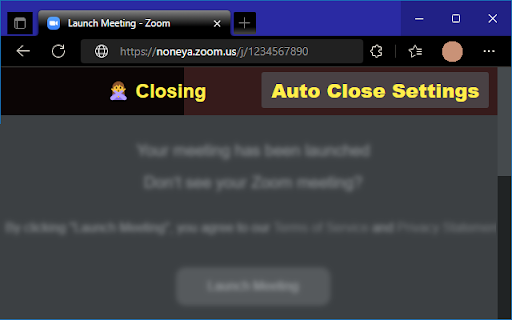
Automatically close tabs left by things like zoom meeting links and similar. An extension to auto-close tabs left open by zoom meetings and other similar offenders.

Auto Close Tabs
Automatically closes the specified tabs. For example, close the Zoom/Slack tab after clicking a link and the app opens. Automatically closes the specified tabs. For example, when clicking a Zoom link, Zoom will open a tab, then open the app, and leave the tab open. This extension can be used to close that tab. The list of sites to close can be configured.

Auto Closer
An extension that just close the tabs you don't need. 1. Add your site URL. (as a regular expression) option-image 2. Then open your site. 3. Site will close in a second. It is mainly intended for closing tabs that are no longer needed when opening applications via a browser. The delay to close can be changed in the extension option.

Twitch Auto Closer
Close duplicated tab due to raid. 機能一覧 - レイド時にタブを自動で閉じる - 同じチャンネルを複数タブ開いた際にあとから開いたタブをミュートする [レイド時にタブを自動で閉じる機能] - 別の窓ですでに開いているチャンネルへのレイド - 設定したチャンネルへのレイド - 設定したチャンネルからのレイド - フォローしていないチャンネルへのレイド [タブをミュートする機能] - 同じチャンネルの2つ目のタブを自分で開いたときにミュート - その後、別のチャンネルに移動した場合にミュート解除 設定項目について ・設定項目は改行することで複数指定することができます ※ミュート機能では、Twitchの動画部分をミュートするのではなくChromeのタブをミュートします。動画の音量などを操作しても音が出ることはない点に注意してください ※本拡張機能はTwitchの運営とは関係はありません

tabs auto switcher using cron expression
CronTab Switcher is a powerful Chrome extension designed to enhance your browsing efficiency by automating tab switching based on cron expressions. Whether you need to regularly monitor multiple web pages, keep track of real-time updates, or simply streamline your workflow, CronTab Switcher has you covered. 1. **Automated Tab Switching**: Input your custom cron expression to set the interval for switching tabs. The extension will automatically navigate to the next tab in your browser, following the schedule you've specified. 2. **User-Friendly Interface**: The extension offers a simple and intuitive interface, making it easy to input and manage your cron expressions without any hassle. 3. **Customizable Scheduling**: Utilize the full power of cron expressions to create highly customizable schedules. Switch tabs every minute, hour, day, or according to any specific pattern that fits your needs. 4. **Productivity Boost**: Reduce the need for manual tab switching and focus on your tasks at hand. CronTab Switcher helps you maintain a seamless workflow by ensuring you never miss an important update on any of your open tabs. 5. **Lightweight and Efficient**: The extension is designed to be lightweight, ensuring that it does not slow down your browser while performing its functions efficiently. 1. Install CronTab Switcher from the Chrome Web Store. 2. Open the extension and input your desired cron expression in the provided field. 3. The extension will start switching tabs automatically based on the schedule you've set. Say goodbye to the tedious task of manually managing multiple tabs. With CronTab Switcher, you can optimize your browsing experience, stay organized, and increase your productivity. Let the extension handle the routine work while you focus on what matters most. Get CronTab Switcher today and transform the way you browse the web!
