
jpggajmihihgaaocbhgocbhlcdjenmdf

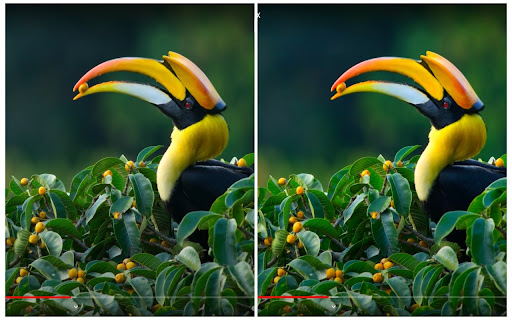

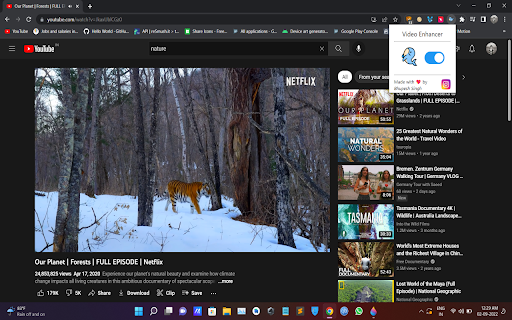
Enhance your video on Youtube, NetFlix, Facebook, etc. Turn your normal video into a much cleaner, sharper and colorful form :) 🔹Video Enhancer, enhances your video by applying filter to it. 🔹You can easily switch on and off the extension 🔹Works best with outdoor views # Note: After installing the extension restart the browser or any other active tabs

AVCLabs AI Video and Image Enhancer
AVCLabs Extension: A Powerful AI Suite for Video and Image Enhancement Effortlessly upscale and enhance images and videos with advanced AI capabilities: 1. Upscale Videos: Instantly transform low-resolution videos to 1080P, 4K, or 8K with a single tap. 2. Enhance Image Quality: Sharpen and upscale images by up to 4X for stunning clarity. 3. Background Removal: Remove backgrounds from images in seconds with just one click. 4. Image Colorizer: Convert black-and-white, grayscale, or night vision photos into vivid, colorful masterpieces. 5. Object Removal: Easily eliminate text, logos, or watermarks from images. More Features of AVCLabs 1. Access powerful features without leaving your browser, ensuring a smooth and efficient workflow. 2. Intuitive design suitable for both beginners and professionals. 3. Process files in real time while ensuring user data privacy and security. Whether you're a content creator, photographer, video editor, or simply someone seeking reliable tools to enhance media files without the complexity of traditional software, this extension offers the convenience of AI-powered media processing right at your fingertips.

NexVid - Real-time Video Upscaler & Enhancer
Upscale and enhance videos 🎬 NexVid is a lightweight browser extension for real-time video upscaling and creative enhancement. It uses GPU-accelerated Anime4K processing, advanced filters, and a large library of WebGL shaders to improve anime, cartoons, movies, music videos, and other web video directly in your browser. Choose from 15+ Anime4K upscaling quality profiles, tune the target FPS for your hardware, set a resolution threshold to avoid processing already high-resolution sources, and build your own enhancement stack without uploading media anywhere. - Real-time upscaling with profiles ranging from fastest to maximum quality. - Performance controls including target FPS tuning and automatic resolution threshold handling - works great even on less powerful computers thanks to adjustable filters and profiles. - 30+ WebGL shaders across retro, glow, glitch, chromatic, artistic, anime-focused, and experimental super-resolution categories. - Advanced filters and image controls including brightness, saturation, contrast, grayscale, sepia, hue rotation, blur, gamma, emboss, morphology, unsharp mask, and high-pass sharpening. - Adjustable shader parameters plus preset saving and loading for complete effect chains. - Built-in local video player to apply upscaling, filters, and shaders to local video files. - Interface available in English, French, Spanish, Russian, and Simplified Chinese. - Privacy-friendly processing performed locally in the browser. 🔒 Ideal for users who want sharper lines, cleaner details, and more stylized playback without leaving the browser. Our extension provides occasional, non-invasive ads within the extension interface, including in the popup and/or other internal extension pages to keep the service free for our users.

Video Quality Enhancer Extension: ClipMage AI
AI Powered Video Quality Enhancement for all videos in chrome. Video Quality Enhancer Extension: ClipMage AI ClipMage AI is an AI Powered video quality enhancer for all your videos in chrome. No more blurry, unfocused videos. ClipMage lets you upscale and enhance videos up to High Definition quality right in your browser. It also features other tools like a ChatGPT sidebar to chat with AI models to 10x your productivity, as well as AI Image and Video Generation. An All-in-one AI tool for your browser.

Video Filter
Enhance your video color everywhere you watch! Just drag and drop any available filters, connect and tweak to make a magical result. Video Filter works everywhere: YouTube, Vimeo, Facebook, Netflix, HTML5 video and so on. Available filters: * brightness * contrast * gamma * saturate * grayscale * sepia * hue-rotate * flood (SVG display on) * image * blur * opacity * blend * composite * merge * morphology * SVG-code
