
jockdhaiecgpapioakjnhglihnakmnco

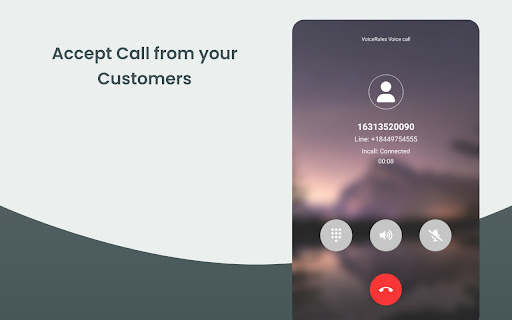
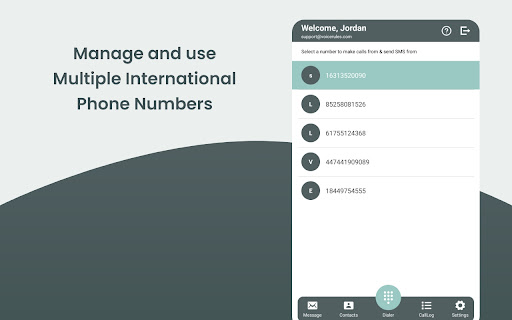
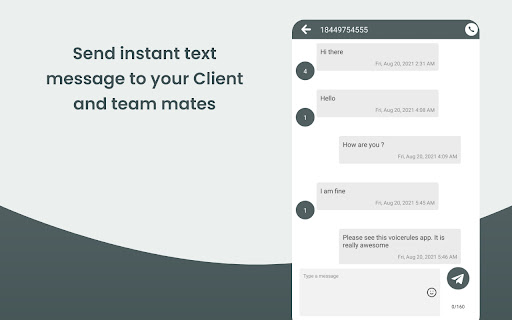
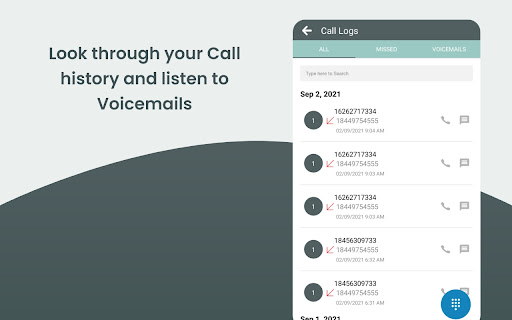
Make & receive more sales and support calls, track all calls. VoiceRules - Cloud-based Virtual Phone Systems for Small Business | make a call from anywhere. Make calls to any phone number across the globe at a single click with the VoiceRules virtual phone system. VoiceRules is a cloud-based VoIP (Voice over Internet Protocol) system for businesses of all sizes. VoiceRules uses cloud computing to deploy a flexible telephony network over the internet. Create and manage your own international call center, global support, or sales team within seconds and minutes. You can replace your old-school telephony systems with new-age, scalable, and reliable phone systems. With a click of a button, take your business global. Improve your perception and make your international clients comfortable by providing them with a local number to call. Empower your sales team to explore global sales opportunities and keep a close and real-time track of their activity and performance. You don't need any new hardware or cable or sim. All you need is a VoiceRules account and your phone or computer. Make calls using our app or website or this extension and receive calls directly on your phone number. Let's get started with VoiceRules now. ABOUT THIS EXTENSION VoiceRules Chrome Extension works with your VoiceRules.com account. It allows you to add click to call and click to text buttons beside valid phone numbers in your CRM (that VoiceRules integrates with). It also notifies you when there is an incoming phone call on your VoiceRules phone number. You can answer incoming calls directly from your Chrome browser. Click to Call dialing from web pages, integration with any softphone, screen pops in HubSpot and other CRMs. Click to Call, also known as Click2Call, or Click to Dial allows you to click a phone number on any web page and make a phone call. Click to Call CTI for CRM extension by VoiceRules converts phone numbers on web pages into clickable links to allow quick dialing and integrates with various CRMs and Service Desk applications. With Click to Call CTI for CRM extension you can: ■ Use Click to Call while you work inside your CRM Login into your web based CRM, and Click to Call CTI for CRM extension will find callers or contacts on active calls and display contact or lead information (screen pop). ■ Choose one of the popular CRMs - HubSpot, Salesforce, Zoho, Zendesk, Freshdesk and others If you tell us about your CRM and we will be happy to add it to Click to Call CTI for CRM extension. ■ Easily add call notes to CRM. You can add call notes for all the incoming and outgoing calls ■ Combine Click to Call CTI for CRM extension with VoiceRules This way you can use Click to Call CTI for CRM extension for Click2Call ( Click to Call ) and VoiceRules t for voice calls, instant messaging, voice conferencing, and CRM integration. Visit https://VoiceRules.com for more information about VoiceRules. Requirement: This extension requires VoiceRules paid account. Pricing starts at $16/month. TERMS and PRIVACY POLICY By using this Chrome Extension, you agree to the VoiceRules Terms & Conditions available at https://www.voicerules.com/terms_conditions and Privacy Policy available at https://www.voicerules.com/privacy_policy CHROME PERMISSION USAGE DISCLOSURE: This chrome extension requires following permissions from your Chrome browser: 1. notifications: Used to send you notification for incoming phone call and sms. DISCLAIMER: This extension uses Google Analytics to collect extension usage statistics to help improve user experience. If you want to opt-out of Google Analytics tracking, please visit http://tools.google.com/dlpage/gaoptout or you can set up a filter in Adblock Plus or similar ad blocker tools like AdBlock, uBlock or Adblock Pro.

Ether-Spell
Warning: Turning Spellchecking on can deteriorate your performance (especially on older computers and with more active participants.) As a very dyslexic person that is highly dependent on spellcheckers, and considers them as assistive devices. I'm increasingly frustrated that Etherpad does not provide a spellcheck solution. Again and again I found myself going for Google Docs instead of Etherpad or at least typing in another program with better spellcheck support. Which totally goes against the collaborative aspect of Etherpad… This stops now! … at least for me. And maybe it is also useful for you :) This plugin is still a work in progress, so if you find an Etherpad installation that does not function with this plugin, please reach out to me.

Tagg
Say bye to endless scrolling and hello to your smart personal shopper. Tagg Me learns your style as you shop to curate a boutique of clothing and accessories selected just for you. Shop as usual while we help you discover styles you’ll love – no extra effort needed. HOW IT WORKS: 1. Shop Like Normal: Browse your favorite stores like Shopbop, Revolve, Princess Polly, Anthropologie, and more. 2. Train Your Personal Shopper: The more you shop, the better Tagg Me understands your style. 3. Explore Your Personal Shop: Explore your personalized shop filled with styles curated just for you. READY TO SHOP SMARTER? Create an account on our website and install the Tagg Me extension today!

c-gpt
Summarise articles and ask follow-up questions using LLMs such as OpenAI's GPT (Chat GPT). Helps summarise and highlights main points of any article, without having to read the whole article. You can also ask follow-up questions about the article, and it will provide you with answers based on page contents of a current tab.

Uzera
Empower users with Uzera. Integrate tours and demos seamlessly. Design interactive tours, record engaging DemoX. Uzera: Elevate User Experience with Product Tours and DemoX 🚀 Welcome to Uzera, the ultimate Chrome extension designed to revolutionize user engagement on your website or application. With two powerful features – Product Tours 🎯 and DemoX 🎬 – Uzera empowers you to provide an immersive and user-friendly experience for your audience. 1. Product Tours 🌐: Easily create interactive product tours that guide users through the essential features of your website or application. The intuitive design interface allows you to define step-by-step instructions, ensuring users grasp the full potential of your product. 2. DemoX - Video Guides 📹: Take user guidance to the next level with DemoX. Record step-by-step actions within your website or application, transforming them into captivating video guides. Share these DemoX videos to enhance user understanding and streamline the onboarding process. - Product Tours: - Design Engaging Steps 🎨: Craft visually appealing and informative steps for your product tour. Customize each step to showcase specific features or actions. - Seamless Integration 🚀: Integrate product tours effortlessly into your website or application, enhancing user onboarding and feature discovery. - DemoX - Video Guides: - Effortless Recording 🎥: Capture user interactions and workflows within your website or application effortlessly. - Shareable Video Guides 🌐: Generate shareable DemoX videos to provide users with a dynamic visual guide for using your product. - Enhanced User Engagement 🤝: Keep users engaged and informed with interactive product tours and video guides that cater to different learning preferences. - Simplified Onboarding 🛤️: Streamline the onboarding process for new users by providing them with comprehensive product tours and step-by-step video guides. - Versatility 💼: Whether you're a developer, marketer, or product manager, Uzera Toolbox is a versatile tool that adapts to your needs, enhancing user engagement across the board. 1. Install the Uzera Chrome extension. 2. Access the intuitive design interface for Product Tours or start recording with DemoX. 3. Elevate your user engagement and provide an unparalleled experience for your audience. Transform user engagement today with Uzera – Your Gateway to Intuitive Product Tours and Dynamic DemoX Video Guides! 🚀
