
jnppieaphcggnhmigbkfbkkjacopnanl
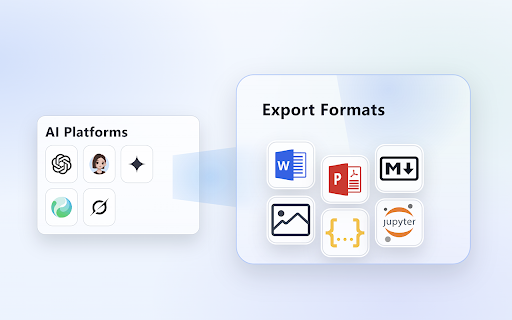


Export ChatGPT, Gemini, Doubao conversations to Word, PDF, Markdown and more formats. Single or batch export. 📌 Overview Chat2File is an AI chat export tool for major AI platforms including ChatGPT, Gemini, Doubao, and more. Export AI chats and conversations to Word, PDF, Markdown, PNG screenshots, and 8 formats in total. Save a single response or select multiple messages for batch export, making it easier to organize study notes, technical materials, work records, and important chat history. 🚀 Export Formats Word (.docx) | PDF (.pdf) | Markdown (.md) | PNG (.png), and 8 formats in total 🌐 Supported Platforms ChatGPT, Gemini, Doubao, and other AI platforms. ✨ Key Features • Multi-format Export → Save AI chats as Word, PDF, Markdown, PNG screenshots, and 8 formats in total • Quick Export → Save an individual AI response with a one-click button shown near long answers • Batch Export → Select only the messages you need, or bulk select replies and prompts, then export them in your preferred format • Full Fidelity → Preserves code blocks with syntax highlighting, tables, math formulas (KaTeX), lists, and blockquotes • Local Processing → Export processing happens locally in your browser and does not upload your conversations to third-party servers 📂 Use Cases • Study Notes → Export useful answers to Word or Markdown for ongoing learning • Technical Docs → Keep code blocks, tables, and formulas for development or research records • Work Archives → Save long conversations as PDF, HTML, or JSON for review and sharing • Content Sharing → Export chats as PNG screenshots or poster-style images 🚀 How It Works 1. Open an AI chat page on a supported platform. 2. Quick Export: Click the shortcut button near a long response, then choose Word, PDF, Markdown, PNG, or another format to generate the file. 3. Batch Export: Use the export button on the page to enter selection mode, select or bulk select the messages you need, then export them.

Qwen Exporter - Markdown & PDF
Export your Qwen (通义千问) conversations to Markdown and PDF formats with one click Export your Qwen (通义千问) conversations to Markdown and PDF formats with one click.

豆包历史对话管理助手
This Doubao conversation management plugin is completely built with Google Gemini. It fully pays tribute to the functionality of the Gemini Architect plugin. If you have any feedback or suggestions, you can send me an email or rate the plugin. I will keep improving it! ✅ Conversation History Management by Folder - Create new folders - Drag and drop to reorder - Rename folders - Delete folders - Customize folder icons with emoji ✅ Switch between Dark Mode and Light Mode ✅ Jump to chat history on the right panel

DS随心转 - 专为 AI 打造的智能排版与导出工作台
一键将 AI 对话转化为排版精美的 Word、PDF、Excel 和图片 还在为 AI 生成的复杂格式和公式发愁吗? 复制粘贴不仅会丢失排版,还会让精美的 Markdown 变成一堆乱码。DS随心转 是您“从 AI 产出物到人类交付物”的最后一公里神器,为您打造沉浸式的数字书房与内容加工厂。 🚀 【完美支持 8 大主流 AI 平台】 无缝嵌入网页,边聊边存。全面支持:DeepSeek、千问等主流大模型 。无论您习惯用哪个大模型,我们都在聊天框旁为您随时待命。 🔥 【核心杀手锏功能】 📄 多格式无损导出: 支持将单次或多次对话,一键导出为带格式的 Word、PDF、Excel 和高清图片(支持 Markdown 源文件打包下载)。 ✨ 完美格式解析: 彻底告别乱码!完美渲染和保留复杂的 LaTeX 数学公式、Mermaid 流程图表、高亮代码块、Markdown 表格及脚注。 🎨 智能排版画布 (编辑器): 独家提供沉浸式 AI 编辑器。生成内容自动同步,支持二次润色与深度排版。 💡 海量指令与模板库: 内置专业级提示词指令库,支持一键创建与应用专属模板,让公文起草、学术报告、新媒体排版快人一步。 👨💻 【谁最需要 DS随心转?】 职场精英: 会议纪要、项目周报一键排版,直接导出正规 Word 交付老板。 学术科研人群: 完美渲染论文大纲、英文文献翻译中的高阶数学公式,顺滑导出 PDF。 自媒体创作者: 用 AI 写完爆款文案,直接渲染为带样式的排版格式。 【立即安装,打造您的数字书房,让每一次 AI 提问都能转化为精美的交付级文档!】

ChatGPT Exporter - ChatGPT to PDF, MD, and more
Transform your ChatGPT conversations into beautifully formatted, shareable files effortlessly! Whether for work, study, or personal reference, ChatGPT Exporter is the ultimate tool to download ChatGPT results as PDF, Markdown, Text, CSV, or JSON formats. ChatGPT is an advanced language model developed by OpenAI that can converse with humans like a human. ChatGPT conversations can be used for various purposes, such as research, training, or entertainment. However, extracting these conversations from ChatGPT can be a challenging task, especially if you have a large number of conversations or need to extract specific conversations only. 🖨️ Beautiful, Professional PDFs - No Unnecessary Clutter: Generated PDFs are free of distracting browser UI elements. - Customizable PDF Settings: a. Set your preferred filename—no need to rename files post-download. b. Define the content title, even if it's different from the conversation name. c. Adjust the PDF format (size and orientation). d. Choose between dark or light mode without altering the ChatGPT interface. e. Includes page numbers for easier navigation in long PDFs. f. Set page margins (Normal, Narrow, Wide) to match your formatting needs. g. Fine-tune font size with percentage-based scaling for better readability or space-saving. h. Choose your preferred font family for improved aesthetics or accessibility. i. Optionally include a table of contents for better structure and navigation. j. Add user info (name and/or email) for documentation or attribution. k. Control the visibility of date and time—choose to hide or display with custom formatting. l. Show per-message timestamps so you know exactly when each message was sent. m. Remove page numbers or interface icons for a cleaner, presentation-ready output. n. Page break per prompt option for better document structure and readability. o. Automatic CJK font rendering for Chinese, Japanese, and Korean content. p. Include or exclude Deep Research references to keep exports focused. q. Show or hide Web Search sources depending on your needs. r. Optionally include Thought Process / reasoning steps for full transparency. ✅ Selective Content Download Export only the parts of the conversation you need. Unlike other extensions, you're not forced to download the entire chat—just select the specific responses you want! Shift+click to quickly select a range of messages. 📂 Versatile File Format Support Export your ChatGPT conversations in multiple formats, including: - PDF - Markdown - Text (TXT) - CSV - JSON 📋 Copy to Clipboard Skip the download step entirely! Copy your exported content directly to your clipboard for instant use in other applications. 🔬 Preserves Advanced Content & Features Retains essential ChatGPT formatting and automatically extracts advanced features: - Canvas, mathematical formulas (block and inline) - Code blocks with syntax highlighting - Tables and structured content - Deep Research reports with full source citations (converted to footnotes in Markdown) - Web Search source links and references - Thought Process / reasoning steps from O1 and other reasoning models 👥 Group Conversation Support Export both regular chats and group conversations. The extension automatically detects group chats and identifies messages from different users and AI assistants. 🔓 Anonymous GPT Conversations No login? No problem! Download your GPT chats before logging in to ensure your data is captured seamlessly. 🌟 Modern, Polished Interface A clean, modern UI design that blends seamlessly with ChatGPT's look and feel. Smooth interactions and intuitive controls for beginners and advanced users alike. 🌍 Available in 34 Languages The extension interface supports 34 languages, and exported files maintain text in your chosen language, making it ideal for international users. ⚡ Performance You Can Count On - Lightweight extension that won't slow down your browser. - Optimized PDF export for long conversations. - Fast and smooth export across all formats. 💰 Free to Use with Optional Premium - Most features are completely free to use. - Markdown, Text, JSON, and CSV exports are always free. - PDF export: 3 free exports per day. Additional exports require a small fee to help cover tool maintenance costs. - For more details, visit our pricing page. 🎯 Use Cases and Benefits 📊 Ideal for Professionals Save customer interaction logs, brainstorming sessions, or project ideas. Share polished PDFs or Markdown files with colleagues or clients. 📚 Perfect for Students & Educators Archive study notes or Q&A sessions for later review. Save Deep Research reports with cited sources for academic reference. Export code snippets, formulas, or tables for assignments. 💻 For Developers Export JSON or CSV for data manipulation or analysis. Preserve code snippets with syntax highlighting in Markdown or PDFs. Save Thought Process reasoning steps to understand AI decision paths. ✍️ Content Creators' Companion Effortlessly save ideas or scripts. Use Markdown files directly in content management systems (CMS). Copy content directly to clipboard for quick pasting into blogs, social media, or writing apps. 1️⃣ Can I export only part of the conversation? Absolutely! Use the checkbox feature to select specific responses for export. Shift+click to select a range of messages at once. 2️⃣ Can I export Deep Research reports and Web Search sources? Yes! The extension automatically extracts Deep Research reports with full citations, Web Search source links, and Thought Process reasoning steps from ChatGPT's API. 3️⃣ Does it support group conversations? Yes! The extension automatically detects group chats and exports them with proper role identification for each participant. 4️⃣ Are canvas, formulas, code, and tables retained? Yes! All rich content—canvas, formulas, code blocks, and tables—is preserved in the export. 5️⃣ What browsers does ChatGPT Exporter support? We officially support Chrome. It also works on Edge, Brave, and other Chromium-based browsers via the Chrome Web Store. 6️⃣ How do you handle my conversation data? I have privacy concerns. We never store your data. PDF exports are processed temporarily on our server and deleted immediately. All other formats are handled entirely in your browser. 7️⃣ Do I need to log in to use the extension? Most features work without logging in. Only PDF export requires signing into the extension. Other formats like Markdown, Text, CSV, and JSON don't require login. 8️⃣ Can I use ChatGPT Exporter for free? Yes, most features are free. PDF export provides 3 free exports per day. Additional exports require a small fee to help cover tool maintenance costs. For more details, visit our pricing page. ✨ Why Choose ChatGPT Exporter? With unmatched versatility, advanced features, and a focus on user experience, ChatGPT Exporter is the only extension you'll ever need to save and share your ChatGPT results. 🔗 Install now and experience the difference! v5.0 1. Completely redesigned UI — modern, polished look that blends naturally with ChatGPT 2. Improved dark mode support across all UI components 3. Smoother interactions and faster response v4.0 1. Added Deep Research report export with full source citations 2. Added Web Search source link export 3. Added Thought Process / reasoning steps export 4. Added toggle settings to include or exclude each feature in exports 5. Improved PDF download speed and reliability v3.0 1. Added group conversation export support 2. Added Shift+click to select a range of messages 3. Improved PDF stability for long conversations 4. Improved CJK (Chinese, Japanese, Korean) font rendering in PDFs 5. Fixed PDF rendering issues with special characters and Unicode 6. Fixed filename encoding for Japanese and other non-Latin characters v2.27.0 1. Enabled several PDF options by default for a better out-of-box experience v2.26.1 1. Fixed date formatting for non-PDF exports v2.26.0 1. Improved PDF date and time formatting with timezone support v2.25.0 1. Added page break per prompt setting for PDF exports 2. Improved PDF layout with better margins and page breaks 3. Enhanced deep research report formatting in PDFs v2.24.0 1. Fixed image rendering for PDF v2.23.0 1. Fixed message selector compatibility issues 2. Enhanced PDF styling for thinking processes and user messages v2.20.0 1. Added download location setting 2. Added auto-open thought process option 3. Reorganized settings into common and PDF-specific sections 4. Improved markdown formatting by removing duplicate line breaks 5. Enhanced PDF styling for thinking processes and typography v2.19.0 1. Added support for exporting conversation links 2. Added font family selection for PDF exports v2.18.0 1. Users can now input name and email for all export formats 2. Added a toggle to show/hide export buttons v2.17.1 1. Added "None" option for the select button 2. Selecting now automatically expands all "Thought Process" sections v2.15.0 1. Added keyboard shortcut for the PDF export button 2. Fixed several bugs v2.13.0 1. Added support for setting a filename prefix v2.12.0 1. Users can now input name and email for PDF generation v2.8.0 1. Added common settings section in the extension options and popup window v2.7.0 1. Users can now input any font size 2. Improved performance and reduced export wait time v2.6.0 1. Added option to remove page numbers from PDF footers 2. Added option to remove conversation role icons in PDFs v2.5.0 1. Added export options for user info (name and email) 2. Added export options for date info: creation, modification, or export time v2.4.0 1. Now remembers user selections and export options for quicker future use v2.2.0 1. Added table of contents to PDF exports 2. Improved code block styling with syntax highlighting and line wrapping v2.1.0 1. Added localization for multiple languages 2. Tutorial page now opens on first install
