
jnpcpagdkiglbjpifgpndcgcapghnbdp

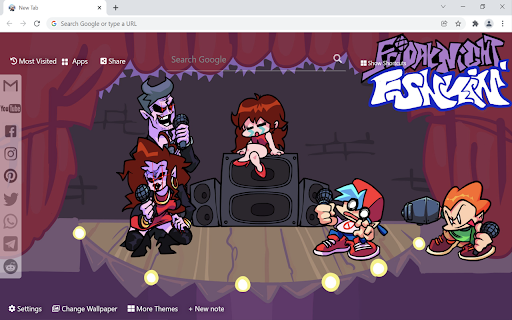

Friday Night Funkin wallpaper turn new tab to custom HD Friday Night Funkin background. Themes for Friday Night Funkin' fans. This extension features some of the great Friday Night Funkin background to make you feel good on your Chrome browser. Extension Features: 1. Shuffle Friday Night Funkin wallpaper every time you open a new tab. 2. Randomize Friday Night Funkin background or favorite it in wallpaper selection panel. 3. Get easy access to popular sites with Google search. 4. Quick access to your emails and social media accounts. 5. Show current date and time automatically. 6. New Note for you to write down your tasks. 7. Get easy access to your history websites. 8. Add website to Shortcut panel for quick access. 9. Quick access to Google apps. 10. Quick access to More Themes. 11. Easy Sharing to Social Media. 12. Quick access to Download wallpaper. 13. Enable fun snow, rain, falling leaves, fireworks animation in new tab. If you have any questions about our Friday Night Funkin wallpaper new tab extension or just want to give us some feedback, feel free to send us a message or write a review! We'd love to hear from you. You can mouse over to Support tab on the extension, then click on "visit the developer's support site" to contact us. If you wish to remove this new tab extension, follow this steps: 1. Click the 3-dot icon at the top-right corner of your screen. 2. Hover your mouse on More tools then click Extensions. 3. Find the Friday Night Funkin wallpaper extension. 4. Press "Remove" - OR - Right-click the extension icon on the extension bar (next to the URL bar) and select Remove from Chrome.

FNF vs Rainbow Friends
Play FNF online. Discover the Joy of palying this game - Your Ultimate Online Happy Experience! Try it now! FNF Vs Rainbow Friends: One of the Most Popular FNF Mods Based on Friday Night Funkin'! Welcome to FNF unblocked game , one of the most popular mods based on the game Friday Night Funkin'! In this mod, you'll engage in musical battles with the Rainbow Friends and enjoy the fun of music and dance! Unique Opponents: Battle against the Rainbow Friends in musical showdowns! This mod introduces a memorable cast of Rainbow characters, each with their own distinct style and music. Challenge their rhythm and engage in intense battles! Easy to Pick Up: Use WASD or arrow keys to play. FNF Vs Rainbow Friends maintains the simple controls of Friday Night Funkin', allowing you to easily pick up and play. Follow the rhythm of the music, hit the right keys, and engage in musical battles with the Rainbow Friends! Multiple Modes: In addition to the traditional story mode, this mod offers other exciting game modes. You can choose the Freeplay mode for practice or challenge the Endless mode to test your endurance. Whether you're a beginner or an expert, there's a game mode that suits you. Stunning Music and Dance: FNF Vs Rainbow Friends mod not only brings new opponents but also features stunning music and dance! Each Rainbow Friend has their own original songs and unique dance moves, immersing you in the world of music. Extension Button Menu *Play more games and explore exciting themes on the page menu buttons.

[FNF] Friday Night Funkin' Games
Friday Night Funkin' is the place where the music count! Play multiple FNF Mods directly in your browser! Friday Night Funkin' or how all the players knows them - FNF, is a open source rhythmical game where you need to press arrows in order to dance and battle different antagonists. The game was created by Ninjamuffin99, KawaiSprite, PhantomArcade3k and Evilsk8r in a Newground competition called Ludum Dare 47. In the last update, we've introduce 3 new FNF Mods, so, now you can play: 1. Week 7 2. Vs Shaggy 3. Vs Garcello 4. Mid Fight Masses where you play agains Sarvente, Ruvyzvat (Ruv), Selever and Rasazy After the competition was ended, the game had become one of the most popular indie games with thousands of fans. What is more cool is that because this is an open source game, the fan base started to create different mods, and the game popularity just boomed. Friday Night Funkin' game have the following characters: Boyfriend, Girlfriend, Daddy Dearest, Mommy Mearest, Monster and Spirit. Beside them, we have some guest characters like Skid and Pump, Pico, Tankman and of course Whitty. FNF game action is playing in 6 weeks where you have to battle different characters. In this extension you can play directly in your browser tab, without the need of downloading or surfing the web. Just press the extension icon and start playing directly - no ads! If you like this type of games, you can find more FNF mods. 1. How can I play? Click the extension. Click the game image to start. After that, press the game and DON'T PRESS ANYTHING ELSE EXEPT THE GAME. If you will press anything else, the game will stop! [!] Keep your mouse cursor in the game area. If you move the cursor from the game area, the game will stop. 2. Where I can find the extension? After you installed the Chrome extension, go to the Extension tab (in the top-right side, between search address and settings, you have to click a gray piece of puzzle). After you open the Extension tab, pin [FNF] Friday Night Funkin' Games extension. Now, whenever you want to play, just click the extension located in the top-right corner. 3. The game is not loading, what can I do? To start the game, you have to click the game image from the top. 4. I clicked the game image, but the game won't work If the game is still not loading for you, try to press the "Fullscreen" button from the bottom of the page. In this way, the game will open in a new tab. If this won't solve your issue, please press the "Refresh" button. 5. The game is stuck at a point. What can I do? It is a known issue that the game from time to time will get stuck and freeze. When this problem occurs, just press the "Refresh" button and try again. 20 March 2023 - decreasing the size from 379MB to 189MB - fixing bugs - fixing Chrome guidelines - adding a feedback when you remove the extension to know what we should improve 01 January 2023 - fixing bugs - adding new game loading to reduce the extension time to open - adding 3 more mods 08 June 2021 - added new game files - minor bugs reported fixed - the game now loads instant, without crashing, so, you can play FNF online without interrupting 19 Apr 2021 - game files - donation links according with the developers fundraising from Kickstarter - buttons for full-screen and refresh the game - we added Friday Night Funkin' Week 7 07 Apr 2021 - we have changed the game files because many of the players reported that the game was glitchy has poor performance 22 Dec 2022 - we fixed some bugs, and eliminate some useless functionality

Five Nights at Freddy's 2 Unblocked Game
This extension let you play FNaF 2 game unblocked on chrome browser. Created for Five Nights at Freddy's 2 game fans. The gameplay of FNAF 2 is similar to that of the first game, with the player being required to survive five in-game nights while being stalked by animatronic characters. However, there are several new animatronics added to the game, including Toy Bonnie, Toy Chica, Toy Freddy, and the new and improved versions of the original animatronics from the first game. One of the key features of FNAF 2 is the use of a security office equipped with various tools to help the player survive the night. These tools include a flashlight, doors that can be locked and opened, and a ventilation system that allows the player to move around the building. However, using these tools also comes with a cost, as they consume power that must be managed carefully in order to make it through the night. If you have any questions about our Five Nights at Freddy's 2 game extension or just want to give us some feedback, feel free to send us a message or write a review! We'd love to hear from you. You can mouse over to Support tab on the extension, then click on "visit the developer's support site" to contact us. If you wish to remove this extension, follow this steps: 1. Click the 3-dot icon at the top-right corner of your screen. 2. Hover your mouse on More tools then click Extensions. 3. Find the Five Nights at Freddy's 2 game extension. 4. Press "Remove"

FNF Test | Friday Night Funkin'
Test your favorite FNF characters in a single extension, online! Choose one from Whitty, Agoti, Tricky and many more! The Friday Night Funkin' phenomenon is growing each day with new mods to play and discover. Like you may know, the majority of the mods are posted on GameBanana from where you can download them. Besides the official game and the mods, a new trend was rising - testing games. They are simple games where you can test your favorite character from Friday Night Funkin. One of the first creators of this sort of game is Bot Randomness and MadManToss with FNF Test Playground Remake. In this chrome extension, you can play 4 different FNF test games online with characters like Agoti, Garcello, Ruv, and Tricky. In each game you will find different animations and character states. Besides these 4 characters to choose from, the extension can be played in popup form or full-screen. If you like our FNF Test game collection, please don't forget to rate it. 1. There are any ads in the game? No. We don't have any ads in the Chrome extension. 2. It is free? Yes, the extension is free to use how much you want. No cost of installing or playing it. 3. How to start the game? Simple, just click or press one of the game from the top. Choose one between Agoti, Whitty, Ruv or Tricky. After that, the game will load. 4. I pressed outside the extension, and it closed. Yes, if you press outside the popup it will close the extension. To solve this, press the Full-screen button from the bottom of the popup. 5. This extension have viruses? No. All the Chrome extension are inspected.
