
jnogafplogonnkiohcmlhepcenleppph
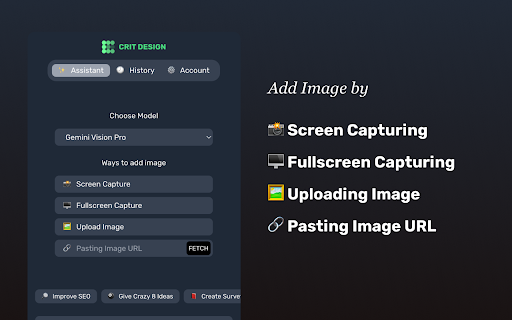


Crit Design is a screen capture browser extension powered by AI from GPT4o, Gemini Vision Pro, Claude Sonnet and Llava-34B that helps in: 🔎 Improve SEO: Climb search engine mountains with expert tips. 👉 Add Nudges: Use behaviour science to make visitors fall in love with your site. 📕 Create UX Survey: Create survey that ready to use for researchers 👽 Find Competitors: Analyze any competitor sites 🔮 Define Persona: Unmask your competitors: Analyze their sites and understand their users 👀 Create Alt Text: Crit Design writes alt text for images so everyone can enjoy your website. ⭕️ Find Type: Say goodbye to typos with Crit Design's eagle eyes. How it works: 1. Install the extension. 2. Capture the website: Screenshot, upload, or paste the URL. Boom! 💥 3. Get your instant analysis. 📌Which browser that we support? Arc, Chrome, Edge, and FireFox(Converter required) 📌Any real-world use cases? Our fellow UX researchers are already using it to anticipate competitor user personas. Developers in our BETA program have utilized it to generate ALT text, enhancing accessibility. Others are using it to improve SEO, create A/B testing text and analyze new competitors. 📌What are the differences between Crit Design and ChatGPT Plus? ChatGPT and other tools require multiple steps: capturing a screenshot, uploading it, and submitting a request – a time-consuming process. Crit Design simplifies this to just 3 steps: 1.Capture a screenshot using the browser extension 2.Ask the AI 3.Receive insightful feedback in seconds --- 🔥 1.41 Updates • Claude Sonnet is here to blow your mind! • Upgraded GPT4-v to GPT4o • Newly redesign the way to see the result from your favourite model.

brocrobes
Browser plugin for https://transcrob.es Brocrobes is the Chrome-compatible web extension for interacting with the open source foreign language content enrichment system of Transcrobes (https://transcrob.es). It allows you to take any webpage and enrich it with personalised, hypertext-based comprehension aids. It requires an existing account on a Transcrobes server. Free accounts are available at https://am.transcrob.es NEW! Now with personalised language learning support for watching many of your favourite movies on Netflix or Youku (in Mainland China)!

FLOZABLE Tab Monitor
Boost focus with timers, block distractions, get study tips, and stay updated with group alerts using FLOZABLE. Supercharge your focus and productivity with the FLOZABLE Study Focus Chrome Extension. Seamlessly integrated with your browser, this extension is your go-to tool for cultivating efficient study habits and making the most out of your online learning experience. Time Management Mastery: Effortlessly track your study time with our intuitive timer. Set focused intervals, challenge yourself, and stay on top of your study goals. Distraction-Free Browsing: Activate the distraction-free mode to limit access to non-educational websites during your study sessions. Say goodbye to procrastination and hello to enhanced concentration. Personalized Study Plans: Receive AI-generated study suggestions based on your learning habits and preferences. Tailored recommendations to keep your study sessions engaging and effective. Group Study Alerts: Stay connected with study groups seamlessly. Receive instant notifications for group study invitations, challenges, and achievements directly through the Chrome Extension. Progress at a Glance: Get a quick overview of your study progress with a personalized dashboard. See your daily, weekly, and monthly study trends, empowering you to stay motivated and accountable.

Loop8 Privacy Manager
Browser extension for Loop8 Privacy Manager. Loop8 Privacy Manager Chrome Extension is a seamless method for users to safely and securely store their login credential information.

Tanuki Utilities
Provide useful utilities for GitLab users. * Change the GitLab favicon to a project icon; you can easily distinguish many GitLab tabs. * Move "Copy reference" button on top bar; the button is always shown for your easy access. This extension tries to change favicons in the **all** sites by default. You can specify which GitLab site (e.g. gitlab.com or your self-hosted site) you would like to change favicons. #### Change the GitLab favicon to a project icon
