
jnmbfobflanbemhhphppnjmfhhfdkegd
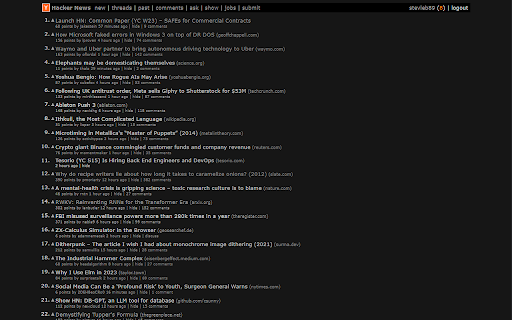
Simple HN Dark Mode by steveb.co Hacker News simple dark mode by steveb.co

HN Dark Mode
Adds a dark theme for Hacker news (news.ycombinator.com). Dark Mode can be configured to be always on or to match the operating system's dark/light theme. This extension only runs on the Hacker News site. It will not collect or transmit ANY of your browsing activity.

Hacker News Tools
Enhance your Hacker News experience with useful tools and features like dark mode and more. Enhance your Hacker News experience with dark mode, one-click story submission, submission history lookup, and random front page exploration. Current features offered by this extension: - Dark mode theme - Insert your custom CSS - Highlight text and search from context menu - `hn` omnibox keyword: Type 'hn query' in the address bar to search directly on Hacker News - Open external links in a new tab - Random story link in the top navigation bar - Submit any web page easily - Check submission history of any web page or website - Visit a random day's front page Visit out homepage for detailed feature guide: https://browsernative.com/hacker-news-chrome-extension/ For feedback or suggestion, email us at browsernative.apps@gmail.com Extension by BrowserNative. Not affiliated with Y Combinator or Hacker News (news.ycombinator.com).

Prompt2Eagle
1. Quickly save images, prompts from Midjourney.com to Eagle 2. If needed, you can translate the prompt into another language and save it

BlueA11y
Alternative (or alt) text is used to describe images for those who can't see the image, making them more accessible. This extension, based on Alt or Not for Twitter, shows which images are missing alternative text with a "No alt" label, and displays the alt text below the images when available. You can choose to hide the repost button on posts with missing alt text, or even hide the complete post. The extension includes additional options to check the text of posts for potential accessibility issues, giving suggestion on how to avoid those issues.
