
jnlmbbdhfoeohfmbddlchdlfknmpmpea
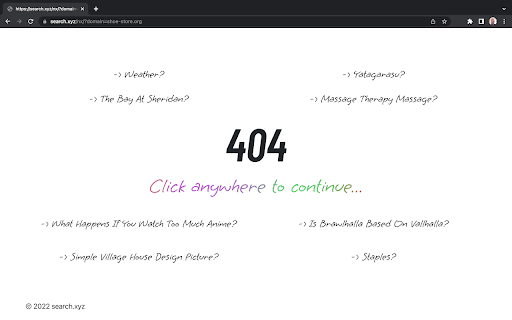
Provides different shopping options if the online store the user is trying to find is missing. Provides the user different searched options if the online store they are navigating generates missing errors, such as a 404 error.

Light Tab
Light tab- a spectrum of soft pastel wallpapers that will look pretty on your background and contribute to a calmness while working. Carefully designed extension to help you boost your focus and concentration. Light Tab is one of those extensions that prolongs your life! By clicking "Add to Chrome", I accept and agree to installing the Light Tab Chrome extension and setting Chrome New Tab to that provided by the service and the Terms of Use and Privacy Policy. We created this extension for people who needs a gateway from work and other obligations. Whenever you feel like you lost motivation, concentration or desire to work, just open a new tab so you see all these remarkably calm wallpapers that will sharpen your focus. Are you spotting the icon in the top left corner? Just click on that one and magic happens! A new wallpaper will appear every time you click on it. But do not to do it to quickly - take time to enjoy simplicity of soft pastel wallpapers. In this chaotic time when every person has so much obligations and not so much time, we implemented a feature that will be quite useful for all users - clock. We planted it on the middle of the screen, right in the center of these remarkable pictures. It is quite visible, you can't miss it! You will be able to better arrange your duties and leisure time by utilizing our new tab extension. The search features use within the extension will be powered by Microsoft Bing. However, the extension will not make any changes in your default browser search setting. This shortcut will save you a lot of time and remind you to do the search you need for work and fun. Just like the clock, we placed it in the center of the extension, in the place where all important stuff are situated. In case you would like to know more about our Privacy Policy and learn how we protect your data, click on the link in the bottom-right part of your screen. By doing that, you will open a webpage with all the details. If you find yourself in some kind of doubt, click on the Contact Us link which you can find next to Privacy Policy. You will automatically be redirected to our page where you can fill the form and you will get your answers as soon as possible. You can also find links for all the information here: HOMEPAGE: https://lighttab.me/index.html PRIVACY POLICY: https://lighttab.me/privacy-policy.html EULA: https://lighttab.me/eula.html You can easily approach us by sending the mail on the owner's address: Advanced Business Developments LLC To uninstall the extension, follow these steps: 1. Open extensions menu 2. Find extension 3. Click on the three dots 4. Click "Remove from Chrome"

Cats Fan
Get the best cute cats photos right in your homepage with our extension! For more details: https://cats-fan.com/pages/terms-of-use.html https://cats-fan.com/pages/privacy-policy.html Get the most cute cats photos on a daily basis in your homepage using our extension. By installing the extension you accept and agree to set Chrome New Tab search to Bing, and to the terms and policies.

Cactus Search
With our extension, you set Cactus Search as your default search engine & your new tab so you can help plant trees with every search With this extension you can set Cactus Search as your default search engine and customize your new browser tabs so that you can help us to plant trees. 》 By clicking "Add to chrome", you accept and agree to install the Cactus Search extension and setting Chrome™ New Tab search and your default search engine to Cactus Search. By installing you agree with our Terms of use & Privacy Policy. 》Get Cactus Search to plant trees and do something for the climate every day. Just like any other other search engines, we make money from advertisement. However, we use our profits to plant trees and save the environment. We support local projects around the globe. 》Protect your privacy - We don't trace you, we don't sell your data to advertisers, and your searches are always SSL-encrypted. We're interested in trees, not your data. You can find our full privacy policy here: https://cactus-search.com/privacy 》Extension permission We try to reduce the required permission to the absolut minimum.

Elevate Tab
Elevate your mood with this amazing New Tab extension. By clicking "Add to Chrome", I accept and agree to installing the Elevate Tab Extension and setting Chrome New Tab Search provider to Microsoft Bing as described by the service in EULA (https://elevatetab.com/eula.html) and Privacy Policy (https://elevatetab.com/privacy-policy.html). Have trouble concentrating? This add-on is intended for everyone who wants to gain laser focus. You won't believe how you used to function with a Chrome default new tab after downloading Elevate Tab. This custom tool will significantly increase your productivity, and your new tab page will be enhanced with numerous useful features. The collection of beautiful wallpapers is the first thing that catches your eye. You get to witness the most incredible landscapes and other works of art on each tab that is opened. The catch is, that you do not have to open a new tab every time. To see these awesome photos just click on the small logo in the top left corner and enjoy. Do not let rain surprise you and ruin your plans! This feature allows you to stay updated on the weather forecast. The temperature for the particular place may be found in the right upper corner. By using Elevate Tab it will come naturally to you to use our search feature which perfectly fits with beautiful wallpapers. We created a new feature for all hard workers out there. You can find it in the left bottom corner and by pressing the chair image you can set reminders. What is the purpose of reminders? Gentle reminders will remind you to take care of your posture because sitting for long periods of time can be harmful to your health. Keep track of time with the clock feature. If somehow you do not like one of these options, you can simply choose to see the ones you like! Just click the Settings and pick your favorites! Feel free to contact us anytime: - By submitting a form on the page: https://elevatetab.com/#contact - By sending mail to the owner's address: Bulevar Šarla de Gola 2, Podgorica, Crna Gora - By sending an e-mail to info@datadesign.me
