
jniadfnlhppfpihbkabnmelggmnpkjan


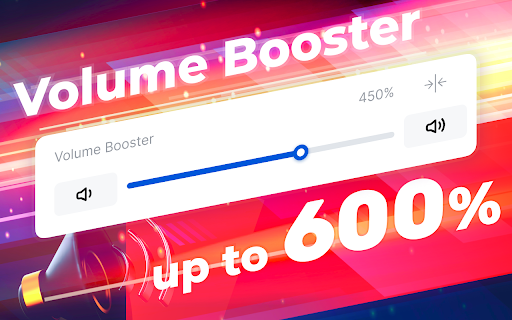
Video and Sound Manager to control any Video Playback Speed in Chrome. Sound Boost feature to increase sound volume for up to 600%. 🎥 The Video Speed Control and Volume Booster allows you to speed up or slow down any video playing in your Chrome Browser, on any website. This is an extremely helpful tool for those who need a video manager to watch or listen to any video at higher or lower speed. You can slow down or speed up any video playback for up to 16 times. 🔊 Another feature is Sound Volume Boost. The extension manages sound of each browser tab separately and can increase sound volume for up to 600%. For better user experience, the extension works separately on each tab. Thus, you can regulate sound volume of each tab independently. 🔍 USER GUIDE - How to use Video Speed Control and Volume Booster: 1) Install the extension and pin it to your browser. That's it. Installation process is very simple and doesn't require any additional settings or actions. 2) Open any tab with a playing video or audio. 3) Click on the icon of the extension. 4) Change video playback speed or sound volume from the extension control panel. You can increase playback speed for up to 16 times. Sound Boost can be done for up to 600%. Done. 💥 Video Speed Control and Volume Booster works on any page or website, including most popular streaming and video hosting platforms like: - Netflix - Amazon Prime Video - YouTube - Vimeo 📹 The Video Speed Control feature would be useful when you'd like to rewatch your favorite video in slow motion, or speed it up. You can enjoy your favorite YouTube video or Netflix series at any speed you want. Slowing down video is a very useful feature for those who learn something (like a foreign language, etc.) through video. Speeding up any video simply allows you to skip boring or too slow part of a video. You can fine-tune video speed with 0.1 precision. Such a smooth tuning provides you with the most comfortable playback speed for you. 🔊 The Sound Boost feature is a desired tool for those who want to lift Chrome Browser limits on sound volume. Now you can increase volume for up to 600%, i.e., your browser can play any music or video with sound 6 times more than standard maximum one. Even more comfy feature: You can regulate sound volume for every browser tab separately. It's a super cool perk for someone who hops from one tab to another, which actually means it is handy basically for everyone. Note Please note that this extension is not an official Google application or product. It is designed and developed by me, an independent developer. All copyrights belong to their respective owners. Google doesn't endorse or sponsor this Chrome extension.

Volume Booster
Enables you to enhance the bass and increase the volume of audio on websites. Increase your sound by up to 600% beyond the standard level and enjoy clear, loud audio without distortion! Volume Booster is the ideal solution for watching videos, listening to music, boosting sound in movies, increasing sound on YouTube music, and enhancing bass when the standard volume is insufficient. Key Benefits: - Experience an impressive enhancement in sound amplification, increasing the volume by up to an extraordinary 600%. - Experience pure and clear sound quality without any distortion, ensuring a flawless auditory experience. - The installation process is straightforward and can be completed quickly without complications or delays. - Effortless configuration to achieve the best possible audio quality. - Intuitive interface. - Save time with instant settings. - igh performance when watching videos. - Regular updates to improve performance. - Bass boost for deep and rich sound. - Automatic Bass Boosted Mode for maximum impact. - Automatic Bass Booster to emphasize low frequencies. - Instant bass boost for better volume and sound quality. Volume Booster is a reliable tool that makes your audio sound much better. Download it now and hear the improvement!

Volume Booster - Increase sound
Volume booster increase volume on any tab! Bass booster and EQ control in your browser. Volume Booster extension is designed to easily amplify and gain audio output on any tab. It allows you to increase the volume or sound level of your system by up to 600%. You'll enjoy the best listening experience—both for video and music. This extension works perfectly with popular streaming services like YouTube, Vimeo, and Dailymotion. It makes sure the sound is louder and clearer, no matter where you're watching. It's a simple way to boost sound quality in your browser while streaming, meetings, or listening to music. Why Choose Volume Booster? ✔️ Volume Boost up to 600% ✔️ Bass Boost up to 12dB ✔️ Just Install and Use ✔️ No Distortion, Just Clarity ✔️ YouTube, Netflix, Zoom, Spotify ✔️ Complete EQ Control in Your Hands How to use the Volume Booster extension? 1. Install Volume Booster. 2. Pin it to the toolbar and click on the extension icon. 3. Use the arrow buttons to set the boosting mode. 4. Next, select the boost level using the slider. Free Use. Open source with public license (GPLv3) We would be happy to see your feedback for our extension in the ‘Reviews’ section.

Rehearsal: Youtube Speed Shifter
Change YouTube video or audio speed while maintaining pitch. Set markers and loops for focused practice. 🌍 Easily Change the Speed of Your YouTube Videos to Enhance Your Music Practice Experience By adjusting the speed of online videos and streaming music on YouTube, you can set it from 25% to 250% of its original tempo. Our powerful audio processing capabilities will completely transform your practice sessions. This feature is specifically designed for YouTube, with no cost and no intrusive permissions required. Audio is only captured from the active tab when you activate the extension. This upgrade aims to evolve from a simple tool into a professional resource specifically designed for individuals in the music industry, providing specialized tools for both vocal and instrumental practice. Set Markers: Easily set markers and loop play segments by clicking between any two markers, making it convenient to practice specific sections. Playback History: View and revisit your previously played content for easier repeated practice. Redesigned UI: The entire application has been reimagined for a more intuitive and user-friendly experience. Multiple Themes: Choose your preferred interface theme for a personalized user experience. Shortcut Key Settings: Customize shortcut keys to suit your operating habits. Multiple Languages: Support for various languages enhances user-friendliness. Effortlessly change the playback speed of YouTube videos in real-time while keeping the original pitch intact. This functionality is perfect for musicians, singers, and learners using YouTube. Speed Control: Adjust video speed from 25% to 400%. Preserve Pitch: Change BPM without altering the original pitch. Seamless Works with YouTube. Local Playback: Local audio file playback is not supported. Privacy Assurance: No sign-in required; we do not collect browsing history or personal data. Real-Time Processing: Experience audio changes instantly in your browser. This tool is ideal for karaoke, slowing down practice videos, and transposing on YouTube. Some services may require optional permissions or use Tab Capture mode. 🌍 Easily Change the Speed of Your YouTube Videos → Introduced Set Markers for loop playback of segments. → Added Playback History to track previously played content. → Implemented a Quick Toggle feature for efficient navigation. → Completely Redesigned UI for improved user experience. → Added support for Multiple Themes to personalize the interface. → Enabled Shortcut Key Settings for user-defined keyboard shortcuts. → Included support for Multiple Languages.

BPM Changer
Effortlessly adjust song tempo or speed up video with BPM Changer. Perfect as a tempo, music speed and audio speed changer. Are you looking for a way to instantly change the speed of audio and video playback in your Google Chrome tab 🧐? Look no further than BPM Changer, the ultimate solution for music enthusiasts, video watchers, and content creators. This powerful Chrome extension offers a seamless and intuitive experience for anyone who needs to adjust playback speed on the fly. Let's dive into the features and benefits that make this extension a must-have tool for your browser. 🤯 Key Features • Instantly change bpm of any song or video in your Chrome tab. • User-friendly interface for effortless speed adjustments. • Supports a wide range of audio and video formats. • Real-time playback speed switches without affecting pitch. • Perfect for musicians, dancers, language learners, and more. 🔥 Why Choose BPM Changer? Whether you are a musician practicing a new piece, a dancer fine-tuning your routine, or a language learner trying to catch every word, BPM Changer has you covered. This versatile tool allows you to switch bpm online with just a few clicks, making it easier than ever to tailor your media to your needs. 💨 Effortless Speed Adjustments With BPM Changer, you can easily inrease or decrease the bpm of a song or adjust video speed to match your preferences. The extension provides a smooth and responsive interface that lets you make precise bpm changes in real-time. 1️⃣ Select your audio or video. 2️⃣ Open BPM Changer in your Chrome toolbar. 3️⃣ Adjust the slider to change audio or video speed as desired. 🎧 Ideal for Musicians and Dancers For musicians, BPM Changer is an invaluable audio bpm switcher that helps you practice at different tempos without altering the pitch. Dancers can also benefit from this music tempo changer by slowing down or speeding up their tracks to perfect their moves. • Change bpm of song to match your practice pace. • Use the song bpm changer to prepare for performances. • Adjust the music speed for optimal dance routines. 🎓 Enhance Your Learning Experience Language learners and students can use BPM Changer to slow down audio or video content, making it easier to understand and follow along. This audio speed changer online is perfect for replaying lectures, interviews, and tutorials at a comfortable pace. ➤ Slow down video speed for better comprehension. ➤ Speed up playback to review content quickly. ➤ Use the online tempo changer to adjust educational videos. 👩🏻💻 Perfect for Content Creators Content creators can leverage BPM Changer to ensure their media is perfectly paced for their audience. Whether you're editing a podcast, creating a video tutorial, or producing music, this change bpm online tool gives you the flexibility to fine-tune your content. 1. Edit audio speed and bpm for podcasts and voiceovers. 2. Adjust video speed to highlight key moments. 3. Use the change tempo of song feature for custom tracks. 🌐Seamless Online Integration BPM Changer is designed to work seamlessly within your browser, providing an online music tempo changer that you can access anytime, anywhere. This convenience makes it easy to change audio speed online without the need for additional software. • Access the audio speed changer online directly from Chrome. • Enjoy a hassle-free online tempo changer experience. • Use the music speed changer online on various websites. 😲 Versatile Applications The BPM Changer extension is not limited to just music or educational purposes. It's a versatile tool that can be used in various scenarios, such as: 1. Enhancing workout routines by adjusting the tempo of exercise videos. 2. Slowing down tutorials to catch every detail. 3. Speeding up audiobooks to save time. 📝 How to Get Started Getting started with BPM Changer is simple and quick. Follow these steps to start enjoying the benefits of this powerful tool: • Install extension from the Chrome Web Store. • Open the BPM Changer from your Chrome toolbar. • Load your desired audio or video in the Chrome tab. • Use the intuitive slider to change the speed of audio or video. Q: Does BPM Changer affect the pitch of the audio? A: No, it adjusts the playback speed without altering the pitch, ensuring the audio remains clear and natural. Q: Is there a limit to how much I can change the speed? A: BPM Changer offers a wide range of speed adjustments to suit your needs, whether you want to slow down or speed up the playback. ✨Join the BPM Changer Community Become a part of the growing BPM Changer community and share your experiences with fellow users. Whether you're a musician, dancer, student, or content creator, this tool offers endless possibilities for enhancing your media experience. BPM Changer is the ultimate solution for anyone looking to change the speed of audio or video playback in Google Chrome. With its intuitive interface, versatile applications, and seamless online integration, this extension is a game-changer for musicians, dancers, learners, and content creators alike. Install BPM Changer today and experience the convenience and flexibility of this powerful audio and video speed switcher. 🌟 Unlock the full potential of your media with BPM Changer and enjoy a customized playback experience like never before!
