
jmidlebelfilbocekhbakbfafmgiimad
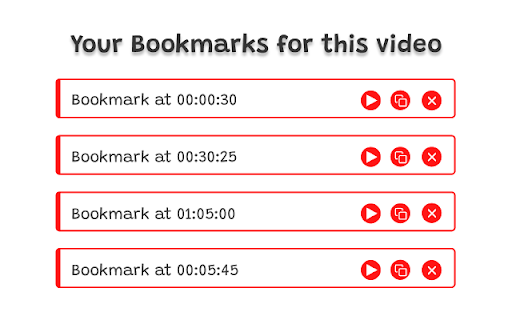


BookyTube allows you to save a certain moment of a YouTube video and you can jump to this exact moment whenever you comeback to the video with a click

VClips - Save & organize YouTube timestamps
Save and organize video timestamps with ease VClips is a powerful YouTube companion that helps you save and organize important moments in videos. Whether you're studying, researching, or collecting your favorite moments, VClips makes it easy to bookmark timestamps and find them later. Key Features: • One-click timestamp saving with custom notes • Tag-based organization system • Visual timeline markers showing your saved timestamps • Quick jump to saved moments • Clean, intuitive interface • Works seamlessly with YouTube's player • Offline storage for your bookmarks How to Use: 1. Watch any YouTube video 2. Click the bookmark icon next to the video controls when you want to save a moment 3. Add optional tags and notes to organize your bookmarks 4. Access your saved clips anytime through the extension popup 5. Use the filter system to find specific bookmarks by tags 6. Click any bookmark to jump directly to that moment in the video Perfect for: • Students marking important points in educational videos • Researchers collecting video references • Content creators organizing source material • Music lovers saving favorite parts of songs • Anyone who wants to remember specific moments in videos Privacy & Permissions: • All bookmarks are stored locally on your device • No data is collected or shared • Only requires access to YouTube.com • No ads or tracking Get started with VClips today and never lose track of important video moments again! [Version History] 1.0.0 - Initial release • Bookmark saving with tags and notes • Visual timeline markers • Tag-based filtering system • Responsive design

VodTS
Displays clickable timestamps from YouTube and Twitch VodTS is a browser extension that displays clickable timestamps for YouTube and Twitch. It allows you to easily navigate and share specific moments in videos by clicking on timestamps. On YouTube timestamps are loaded from the video's comments, or from the user's clipboard. On Twitch timestamps can only be added from the user's clipboard. The extension can also be used to create a timestamp for videos or live streams. - Right click on a timestamp in the popup to edit the timestamp. - Keyboard shortcuts support (set in chrome extensions settings) - Show Timestamp as Marker on the video player (can be disabled in settings) - Display all timestamps or only VodTS timestamps (configurable in settings) - VodTS format allow to mark chapters, sub-chapters and misc timestamps

YT Notes
Saving Youtube Notes in screenshots for each timestamp Save YouTube notes as screenshots at exact timestamps. Instantly capture, organize, and revisit key moments.

Youtube Timestamp
Save youtube videos with exact timestamps for later. This is a small extension for saving YouTube videos with exact timestamp. You can find all your saved videos, by clicking on the extension. If you save a video that is already on your saved list, only the timestamp will update. You can right click on saved videos to delete them. This is an open source project, and all source code can be found on GitHub. https://github.com/kotikkir9/Youtube
