
jmgpgemcjhocdbknhnmpbpejlmnjghef


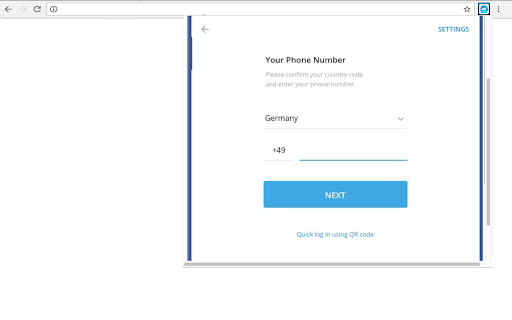
Send unlimited Telegram messages, photos, videos, and voice notes, and conduct efficient group chats. Telegram Desktop Online is an extension for smooth communication and collaboration with friends, family, and colleagues. Offering all the functionalities of the renowned messaging app Telegram, this desktop online version ensures you stay connected and productive wherever you go. This extension then provides most of the Telegram key features: • Secure Messaging: Telegram prioritizes user privacy and security by providing end-to-end encryption for all messages, ensuring that only intended recipients can access the content. • Secret Chats: Engage in private conversations with end-to-end encryption, self-destructing messages, and the ability to prevent screenshots, catering to personal and professional needs. • Group Conversations: Create groups with up to 200,000 members, ideal for large communities or professional teams. Group admins can assign roles, conduct polls, and manage settings. • Channels: Broadcast messages to a vast number of subscribers for announcements, news, or content sharing, with no limit on subscribers. • Voice and Video Calls: Enjoy high-quality voice and video calls, providing a real-time communication alternative with less tracking compared to other platforms. • File Sharing: Share various file types, including documents, photos, videos, and audio files, with a file size limit of 2GB. Telegram offers a cloud-based storage system for easy access across devices. • GIFs and Stickers: Express emotions creatively with a wide range of stickers and GIFs. • Bot Interaction: Interact with automated services through Telegram's robust bot platform, including news, weather, and productivity bots. • Customizations: Personalize your Telegram experience with themes, chat backgrounds, and notification settings. Experience the convenience of accessing messages, files, and contacts in one place, with a larger screen and keyboard for easier typing and navigation. Send unlimited messages, photos, videos, and voice notes, and conduct efficient group chats. Stay organized by creating channels to broadcast messages to a large audience, ideal for sharing updates or announcements. Protect your conversations with end-to-end encryption, ensuring privacy and security. With Telegram Desktop Online, seamlessly switch between mobile and desktop devices, syncing messages and files across all platforms. Stay connected, productive, and in control with the Telegram Desktop Online extension. This extension has used the Telegram GPL license that allows its online distribution. • File Manager Integration for files This extension allows users to automatically detect files while browsing the web and open them directly in the Telegram online file manager to be used by the application.

Download Telegram Video, telegram downloader - Telegram Saver
Unlimited, high-speed, batch download tool for Telegram private channels/groups, videos, and music, supporting multiple formats Telegram Saver - Telegram Video Downloader Telegram Saver is a versatile tool designed for Telegram users to simplify the process of saving and organizing media files from Telegram. Whether you need to archive personal collections, organize important content, or retrieve media for research purposes, this plugin offers a seamless solution. 🚀 Key Features ●Efficient Media Saving: Easily save and organize media files with a simple and intuitive interface. ●Batch Saving Support: Quickly save multiple files with one-click multi-selection. ●Wide Format Compatibility: Supports saving videos, images, GIFs, music, and audiobooks. ●Access Restricted Content: Conveniently save media from restricted channels and groups. ●Private Content Handling: Safely save media from private channels and personal shares. ●Simplified Workflow: No need for additional passwords or APIs, streamlining the process. ●24/7 Support: Provides round-the-clock technical support to ensure a smooth user experience. ●Large File Support: Handles files larger than 1GB with ease. ●Full Compatibility: Works seamlessly with Telegram’s A and K versions across all channels and groups. Quick Start Guide 1.Install the Extension: Add the TG Saver extension to your Chrome browser. 2.Pin the Extension: Pin TG Saver to your toolbar for quick access. 3.Access Telegram Web: Open Telegram Web at https://web.telegram.org/k or https://web.telegram.org/a. 4.Save Media: Browse channels or groups, and click the plugin icon to view available media. Select files for saving. 5.Batch Saving: Enter a channel or group, and use the “Save All Media” or “Save Media This Month” options for quick batch saving. 6.Single File Saving: Click the “Save” button below individual files to save them one by one. 📜 Disclaimer This plugin is independently developed and is not affiliated with the official Telegram app or website. Please ensure compliance with relevant laws and regulations, respect copyright, and use the tool responsibly.

Telegram Video Downloader - Telegram Downloader & Saver
Telegram Video Downloader - Download Telegram Videos, Photos, Music, GIFs from Private/Restricted Channels and Groups Telegram Video Downloader — Download Telegram videos, photos from private/restricted channels and groups, and export chat history. Telegram Video Downloader is a fast, lightweight Chrome extension that helps you download videos, audio, photos, GIFs, music, audiobooks, and other media from Telegram Web. Save Telegram content locally in just a few clicks — no complex setup or technical knowledge required. ✨ Core Features 🎬 Telegram Video Downloader: Easily download videos from chats, channels, groups, private channels, and restricted channels. 🗂️ Telegram Media Downloader: Supports videos, photos, images, GIFs, audio, music, audiobooks, documents, and more. ⚡ Bulk Download: Select multiple files at once and quickly save Telegram videos, images, and audio in batch. 📥 Single-File Download: Download individual videos, images, audio, or documents directly from the Telegram Web chat window. 🔒 Private Channel Downloads: Save media from private channels and personal shares. 🚫 Restricted Channel Downloads: Download media from restricted groups and channels you can access. 🌐 Telegram Web Support: Compatible with Web A and Web K, including https://web.telegram.org/a and https://web.telegram.org/k. 📦 Large File Support: Download large videos and media files over 1GB. 🧩 No API Required: No Telegram Bot API or extra configuration needed. ✅ Easy to Use: Intuitive interface and simple workflow. 🚀 How to Use 🛒 Install the extension from the Chrome Web Store. 📌 Pin it to the toolbar for quick access. 🌐 Open Telegram Web: https://web.telegram.org/k or https://web.telegram.org/a. 🔎 Go to the target chat/channel/group and select the content you want. 🧩 Click the extension icon to view captured media. ✅ Select files: videos, photos, audio, GIFs, or documents. 📥 Click Download to save Telegram media locally. 📁 Supported Telegram Content 🎥 Videos: Chats, groups, channels, private shares 🖼️ Photos: Images and albums 🎧 Audio: Music, voice messages, audio messages, audiobooks ✨ GIFs: Animated GIFs and media previews 📄 Documents: Files and materials 📢 Channel media: Public, private, and restricted channels 👥 Group media: Videos, images, audio, files 🌐 Web A/K support: Compatible with both major versions 👤 Who It's For 💬 Telegram users: Save videos, photos, music, and documents locally 🗃️ Content collectors: Organize media from chats, groups, and channels 📢 Community admins: Back up shared group and channel content 🎓 Students/researchers: Save video, document, and audio courses and study materials 💼 Business users: Organize important media and files offline ⭐ Why Choose Telegram Video Downloader? Quickly collect and bulk-download Telegram videos, photos, and audio without opening files one by one. Supports private and restricted channels — an efficient choice as a Telegram video download extension, media saver, bulk downloader, private/restricted channel downloader, and Web video downloader. ❓ FAQ What is Telegram Video Downloader? A Chrome extension to download videos, audio, photos, GIFs, documents, and other media from Telegram Web. Does it support channels and groups? Yes — chats, channels, groups, private channels, and restricted channels. Does it support bulk download? Yes — select multiple videos, images, and audio files at once. Do I need a Telegram API or Bot Token? No — use it directly in the browser. Can it download large files? Yes — supports videos and media files over 1GB. Does it support private and restricted channels? Yes — as long as you can access them in Telegram Web. Is it affiliated with Telegram? No — it is an independent third-party extension. ⚠️ Usage Notice Please use responsibly and avoid downloading or sharing copyrighted content without authorization. ℹ️ Disclaimer Telegram Video Downloader is a third-party Chrome extension. It is not affiliated with, endorsed by, or sponsored by Telegram Messenger Inc. or Telegram Web.

Perfect Sender
Send Customized messages, Send to Groups, Labels. Send Image, Video and document Attachments. Stay connected with your clients. Perfect Sender Extension - FREE Send personalized messages with our extension. ------------------------------------------- Just Send in 03 Click. 🪃 Upload Number -> Paste Content -> Send ------------------------------------------- ✅ Send customized and greetings Messages to your customers and Family Members. ✅ Easy integration with Excel Sheet. ✅ Customizations or Personalization in message. ✅ Send image, video, documents and pdf file attachments. ✅ Number Filter Available for Verify. ✅ Random Delay between messages. ✅ Import numbers From saved & unsaved Contact, Group, Label in Excel format. ✅ After Sending Message Share Valid & Invalid Number ⛔ Important Note: ⛔ Our extension features are not intended to mass message or spam the people. It is intended to send greetings, invitation and offer messages to family, friends and people you know, please use responsibly.

VideoTG - Download & Save telegram Videos Fast & one time!
Download videos, images, or music from every Telegram group or channel with only one click. This plugin helps you download private videos, images, and audio from Telegram groups and channels easily. Simple operation allows you to easily obtain multimedia content. We adhere to the principle of legal use and strongly recommend to avoid downloading unauthorized copyright content. ➡️Main features: ✓ Save audio/video of any channel/group to local computer. ✓ Supports one-click multi-select batch/single download of resources in multiple formats,include videos/audio/pictures/GIFs/movies/music/audiobooks/files ✓ No passwords, API logins or permissions required ✓ Safe and easy to use ✓ 24/7 developer support 👉🏻Simple steps: 1) Install the video downloader plugin: and pin it to your browser. 2) Log in to the Telegram webpage: access your account. 3) Click to download: Click the icon in the upper right corner of the video or picture to download immediately. 📝Disclaimer: This plugin is not directly affiliated with the official Telegram app/website but is independently developed by a third party. Please use responsibly and respect copyright.
