
jmdikmnmfinpkjdfiolmiaeidllfdbdo
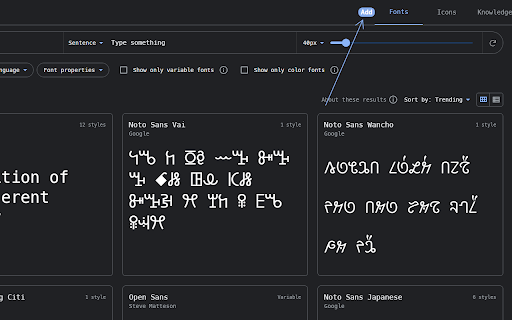
Add all styles of a Google Font to your selected family An extension that helps you add all styles of a font family in Google Fonts with one click.

Fontstorage
The simplest extension for identifying and selecting fonts on a website. The extension enables you to identify fonts on any website, allowing you to select a font from the Fontstorage collection directly on the site and obtain the CSS code for embedding.

fontDownloader - Identify & download fonts
Recognize and download local or remote fonts from any websites. Find & copy CSS styles of the selected text. Lightweight & faster 🎯 The only extension you need to identify, analyze, and download fonts from any website instantly. 🎯 One-Click Font Discovery ⇒ Instantly identify any font used on websites with a simple hover ⇒ Download complete font families with all variations (regular, bold, italic, etc.) ⇒ Works on both local and web fonts without restrictions ⚡ Lightning Fast & Lightweight ⇒ Only 10KB - won't slow down your browser ⇒ Instant font detection with zero loading time ⇒ Works seamlessly on all websites 🔒 Privacy-First Design ⇒ No "read and change all your data" permission required ⇒ Zero tracking, no ads, completely private ⇒ Your browsing data stays secure ✅ Smart Font Identification Simply hover over any text element to instantly see the font family name. Click for comprehensive details including font size, weight, color, and all CSS properties. ✅ Complete Font Download The only extension that lets you download fonts from ANY website. Get access to the exact fonts used by your favorite sites, including all variants and weights. ✅ CSS Property Extraction Click any font property to instantly copy the complete CSS code to your clipboard. Perfect for developers and designers who need to replicate styles. Step 1: Click the extension icon or press `Alt + F` to activate FontDownloader on any tab Step 2: Hover over text to see font names, or click for detailed font information Step 3: Click the download icon to save fonts to your computer Step 4: Click any CSS property to copy it directly to your clipboard `Alt + F` - Toggle FontDownloader on/off for the current tab 1. Right-click the extension icon 2. Select "Cannot Download Font? Report this" 3. Send us the details - we'll fix it quickly! ⇒ Dark Mode Support - Easy on the eyes during long design sessions ⇒ No Permissions Abuse - We only request what's absolutely necessary ⇒ Regular Updates - Constantly improving with new features and bug fixes ℹ️ Support Join fontDownloader on google groups: https://groups.google.com/g/fontdownloader You can mail us: webrailhelp@gmail.com Watch tutorial guide on Youtube: https://www.youtube.com/watch?v=wul4eYbmD0c&list=PLHoMajvpFPM_rjDon5suBSQwRjXOoTi3d 👨💻 Connect with the Developer 🔮 Perfect for: Web designers, developers, typography enthusiasts, and anyone who wants to identify and use beautiful fonts from across the web. Elevate your web design workflow with FontDownloader. Install now and unlock the fonts you love from any website! Download FontDownloader today and never wonder "What font is that?" again!

Google Font Previewer for Chrome
Choose a font from the Google Font directory with a few text styling options and preview the font styles on the current tab. Lets you choose a font from the Google Font API directory, and apply that font to the entire page or a specified CSS selector to see how it looks. Useful when you're designing a website and want to quickly find a font that will look good. If you always use the same fonts, you can star them for quick access.

change all UI fonts
Changes all the UI font to a user-given font. Transform the appearance of any website by changing all fonts to your preferred typeface. Simply enter your desired font name in the extension options and watch as all text across the web adopts your chosen style. **Key Features:** - Apply custom fonts to all websites instantly - Exclude specific sites from font changes - Sync settings across all your devices - Built with modern Manifest V3 for reliability **How to Use:** 1. Click the extension icon and enter your font name (e.g., "Consolas", "Arial") 2. Save your preference and refresh any webpage 3. Use the exclusion feature to keep certain sites unchanged **Note:** This extension changes all text fonts, including icon fonts (like Font Awesome), which may display as squares. Perfect for simple websites and personal customization. Please leave your feedback. Thank you.
