
jlimlbghmhifobdaampfgllomdldpmeg


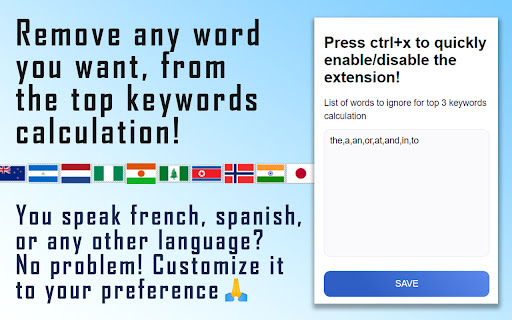
See all the Tags of a YouTube video. The extension also shows the total amount of tags and calculates the top 3 most used keywords. YouTube SEO plays also a role and, with this extension, you will see the secrets behind the most successful YouTube videos and channels. Specifically, YouTube tags: the only metadata which is would not be otherwise visible, but which play an important role in YouTube ranking. The extension will show you the tags used in every YouTube video, but it doesn't end there! It will also automatically calculate the top 3 most used keywords within all the tags. Then, you can quickly copy them to eventually use them in your own video's tags. And if your video content is not in english, no worries! We integrated a feature that allows you to enter any word that you want the "Top keywords" calculator to ignore. We hope this advanced YouTube Video Tags extension will help you to succeed!

YouTube Tags Generator
Generate YouTube tags for your videos A YouTube Tags Generator is a tool that can help content creators generate relevant and effective tags for their YouTube videos. Tags are an essential aspect of optimizing a video for search results on YouTube. When a user searches for a particular topic, YouTube's algorithm considers the tags on the video to determine if it's relevant to the search query. YouTube Tags Generator tool should help content creators generate tags that accurately describe the content of the video and are relevant to the target audience. It should also suggest a mix of broad and specific tags, as well as long-tail keywords, to help the video reach a wider audience.By using a YouTube Tags Generator, content creators can save time and effort in researching and generating tags for their videos. This tool can also help them stay up-to-date with the latest trends and keywords in their niche and improve their video's visibility on YouTube.

YouTube Tags
The extension to view the tags of any YouTube video Browse the tags of any YouTube video with the YouTube Tags. Use your browser as before, because the extension for viewing tags from YouTube video does not affect its performance. Note: don't forget to reload the YouTube page after installing the extension.

TubeTags
A Chrome extension that fetches the Tags of the Youtube Video. TubeTags for Youtube. TubeTags is a free and easy-to-use Chrome extension designed to help you effortlessly fetch tags from YouTube videos with just one click. Ideal for content creators, marketers, and SEO enthusiasts, TubeTags simplifies the process of extracting valuable metadata from YouTube videos. How It Works: With TubeTags, you can instantly retrieve the tags associated with any YouTube video you’re viewing. Simply click the TubeTags icon in your browser, and the extension will display the tags used in the video. This feature is incredibly useful for understanding the keywords that contribute to a video's success and for discovering new tags that can be used to optimize your own content. Benefits: Effortless Tag Extraction: Quickly access the tags of any YouTube video without manual searching or coding. SEO Optimization: Analyze and use tags from popular videos to enhance your own video SEO strategy. Content Strategy: Identify trending keywords and relevant tags to improve your video visibility and engagement. How AI Can Assist in Your YouTube Growth: TubeTags leverages AI to analyze tag trends and optimize your video content. By integrating AI-driven insights, TubeTags helps you identify which tags are most effective and how to strategically use them to boost your channel's growth. The AI can also recommend tags based on content analysis, enhancing your ability to target the right audience and increase your video’s reach.

Youtube Tag Extractor
🚀 YouTube Tag Extractor Chrome Extension - Unveil the Secrets! Discover the secrets of the video world with the YouTube Tag Extractor Chrome extension! With this fun and incredibly easy-to-use extension, exploring the hidden world of YouTube videos is just a click away! How to Use: 1️⃣ Install the YouTube Tag Extractor Chrome extension. 2️⃣ Navigate to your YouTube video page. 3️⃣ Witness the magic as all tags appear above the header! 4️⃣ Dive deep into tag analysis to unravel the secrets of competitor and popular videos. 5️⃣ With a single click, copy all tags and paste them onto your video. Why YouTube Tag Extractor? ✨ Effortless Magic: Extract tags with a wave of your mouse! ✨ Competitor Sorcery: Understand how rivals boost their videos. ✨ Copy-Paste Charm: Instantly apply tags with a click! ✨ Speedy Spells: Enhance your video's performance in seconds! ✨ Fun and Functional: Where magic meets efficiency! Exploring the world of YouTube has never been this easy! Uncover the secrets, explore tags above headers, and unleash the true potential of your content. Elevate your video content with YouTube Tag Extractor! 🌟
