
jlajbdlfgkklpjdgnhajdohfjbihming
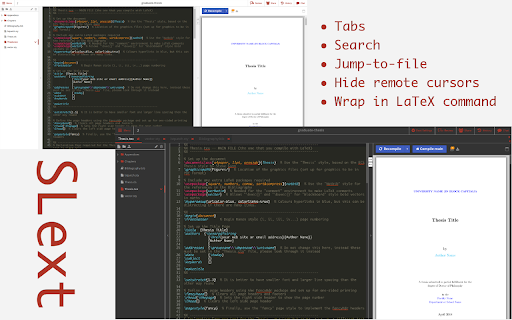
SLext enhances your editing experience on Overleaf by providing tabs, themes and more to the Overleaf website. Open source ShareLatex/Overleaf extension that adds features for an improved editing experience! Features include: - File tabs - Custom color schemes for the interface - Favorite tabs with Alt+d - Quick-open files with Alt+p - Set a main file to compile with the "Compile main" button - Quickly closing a tab by pressing Alt+w - Opening the file under your cursor in a document by pressing Alt+g - Hiding remote cursors and flags

open-in-overleaf
Access the LaTeX source code of arXiv papers on Overleaf Our browser extension adds a "Open in Overleaf" button to the research papers on arxiv.org. This allows you to access the LaTex source code of the research paper and edit them directly on Overleaf. How it works: - You click the "Open in Overleaf" button on the page - The latex tar file from arxiv.org is sent to an API to convert it into a zip file - The zip file is sent to overleaf and we redirect the user to the overleaf edit page

Smooth Cursorify
Apply a Microsoft Word-like smooth caret animation to multiple online editors Apply a Microsoft Word-like smooth caret animation to multiple online editors. Currently supported websites: * Google Docs (https://docs.google.com/) * Overleaf (https://www.overleaf.com/) * Typst (https://typst.app/) * Leetcode (https://leetcode.com/) Head over to GitHub to request new websites: https://github.com/gwennlbh/smooth-cursorify

TeX for Gmail and Outlook
Use LaTeX (a method for rendering mathematical formulas) with Gmail and Outlook online. Typeset math in the outgoing and incoming messages. The other person does not have to have TeX for Gmail installed or to use Gmail. Math is viewable in most mail readers and browsers, including mobile ones.

Google Scholar BibTeX Copier
Automatically copy BibTeX citation, instead of having to open new page, manually copy, and then go back to google scholar. When clicking this BibTeX button the following happens: - A new tab opens, with the citation content - The contents are copied to clipboard - The tab closes A slight delay exists here to ensure the contents are properly copied, this delay can be tweaked. This extension will work for any of the Google Scholar BibTeX options, i.e. it will work when clicking the "cite"->"BibTeX" in Google Scholar, or when citing from the Google Scholar PDF-reader. In short: any existing button in Google Scholar which opens a BibTeX citation, will now be copied in this way. Note: The Import to BibTeX button shown in the first image must be enabled in the settings (see last image).
