
jkjgggkjbcgfhgpmdjbihloejfmbcaak
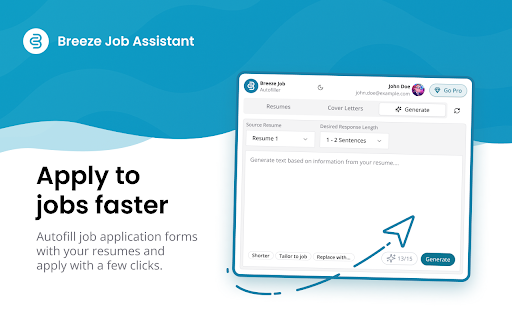
With Breeze Job Assistant, you can instantly access all your resumes and cover letters on any website. Stuck on an application question? Generate tailored responses from your resumes with just one click!

Resumate
Resumate helps you tailor your resume and cover letter while viewing job descriptions on public job boards. With one click, the… Resumate helps you tailor your resume and cover letter while viewing job descriptions on public job boards. With one click, the extension analyzes visible job content and suggests personalized resume text, relevant keywords, and professional formatting options. Instead of rewriting your resume for every application, Resumate lets you generate tailored documents in seconds based on each job posting. Stay organized, apply faster, and send applications that match what hiring teams are looking for. FEATURES • AI resume tailoring: Match your resume to each job posting automatically • AI cover letters: Generate professional, role-specific cover letters • ATS keyword analysis: Identify skills and responsibilities commonly requested by employers • Clean, readable templates: Export documents in professional, ATS-friendly formats • Job application organization: Keep track of jobs you’ve viewed and applied to HOW IT WORKS 1. Open a job posting on LinkedIn, Indeed, Glassdoor, or other supported job boards 2. Click the Resumate button to analyze visible job details 3. Generate a tailored resume, cover letter, or follow-up copy 4. Export or edit using clean templates PRIVACY & SECURITY • Resumate only runs when you activate it — it does not collect data in the background • The extension analyzes user-visible job content on public pages • Resumes and application data remain under your control • You can delete your account and data at any time • Resumate does not sell or share user data with third parties Resumate is designed to help job seekers save time while keeping their resume content relevant, clear, and professionally formatted.

Remote Job Location Checker
Check if job postings have geographic restrictions for remote work. ### Why Did I Create This Chrome Extension? As I searched for remote jobs without location restrictions on LinkedIn, I found it time-consuming to scroll through each job post and check for location constraints. To save time and streamline the process, I developed the Remote Job Location Checker Chrome extension. This tool quickly identifies if a job is location-restricted, allowing for a more efficient job search. I decided to make it available online, hoping it would help others facing the same challenge. ### Steps to Use the Extension: 1. **Install the extension from the Chrome Web Store.** 2. **Search for jobs on LinkedIn's job search page.** The extension will automatically add a label to each job post: "Remote From Anywhere" or "Location Restricted". 3. **Click on any job in the job list on the left side.** The label will help you easily determine if the job allows remote work from any location.

NinjaApply – AI-Generated Resumes Tailored to Job Descriptions
Enhance your job application process with AI-generated resumes and cover letters. Ninja Apply AI is your all-in-one assistant for smarter, faster job applications. New Features : Edit your enhanced resume Edit inline no need of worrying how does it look after creating ✅ Create AI-enhanced resumes and cover letters ✅ Get resume-job match scores and keyword suggestions ✅ Store and manage multiple profiles and resumes ✅ Seamlessly insert matching resumes into job sites Whether you're a job seeker, student, or professional, NinjaApply helps you present the best version of yourself with minimal effort. Features: AI-powered resume and cover letter builder Auto form-filler for job applications Resume scoring and keyword optimization Custom resume templates Secure profile and document management 💡 Built with privacy in mind – your data stays on your machine unless you choose to sync it.

UpScore Pro - Smart Job Analysis for Upwork
Save money on Upwork! Get instant job quality scores, risk warnings, and connect costs before applying to avoid bad clients. UpScore Pro instantly analyzes Upwork job postings to help freelancers make smart application decisions. With Upwork charging $1.50-$7.50+ per job application, our intelligent scoring system saves you money by identifying quality clients before you spend your precious connects. Smart Job Scoring (0-10 Scale) Get instant quality scores based on 9 key factors including payment verification, client rating, spending history, hire rate, and work history analysis. Color-coded results from lime (outstanding) to red (avoid) with detailed score labels make decisions crystal clear. Connect Cost Calculator See exactly how much each application costs in USD with real-time connect balance tracking. Know your investment before you apply. Advanced Risk Detection System Multi-level warnings (high, medium, low severity) identify red flags like unverified payments, zero spending history, suspicious client patterns, oversaturated jobs, and budget concerns. Also highlights positive indicators like excellent clients and low-competition opportunities. Comprehensive Client Intelligence Deep analysis of client work history, payment patterns, hiring success rate, freelancer feedback patterns, and platform tenure to reveal true client quality beyond surface ratings. Expandable Score Breakdown Click to view detailed scoring factors with visual progress bars and confidence indicators showing data completeness percentage for score reliability. Money-Saving Statistics Track jobs scored and potential savings from avoided bad applications with real-time statistics in the popup interface. Simply browse Upwork as usual. UpScore Pro automatically appears on job listings with: - Instant quality scores with detailed breakdowns and confidence indicators - Multi-level risk warnings and positive client indicators - Connect costs and budget analysis with USD conversion - Client verification status, spending history, and work pattern analysis - Expandable details section with visual progress bars for each scoring factor - Smart detection across all Upwork page types (search results, job pages, modals) - Completely private - no data collection or external tracking - Works offline - all analysis happens locally in your browser - Minimal permissions - only accesses Upwork pages - No registration required PERFECT FOR: Works seamlessly across all Upwork page types including job search results, individual job pages, proposal sections, and modal windows. Supports both regular and enterprise client job postings with intelligent context detection and modal state management. - Real-time usage statistics (jobs scored, money saved) - Toggle settings for extension functionality and auto-expand details - One-click reset to default settings - Modern, responsive design with smooth animations Transform your Upwork experience from guesswork to smart strategy. Install UpScore Pro today and start making every connect count toward building a successful freelancing career. Note: This extension enhances your Upwork browsing experience and complies with Upwork's terms of service. It reads publicly available job information to provide analysis and recommendations.
