
jkccganjjljmcfncmalmoiamfnefejpg
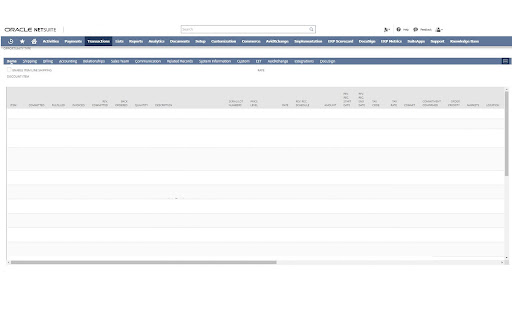
Ever dream of sticky headers when encountering a long sublist in NetSuite?! This extension will fix the headers so that they are visible while scrolling!

NetSuite Field Explorer
Examine the fields in a Netsuite record NetSuite Field Explorer is a Chrome extension to help NetSuite developers and administrators examine the data model behind NetSuite records. It provides an easily accessible and visually attractive interface to display the currently viewed record with field names and a convenient search box. - One click access to see the field names for NetSuite record fields - Colorful tree viewer - Quick filtering / search - Shows fields that don't come up using the "&xml=T" URL trick

NetSuite: Saved Search and Dataset Export
Export your saved searches, datasets and workbooks to Suitescript. For NetSuite developers who want to export saved searches for use in their code. Supports SS1.0 and SS2.X. From the "Edit" mode of a Saved Search in NetSuite, click the "Export as SuiteScript". Export your saved datasets and workbooks to Suitescript. For NetSuite developers who want to export saved datasets and workbooks for use in their code. From a saved dataset/workbook in NetSuite, click the "Export as SuiteScript". Please note that your saved search/dataset/workbook must be saved before it can be exported. Does not work with Templates.

NetSuite Utils
A NetSuite Utility extension that enhances the NetSuite experience with various tools and quality of life features. This started as group of NetSuite features that I developed for myself, some of my colleagues also wanted the features, and now I am sharing these publicly. Below is all of the features listed, however the options page of the Extension has more details of each feature. All features are disabled by default and must be enabled after installation. Note that these features can be toggled on or off if you don't want to use one of them. The extension also comes with a "Meeting Mode" option, which will disable all features until you turn meeting mode off (great for screen sharing). 2. CSV a. CSV Response Viewer - view errors in failed imports without the need to download the response CSV file. 3. Developer a. Drag / Drop Script Upload b. N Module Loader c. Record Object - View a record in JSON showing all of the field value, make updates directly in the object. d. Record to console. e. Suitelet Actions - Quickly open a suitelet script or deployment record from any suitelet screen. f. SuiteQL Runner. 4. File Cabinet a. Drag and Drop directly into the filing cabinet. 5. General a. Get / Find Field ID - Allow you to get field / column IDs by shift clicking the field - You can find field / columns by searching for the ID or Label a. More Record Action - Edit and Save button - Delete a record from view mode - Quick open or add fields to custom records / transactions - View a Transaction Tree of dependent records and mass delete. - View scripts and workflows deployed to the current record. - View SDF XML of any record. b. Portlet Refresher c. Quick find Record - find any transaction, item, script or search, with just the ID 6. Roles List - Search options within the roles list - Account Type Colours - View Account ID 7. Saved Search a. Autocomplete formula - start typing a field and a list of matching options will display b. In Search Preview - preview the results of a search without ever leaving the edit screen c. Quick Search Creation - add search and favourites option to the create saved search list. 8. UI a. Better Page Titles - tabs will display the transaction number instead of the transaction title b. Fixed tabs - tabs on records will stick to the top of the screen. c. fixed list headers - list headers will stick to the top so they are always visable. d. fixed first columns - great for transaction so you can always see the item on the line. e. Log out blocker remover f. Smaller Navigation / Dropdown / List Headers - helps to make the UI less bulky. On the features page of the extension you can find a full description of what each feature does with screenshots. If you have a feature that you would like to see in NetSuite, message me and I will consider adding it.

NetSuite Record Export
This extension helps user/consultant to download a single record as csv file. Streamline Your NetSuite Data Export with One Click! Tired of the tedious process of creating CSV import templates for NetSuite? Say goodbye to manual data extraction and hello to efficiency with the NetSuite Record Export extension! Key Features: One-Click Export: Generate CSV files from any NetSuite record with just a single click. Time-Saver: Cut down hours of manual work to mere seconds. Perfect for user/consultant: Easily create accurate CSV import templates for your clients. User-Friendly: Seamlessly integrates into your NetSuite interface with a simple "Export CSV" button. Versatile: Works across all NetSuite environments - production, sandbox, and more. Whether you're a user preparing data migrations, an administrator managing bulk updates, or a developer needing quick data samples, NetSuite Record Export is your go-to tool. It's designed to make your NetSuite experience smoother, faster, and more productive. Download now and transform the way you handle NetSuite data exports!
