
jjlelpahdhfgabeecnfppnmlllcmejkg
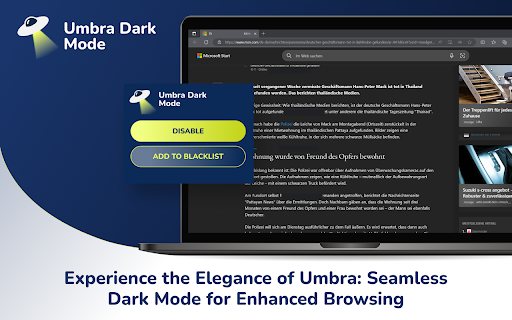
Experience the Elegance of Umbra: Seamless Dark Mode for Enhanced Browsing Experience the Elegance of Umbra: Seamless Dark Mode for Enhanced Browsing 🌟 🌗 Dark mode on all web sites: Enjoy a visually pleasing browsing experience with Umbra's seamless dark mode. Say goodbye to eye strain and immerse yourself in the sleek and stylish world of dark mode across all websites. 🎨 Up-to-date styles: Umbra keeps pace with the latest design trends, ensuring that your favorite websites always look their best in dark mode. No more outdated or inconsistent styles—enjoy a consistently polished browsing experience. ⚙️ Whitelist feature: Worried about compatibility issues? No problem! Umbra offers a handy whitelist feature that allows you to disable dark mode for specific websites if it doesn't work as expected. Stay in control of your browsing experience. 🌟 Explore Umbra today and unlock the beauty of dark mode. Enhance your browsing experience with ease and style. Install now! 🌟

Dark Mode - Dark Theme for Chrome
A classic dark theme for every website. Use dark mode for the night and daily browsing to care for your eyes. A simple click on a button will turn on dark mode for all websites. This dark mode app has an awesome classic design and changes the background color of every website to black. This app for the Chrome browser will switch a dark theme on all the websites. Social networks, websites, and every new tab will be painted black. You no longer need to open settings to switch to a dark theme every time you open a new website - only one application provides an awesome black theme on every website. If the website has a built-in night theme, you can control it directly from the extension and if it doesn't, we will convert the colors to provide you with a smooth transition to dark mode. There is also a white-list feature that enables you to exclude a desired domain from the mode. Simply add a domain(s) to the designated area (comma separated) in the options page and the websites will be excluded. Download dark mode now in your web browser!

Dark Mode - Dark Reader for Chrome
Simple dark mode for Google Chrome. Switch all websites to dark mode as desired. Take care of your eyes by the night theme. Dark mode for Chrome can turn the dark theme on any website. Now surfing the Internet is more comfortable, as your eyes will feel much better! Apart from this, your browsing experience will be more stylish. Features of the extension: - Completely free, no in-app purchases. - You can turn on dark mode for any website. - You can install the plugin with one click. - The plugin is small, it does not make your computer slower. Our eyes perceive the dark theme better at night or indoors with poor lighting. It also just looks cool. This design is completely sleek and minimalist. Works on the toggle button in the upper right corner. It's so easy to switch from day to night mode. The dark mode is an extension that helps you quickly turn the screen (browser) to dark at night time. Social networks, mainstream sites, and all other websites will be all together covered in black colors.

RoGold Ultimate - Roblox Enhancer
Transform your Roblox experience with RoGold Ultimate - Unleash advanced customization, streamlined gameplay, and exclusive insight. RoGold Ultimate is more than an extension - it’s the all-in-one suite for Roblox players, traders, and developers. From advanced trading dashboards to custom profiles and developer tools, RoGold gives you the power to control and enhance your Roblox experience like never before. 📈 Trading Suite - Smart trade search, filters, analytics dashboards, bulk actions, and real-time market insights. ⚒️ Developer Tools - Studio Plugin and Desktop App designed to speed up building and testing. (Developer Edition) 🎨 Customization - Profile homes, animated borders, banners, and more to stand out in the community. 🕓 Leveling System - Earn XP for playtime and achievements, unlock rewards, and show off your progress. 💾 Server Controls - View server regions, join random servers, and find the fastest servers near you. …and dozens of other enhancements, all built to give you the most powerful Roblox experience possible. Why RoGold? Unlike simple “theme” extensions, RoGold is a complete Roblox Suite. Whether you’re trading, developing, or customizing, RoGold Ultimate provides the tools you need to play smarter, create faster, and stand out.

Dark Mode
Dark Mode, read at night. Bluelight filter for every website. Relax your eyes at night and day. The Dark Mode Extension. Works with all websites! ⭐️ Dark Mode: ( Night Mode / Smart dark reader / dark night reading) ✓ Blue Light Filter + Darkness for every Website AND / OR specific ones! Avoid eye strain. Relax your eyes at night & day. ✓ Invert colors, improve brightness & contrast. Mild / faint colors, Bright colors, greyscale, sepia, ... ✓ Schedule dark to manage your day-night-cycle. Blue light makes us awake and prevents sleep. Care for your eyes. (dark mode is not only for night shifts) ✓ Style (css) editor. Delete elements/logos/ads/notifcations. Soon: Visual Picker/Selector, Drag & Drop. customize any Website beyond stylus / stylish / userstyles To come: ✓ Reduce brightness of colors only - not color-tone (compare with samsung browser dark mode) ✓ Smart dark mode / invert: Only if page is very light or blue ✓ We are working on a smart Theme-Engine to exceed the results you get from other extensions (dark reader depends on crowdsourced styles) "When the night (night night night) has come, and the land is dark (dark dark dark)", note: - If you use multiple night / dark reader extensions / screen shader at once, then color-Inverting or other effects can invert each other. Dark Mode is your extension offline on your computer. https://github.com/victor-savinov/night-mode. We can not track you. We are developing distraction-free extensions transparently (Open-Source) since 2012 for 300000 people: https://github.com/ImprovedTube/YouTube super-amoled / oled screens: 100% dark (black) backgrounds save electricity & screen wear-down Permission explained: "Read and change...all websites you visit" to modify Colors (Dark Mode) on any website.
