
jjandokkgclchaiipibaligpnceifmif
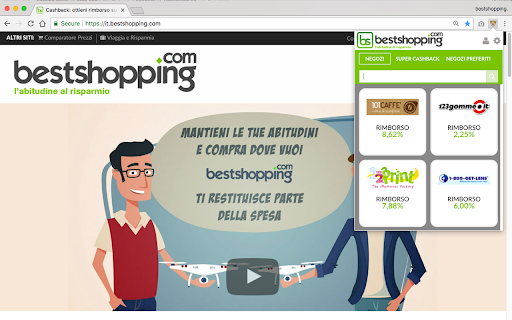

Privacy Policy e Data Policy qui: https://it.bestshopping.com/cashback-alert-extension.html#privacy e qui per chi vuole registrarsi a Bestshopping: https://it.bestshopping.com

AliExpress Coupon Finder
The Chrome extension that finds discounts on AliExpress in autopilot Did you know that most of AliExpress products have hidden discounts or coupons? Every product can have up to six different types of compatible discounts, but finding them and combining can be difficult. Simply install this extension by clicking on "Add to Chrome" and it will do all the hard work: AliCoupons will tell you how to get the best coupons or combinations of coupons for the product you are currently browsing. This Chrome extension will search for available coupons and discounts whilst you are browsing the store. The personal shopping assistant will ensure you save a few dollars and get the best deals every time you make purchase in AliExpress. Just install the extension and on every product page it will automatically start searching for the best coupons and discounts available. When an offer is detected an orange notification will appear with instructions on how to grab it. Let's face it, AliExpress’ coupons and discounts can be a bit confusing and hard to understand, it is for this reason why many people don’t take full advantage of them. However, thanks to this free extension you will be able to save a few dollars on many of your purchases, especially on the products that are in the medium to high price range (there are usually not many discounts or coupons available for extremely cheap products). Extension options: The extension has two modes: the default one is the "Normal Mode", which is intended for individual shoppers, people who normally don’t buy in bulk. In "Normal Mode", notifications will appear automatically in your product page when coupons are available. If you don't see anything, it simply means that there aren't coupons or discounts for that price. The second mode is the "Dropshipper Mode", perfect for wholesale importers and dropshippers who normally need more than one unit. You can enable it from the extension menu in Google Chrome (the one with the coupon icon). This mode will always display the info table and based on the compilation of coupons, wholesale discounts and seller promotions will suggest the optimum quantity of units to purchase to get the most for your money. Why is this useful? Let's say you are about to purchase 8 phone cases at 1$ each, but the extension warns you that there is a 3$ discount when spending 10$ or more: you can add 2 more cases to the cart and the price for 10 units will reduce to 7$. Without the extension, 8 units at 8$; with it, 10 units at 7$. We spent a lot of time developing this new version of the extension and hope you find it useful. We'll certainly be adding new features in the near future. Feel free to send us comments, complaints or suggestions to alicoupons.org@gmail.com Enjoy your shopping! AliCoupons is funded by requesting unclaimed cashbacks, this way you don't have to pay us and still we earn a bit of money to pay the costs of maintaining our service. But if you do use cashback services (programs that give you a small % back from your online purchases such as Letyshops or Megabonus) please right-click on the extension icon, then on "Options", and then activate the Cashback Compatibility mode. This way we'll completely disable our cashback and make sure you receive it all.

Cashback beruby
With the beruby extension we will be able to inform you every time you visit a merchant that will give you cashback on your… With the beruby extension we will be able to inform you every time you visit a merchant that will give you cashback on your purchases. Beruby has over 1000 agreements with merchants that pay us a commission every time you shop or make a travel booking. We share this commission with you and we will get the money transferred to you either via a bank transfer or directly into your PayPal Account. If you have the extension, we will be able to notify you where you can earn cashback when shopping online. Every time you visit one of our merchants’ websites (or even when you search for them in your favorite search engines), you will get a notification from us informing you on how much money you can earn back. You only need to activate the extension and we will make sure that all is tracked so that we can give you the money back once the purchase has been confirmed. As a summary, the extension is free, it will let you know of the over 1000 merchants that are part of beruby and it will pay you money automatically when you shop online at any of our participating merchants.

Savings Genie
Thanks to your savings Genie you will always have all your discounts with you. It will remind you of the offers available on your benefits portal with alerts. So you can apply direct discounts, use your promotional codes and get money back on your purchases with cashback offers. Add it to your extensions and activate it by logging into your benefits portal to get it synchronised. Once activated, the savings Genie will be ready to do its job. When you visit a website where you have an exclusive discount in your benefits portal, your savings Genie will alert you by showing you the corresponding promotion. We recommend that you pin it at the top for easy access to discover all the offers it has for you. To activate the savings genie, you must belong to a club developed by Vip District that has this feature active.

Amazon Catch Price
Amazon Catch Price - Is a browser extension that catches price drops in Amazon's stores. Amazon Catch Price is a browser extension that catches price drops in Amazon's online stores. It is a convenient way to track discounts on selected products in your browser. If you want to catch price drops on Amazon websites and purchase products at a discount before selling them out, you're in the right place. To track discounts, you'll need our browser extension. Discount Tracking Extension for Various Browsers We support extensions for different browsers. Click on the extension store icon for your browser above to select the desired application. After installing the application, you can track the discount on local Amazon websites. How you can track prices on Amazon After installing the application, visit the Amazon website and choose the product you want to track. In the bottom right corner, a button for the application will appear. Clicking on it will open the right panel of the browser, where you will see the catcher app interface. The extension has three primary tabs: - List of catching products; - List of supported Amazon stores (Marketplaces); - History of products you've visited. There is also an information button that provides quick links to site sections and a reload button for the application (in case something goes wrong). If you are on a product page, the product will be highlighted at the top of the extension as the main item, and you can add it to your discount tracking list. You can add an unlimited number of products. All price-catching happens in the background within your browser. You can go about your activities, work, browse websites, and watch YouTube while the price tracker automatically scans the pages of products from your wish list.
