
jhmmibbfaefjjbpgpcjomgabpegnmddj
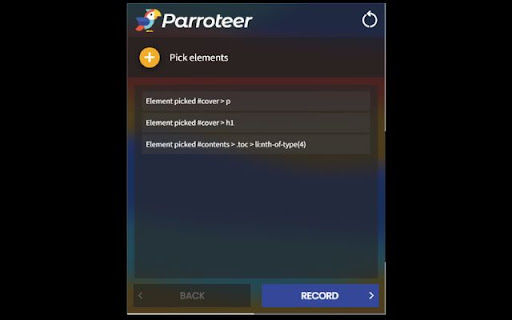
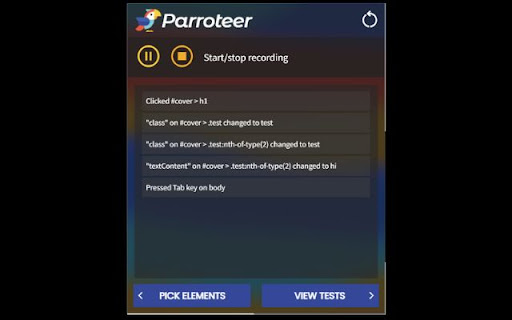
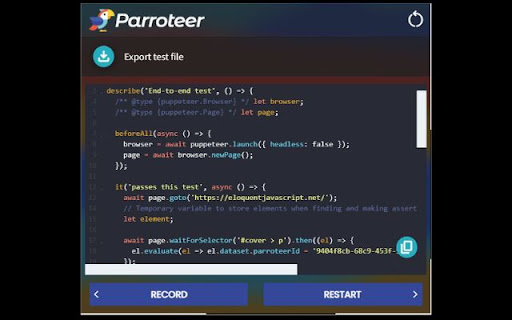
No-code test automation solution for end-to-end testing Parroteer allows you to generate end-to-end tests simply by using your website. Pick the elements you want to watch for changes, interact with your page just as a user would, and have Puppeteer scripts generated for you with built in test assertions using Jest! Features Select specific elements on the page to observe for changes Record user interactions and changes that occur in tracked elements Auto-generation of Jest-Puppeteer tests View, edit, and copy or download generated code

Automize - Testing/Scraping Tool
Say goodbye to tricky element selection. Simplify scripting, mock network events, export to Puppeteer, Playwright and more. Automize is your one stop shop for writing web automations. Whether you are testing or writing scripts, Automize has you covered. What makes Automize unique is that Automize acknowledges the DOM and selects the element for you in an intelligent way. If you aren't satisfied with the selection, Automize allows you to hone it into exactly what you want while checking the validity of the selector. Automize even works with Iframes! Automize is language agnostic. It will live display your script or test in Playwright JavaScript, Playwright Python, Puppeteer, Cypress, Selenium, vanilla JavaScript, CSS or XPath. Need to assert or mock network requests? Automize makes it effortless. Mock and assert network requests and export the code to your preferred language. Network requests work with request and response headers, post data, response data, delays and status codes. You can even simulate network requests directly in the browser to ensure everything works before running your script. Automize also has a built-in script runner so you can replay the actions in order to quickly validate them before exporting to the language of choice. - Intelligent Auto Selection: Save time by instantly creating a robust selector with AI - Multi-Language Support: Instantly convert your actions to Playwright JavaScript, Playwright Python, Puppeteer, Cypress, Selenium, vanilla JavaScript, CSS or XPath - Network Support: Mock, assert and export network requests - Iframe Compatibility: Automize works seamlessly with Iframes - Test Runner: Try your script before exporting to save time Customer Support Automize is eager for feedback. Features are implemented quickly and tested thoroughly. Since release, Automize has gone through 10 major version updates and has more planned.

DeploySentinel Recorder
Record browser interactions to auto generate Cypress, Playwright and Puppeteer test scripts. Simply step through your website while recording with DeploySentinel Recorder and the extension will convert the captured user flow into a Cypress, Playwright or Puppeteer script. - 💻 Automatically capture clicks, keyboard inputs, window resizes, and scroll events. - 🤖 Generate clean and commented scripts for Cypress, Playwright and Puppeteer. - 📋 Preview recording progress and copy generated scripts mid-test to clipboard. - 📛 Generate element selectors using `id` and `class` as well as other HTML properties (ex. `aria-label`, `alt`, `name`, `data-testid`) - 🖱 Capture hover events via context menu option (right-click) - ✅ Assert/wait for specific text to be visible on the page - 📸 Generate full page screenshot events 1. Visit the site you want to start recording from 2. Click the extension icon and click "Start Recording from Current Tab" 3. Use the site as you would normally (click links, fill forms, etc.) Right-click an element and select "Record hover over element" to record a hover event over an element. 4. Click "End Test" whenever you are done. You can copy the generated script via the recording overlay. 5. Click the extension icon and select "View Last Recording" to access the last recorded test any time afterwards. Pro tip: To view captured steps or generated code mid-recording, click "Show More" in the recording overlay. Learn more from the docs: https://www.deploysentinel.com/docs/recorder Have feedback or want to contribute improvements? View this extension on Github: https://github.com/DeploySentinel/Recorder

OpenBots Web Automation
OpenBots extension for browser communication This extension helps OpenBots Studio users to communicate with chrome through native messaging for performing web automations. When the chrome application is launched, this extension starts/communicates with chrome native server (built in c#) to allow the client application (OpenBots Studio) to send/recieve messages to/from this extension via chrome native server. OpenBots studio requests the extension to perform following actions on web pages: 1) Click Web Element 2) Set Text 3) Get Text 4) Get HTML Table 5) Get HTML Attributes (id, name, class, xpath) 6) Scroll To Web Element 7) Set/Get DropDown Value

Programming Browser: Web Automation Toolkit
Programming Browser is a web automation tool that allows you to automate any task on the web. It's similar to selenium automation. But with a drag and drop programmable interface. You do not have know programming to use Programming Browser, every block explain itself. What can you automate? Pretty much you can automate anything on the web, if you see something that repeat alot of times on your browser, you can use Programming Browser to do it for you. Programming Browser is faster than any human, so your automation will be compete much faster. After you created a script on Programming Browser you can create a shortcut for your script and run the automation with just one tap. - Drag and drop programmable interface - Create shortcut for each script - Import and export your Programming Browser script (you can write once and share the script to a new device) - Flexible programming language
