
jgibaoklabopileepldnlkbbcibhbgmd
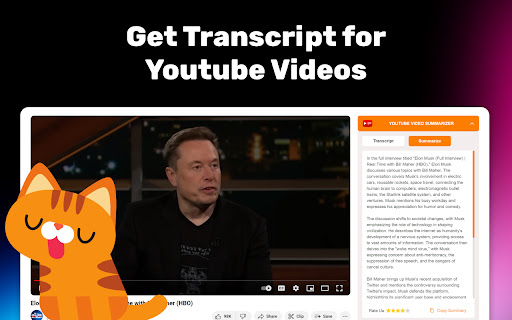
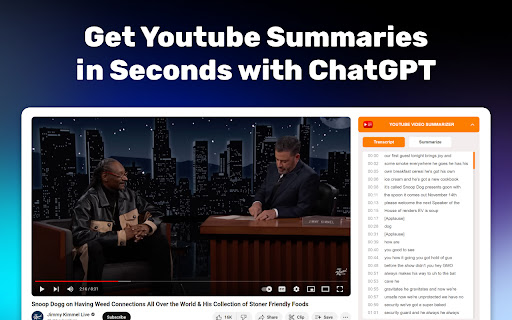
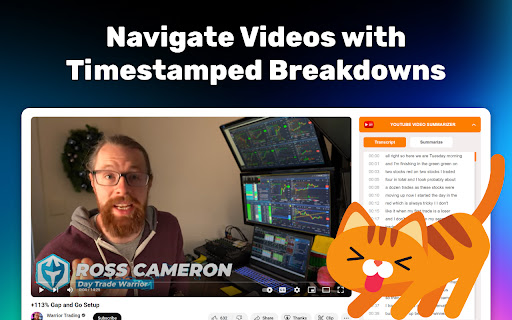
Youtube Video Transcript and Video Summary: YouTube video to text transcript, YouTube summary with ChatGPT. Youtube Transcript extension seamlessly unlocks quick access to video texts and summaries powered by ChatGPT. No account required - get transcripts and summaries in seconds. 📝 Release notes: ✨ Updated design ✨ Added support for YouTube dark theme ✨ Added built-in brief summarization ✨ Added timestamp-based summarization 🚀 Unlock the Power of Content with Youtube Transcript ✅ Transform lengthy clips into manageable text, perfect for quick reviews. ✅ Our extension effortlessly converts YT to text, making information easily accessible. ✅ Dive into detailed discussions without watching hours of footage. 📚 Efficient Learning with a Texts: 🎯 Our Chrome extension aids in transcribing videos to text, ideal for students and researchers. 🎯 Summarize AI technology enhances comprehension by distilling key points. 🎯 With video summarization, how to in-text cite a video becomes straightforward, supporting academic integrity. 🌐 Global Accessibility Enhanced ➤ Our extension breaks language barriers by converting spoken content into text. ➤ Video to text converter feature within Youtube Transcript opens up content to a wider audience. ➤ Non-native speakers benefit from YT to text format, making understanding and translation easier. 🔍 Simplified Content Creation • Our extension serves as a foundational tool for content creators to repurpose material. • Transcribe video to text for accurate quotes and references. • Leverage Youtube Transcript with ChatGPT for in-depth analysis and commentary on YT content. 💼 Professional Edge with Youtube Transcript 📌 AI summarizaton is a game-changer for professionals needing quick access to video insights. 📌 AI summarization in the extension streamlines market research and competitive analysis. 📌 With our Chrome extension, convert YT video to text for efficient meeting recaps and strategy sessions. 🎨 Creative Inspiration ✨ Discover new ideas by using the extension to explore diverse content without time constraints. ✨ Youtube Transcript aids in brainstorming sessions by providing a plethora of information in text form. ✨ Utilize the extension to capture and implement innovative concepts from various videos. 🤖 AI-Powered Precision 🔥 AI that summarizes clips offers unmatched accuracy and speed. 🔥 Leverage the power of video summarizer chatgpt AI for concise content analysis. 🔥 Summarizer AI technology revolutionizes content consumption. 📈 Maximize Productivity with Youtube Transcript ➤ Our chrome extension is your ally in digesting long tutorials and guides swiftly. ➤ AI summarize YT video feature saves hours of viewing. ➤ Rely on the extension for quick access to educational content, enhancing learning efficiency. 🌟 Seamless Integration • Experience hassle-free setup and use of our extension, designed for user convenience. • Summarizer seamlessly integrates with daily workflows, enriching both personal and professional tasks. • Trust in the reliability and effectiveness of summorization to transform your video engagement strategy. 📖 Streamline Your Research with Video Summary Generator ✨ Youtube Transcript generator simplifies the process of converting dialogue into text. ✨ For academic or personal research, our Chrome extension turns hours of footage into readable content. ✨ Learn how to get text from a video effortlessly with our extension for comprehensive study materials. 🔗 From Video to Text: Youtube Transcript 🔥 Transform any clip into a structured document with video to text capabilities. 🔥 With text of clips, dive deeper into content without spending hours in front of the screen. 🤖 Leverage AI for Comprehensive Summaries with ChatGPT • Summary provides concise overviews, saving valuable time. • Explore complex topics quickly with AI summary, integrating cutting-edge technology for clarity. • ummary AI transforms the way we digest video content, offering summaries that highlight key points. 🌟 Enhance Learning with Youtube Transcript ➤ YT video summary aids in quick revision and understanding of educational content. ➤ Utilize smart assistant summary for a distilled overview of tutorials and lectures. ➤ ChatGPT summary for chrome enriches the learning experience by providing essential information at a glance. 💡 Innovative Content Analysis with Video AI Summary 📌 AI video summary delivers insightful overviews, making it easier to grasp complex subjects. 📌 For content creators and marketers, summary with chatgpt offers a new angle on video analytics. 📌 Engage with video content more effectively through detailed summaries provided by summary ai. 🚀 Maximize Engagement with ChatGPT Summary ✅ Video summary revolutionizes content consumption by offering quick, accurate clip overviews. ✅ Stay ahead in information gathering with the efficiency of summary. ✅ Summary with GPT model elevates understanding, catering to both casual viewers and professionals alike. 📚 Unlock New Perspectives with Video Summary by AI assistant 🎯 Discover hidden gems through comprehensive video summary. 🎯 Video summary with chatgpt allows for an enriched content exploration experience. 🎯 Dive into a sea of information without drowning in hours of footage, thanks to chatgpt video summary. 🌍 Explore Content Globally with Youtube Transcript ✨ AI video summary chatgpt breaks down language and cultural barriers, offering summaries in multiple languages. ✨ Engage with international content effortlessly, as the AI summary provides quick translations and overviews. ✨ Expand your global understanding without the need for extensive language skills, thanks to the smart summary extension. 🎥 Revolutionize Consumption with ChatGPT Summary 🔥 The AI-powered summary transforms the way we interact with video content, making it more accessible and digestible. 🔥 Get to the heart of any clip’s content quickly, bypassing lengthy viewing times with precise summaries. 🔥 For those on the go, the smart video summary offers a swift way to stay informed and entertained. 📈 Boost Productivity with Video Summary Extension • Integrate the smart summary tool into your daily routine for enhanced productivity and learning. • Quickly grasp the essence of tutorials, news, and documentaries without sacrificing valuable time. • The chatgpt summary feature is a game-changer for professionals and students alike, streamlining information consumption. 💼 Professional Insights with Youtube Video Summary ➤ Leverage the ChatGPT summary for business intelligence, market research, and competitive analysis. ➤ Make informed decisions by quickly accessing summaries of industry-related content. ➤ Stay ahead in your field with the cutting-edge technology of the smart video summary extension, providing key insights in minutes. 🎓 Educational Advancement through Video Summary 📌 Enhance your learning experience with the ChatGPT summary, summarizing educational videos into concise notes. 📌 Tailor your study materials with the smart video summary, focusing on key points and concepts. 📌 With the AI-powered summary, transform any educational clip into a learning tool accessible anytime. 🌐 Stay Updated with ChatGPT Video Summary ✅ Keep abreast of global events, technological advancements, and cultural trends with video summary. ✅ The AI summary chatgpt tool is perfect for those seeking to stay informed without investing hours in video content. ✅ Embrace the future of content consumption where efficiency meets depth, powered by our extension. 💡 How can I get a transcript of a YouTube video? ➤ Accessing a text is straightforward. Navigate to the video you're interested in, click on the three dots below the title, and click "CC" icon. The text will appear on the right side of the page, allowing you to read through the dialogue. 💡 How do I extract text from a YT video? ➤ To extract text, follow the steps to get the transcript as mentioned above. Once the text is open, you can simply highlight the text, copy it, and paste it into your desired document or text editor for further use. 💡 How I can get text from the Video? ➤ YT automatically generates transcripts if the creator has enabled this feature. You can find this auto-generated text in the sidebar block. 💡 How do I format a text from the video? ➤ After extracting the text from the summary, you can format it using any text editing software. This involves adjusting the font size, style, and structure to match your requirements, making it more readable or suitable for your purpose. 💡 How to get a YouTube summary? ➤ Obtaining a summary of a video involves manually summarizing the content or using third-party tools that can analyze and condense into key points. 💡 Is there an AI that summarizes videos? ➤ Yes, there are AI tools designed to summarize content, including videos. These tools use natural language processing to understand and condense the video's content into a summary. 💡 How do you use Video Summary? ➤ To use a summary, first obtain it from an AI tool or manually create one. Then, input this summary into ChatGPT to discuss or explore the content further through conversation. 💡 How do I extract a summary from a clip? ➤ Extracting a summary from a video typically requires watching the video and noting down key points or using AI-based summarization tools that can automatically generate a concise overview. 💡 Is there an AI that summarizes clips? ➤ Yes, several AI platforms are capable of summarizing videos. These platforms analyze the audio and sometimes visual elements to create a condensed version or summary of its main points. 💻 License We are an independent developer passionate about creating innovative products. Our latest project is a Chrome extension built upon an open-source foundation released under the MIT license. https://github.com/kazuki-sf/YouTube_Summary_with_ChatGPT 🔒 Privacy At the core of our commitment is your privacy. Utilizing this extension requires no user account, and rest assured, we neither retain your IP address nor maintain a record of viewed content history. Your trust and privacy hold the highest priority in our dedication to your satisfaction. ❤️ Contact Us Should you have any inquiries, suggestions, or require assistance with our extension, please don't hesitate to contact us. We're readily available to offer support! Reach out to us via email at webstorestars@gmail.com. Your feedback holds immense value for us, and we eagerly anticipate hearing from you.

YouTube Video Transcript
Transcribe youtube videos to text with YouTube Video Transcript. Extract, download, and convert online video transcripts easily. 🔎 Looking for an effortless way to get transcript of video content? Our YouTube transcript extractor is here to help! Transform any video into a readable text format in seconds. Generate full transcript from YouTube video with just a click. Our extension simplifies the process, saving you valuable time and effort. ➤ Instant Transcription: Convert YouTube videos to text in seconds. ➤ Accurate Results: Our advanced YouTube transcript extractor ensures precise text conversion. ➤ User-Friendly Interface: Simple and intuitive, even for beginners. ➤ Multi-Language Support: Generate full transcripts from YouTube videos in multiple languages. ➤ Downloadable Texts: Get youtube video transcript for offline use or future reference. Whether you're a researcher, content creator, or student, this YouTube transcriber is perfect for you. Use it to: 1️⃣ Take Study Notes: Copy text from YouTube videos for study materials. 2️⃣ Create Content: Use YouTube video transcripts to develop blogs or scripts. 3️⃣ Enhance Accessibility: Convert YouTube video dialog to scripts for easy accessibility. 4️⃣ Extract Insights: Use the YouTube video script extractor for research and analysis. 🔹 Save time by getting the key points from lengthy videos. 🔹 Quickly review the main ideas without reading the full transcript. 🔹 Use summaries for research, note-taking, or creating study materials. 🔹 Improve productivity by focusing only on the most important information. With just a few clicks, you can extract transcripts. Here's how to get started: 1. Install the extension and open a YouTube video. 2. Click the extension icon and let it analyze the video. 3. Access the full transcript of the video in seconds. 4. Copy, save, or download the transcription for your needs. ✳️ Save hours of effort with automated YouTube transcripts. ✳️ Get accurate, word-for-word text for any video. ✳️ Convert YouTube video to text for accessibility or study. ✳️ Access a complete transcript of youtube video transcript, even for long content. ✳️ Extract YouTube transcripts without hassle. ❓ Q: How to get a transcript of a YouTube video? 👉 A: Simply install the extension, open your desired video, and let the YouTube transcript extractor do the work for you. ❓ Q: Can I transcribe YouTube video to text in multiple languages? 👉 A: Yes, the tool supports various languages, making it easy to get transcripts for diverse YouTube content. ❓ Q: Is it possible to download YouTube transcripts? 👉 A: Absolutely. You can download the transcript of YouTube videos for offline use. • No more struggling to extract transcript from YouTube. • Easily transcribe YouTube videos for documentation and accessibility. • Convert YouTube video dialog to scripts in real-time. • Generate full transcripts from YouTube videos for content creation. • Seamlessly copy text from YouTube videos for any purpose. 💥 How This Extension Stands Out ▸ Speed: Quickly generate a YouTube video to transcript without delays. ▸ Simplicity: A few clicks are all it takes to get a transcript of a YouTube video. ▸ Versatility: Perfect for students, professionals, researchers, and creators. ▸ Accessibility: Easily transcribe YouTube videos to text, enhancing accessibility for all. 💡 Use Cases for YouTube Video Transcription ☑️ Researchers can extract transcripts from YouTube to analyze data. ☑️ Educators can generate transcripts for YouTube videos to support learning materials. ☑️ Content creators can use YouTube video scripts for new projects. ☑️ Businesses can transcribe YouTube video to text for team collaboration. 💪 Unlock the Power of YouTube Transcripts With this Chrome extension, you can do more than just watch videos. You can transform them into actionable insights, study materials, and creative content. Whether you want to get a transcript for YouTube videos or convert YouTube dialog into text, this tool has got you covered. Don’t miss out on the opportunity to enhance your productivity. Download the extension now and experience the easiest way to transcribe YouTube videos to text. Get started today and discover the difference with this powerful YouTube video transcript generator.

YouTube Transcription
Use YouTube Transcription to transcribe video to text and effortlessly obtain a transcript of YouTube videos. 👍 Meet our YouTube Transcription extension, a game-changer that turns video into text effortlessly. 👨👨👦👦 Whether you’re a student, researcher, or content creator, this tool simplifies your workflow by providing accurate and instant transcriptions. 📝 Easily Convert Videos to Text: 💎 With our innovative, you can seamlessly transcribe YouTube video into text format. ⚡ Say goodbye to manual typing and hello to efficient video to text conversion! 🚀 Quick Start Tips YouTube Transcription extension Using our transcribe video to text extension is straightforward: 1. Install the extension by the button “Add to Chrome”. 2. Open any video on YouTube. 3. Get the transcript to the right of the video! ✨ Key Features: 1️⃣ Transcribe Video to Text Extension: Our extension is specifically designed to transcribe YouTube video to text effortlessly. 2️⃣ Free Transcription: Enjoy the convenience of video transcriber services, making it accessible to everyone. 3️⃣ Quick Transcription: Get YouTube video transcript quickly and accurately using our extension. 4️⃣ User-Friendly Interface: Our extension offers a user-friendly experience, ensuring smooth navigation and operation. 🔍 How Does it Work? ➤ Simply install the extension from the Chrome Web Store. ➤ Navigate to any video you want to transcribe. ➤ Click on the extension icon, and voila! Your video will be transcribed into text format. 🌟 Why Choose YouTube Transcription extension? • Saves Time: No more manual transcription efforts; our extension automates the process for you. • Accessibility: Whether you're a student, professional, or content creator, our extension caters to all transcription needs. • Accuracy: Get transcript of YouTube video, ensuring reliable content conversion. • Seamless Integration: Our extension seamlessly integrates into your Chrome browser for easy access whenever you need it. • Enhance Your Content Reach: Creating a YouTube transcript can help reach a broader audience. Use the transcript from video to create written content like blog posts and articles, improving SEO and accessibility. 🚀 Unlock the Power of transcript from video: 🔹 By using YouTube Transcription, you unlock the power of transforming video content into searchable, editable text. 🔹 Whether you need transcript video to text for research, content creation, or accessibility purposes, our extension has you covered. 📚 Enhance Your YouTube Experience: For journalists, marketers, and corporate trainers, our extension is invaluable. It streamlines your workflow by providing quick and accurate transcripts, allowing you to focus on analysis and content creation. ➤ Content Creation: Use transcribed text as a basis for creating blogs, articles, or presentations from videos. ➤ Study and Research: Easily extract key information from videos by converting them into readable text format. ➤ Improve Accessibility: Make video content more accessible to all users by providing text-based alternatives. ➤ Language Learning: Utilize transcripts for language learning, allowing learners to follow along with spoken content. 💡 Tip: Combine our extension with YouTube's subtitle feature for multilingual transcripts and enhanced user experience. ❓ Frequently Asked Questions: 📌 How does it work? 💡 The extension allows you transcribe a youtube video to text format. 📌 Can I use it for free? 💡 Yes, the extension is available as a free Chrome extension. 📌 Does YouTube Transcription work with all types of videos? 💡 Yes, our extension is designed to work with almost videos. 📌 How do I install? 💡 To install the extension, go to the Chrome Web Store and select "Add to Chrome". It will be added to your browser, and you can start using it. 📌 Is YouTube Transcription available in languages other than English? 💡 Yes, sure! You can select the desired language by clicking on the drop-down list. 📌 Can I copy the text transcription? 💡 Yes, you can copy all the text by clicking the copy button. The text will be copied without time codes. 📌 Is my privacy protected when using the extension? 💡 Absolutely! Extension operates locally within your browser, ensuring the privacy and security of your personal information. It does not collect or store any user data. 🌐 Download Now: Don't miss out on the benefits of efficiently transcribe video. Download the extension today and revolutionize the way you interact with video content! Accessible, accurate, and hassle YouTube to transcript is just a click away. Try it now!

YouTube Transcript Generator
➤Transcribe and convert YouTube videos to text format ➤Supporting multiple languages ➤Save transcriptions for easy access ➤An excellent tool for practicing listening and reading skills ➤Jump to the specified moment of playback 📝Save Your Time ➤ Saving you hours of manual transcribing and ensuring your messaging is on point. 📈 Boost Accessibility and Reach ➤ Make your content available to individuals who are deaf, hard of hearing, or prefer to consume content in a text-based format. 📂 Organize and Archive with Ease ➤ Seamlessly integrate them into your personal knowledge base or external note-taking platforms. All data are automatically deleted every day. You can also delete the file yourself immediately. By design, your data stays at all times on your Google account, never saved in our database. Your data aren’t shared with anyone, including the add-on owner. We complies with privacy laws (especially GDPR & California Privacy Act) to protect your data.

Youtube to Transcript
Get transcript from Youtube Video in a click with the YouTube to transcript converter and copy the text easily ℹ️ How to use Youtube to Transcript tool in your browser: 1. Open a video or past a link to the input 2. Click “Get Transcription” button 3. Copy the full transcription of the video in txt, srt, vtt format* 4. Save transcript to get access in any device 5. Translate to 89 languages 6. Create new script or chapters for saved videos *Note: Live videos is not supported, Short Video, srt, vtt formats are avaliable on the Pro tab 🧐 Looking for a simple and effective way to convert Youtube videos to transcripts? Our extension is exactly what you need! Whether you’re a student, researcher, content creator, or someone who needs quick access to video content in text form, this tool makes it easier than ever to convert a YouTube video to transcript. ❌ No more manual note-taking or rewinding—our extension does the work for you, providing an accurate YouTube transcript to text in seconds! Our YouTube to transcript converter free makes the transcription process faster and more accurate than ever before. 🔎 Why Use This Extension? Knowing how to get a transcript of YouTube video is essential for many users. Here are some reasons why you’ll love it: 1️⃣ Accessibility: Easily convert a youtube video to transcript to make video content accessible to those with hearing impairments. 2️⃣ Efficiency: Quickly scan transcripts of YouTube videos to text instead of watching long videos, perfect for research or study. 4️⃣ SEO Benefits: Boost your video content’s discoverability by adding transcripts that search engines can index. 5️⃣ Study Aid: Extract important quotes and data from educational videos with ease by generating a YouTube transcript to text. 🤖 Why Do You Need AI-Powered Transcriptions? Our tool uses advanced YouTube to transcript AI technology, providing higher accuracy and efficiency. powered by AI is crucial for improving transcription quality, and here’s why: 🔸 Enhanced Accuracy: AI reduces the errors typically found in automatic captions, ensuring your youtube video to transcript is as accurate as possible. 🔸 Handles Multiple Speakers & Noisy Audio: AI can differentiate between speakers and handle background noise, making the YouTube transcript to text more readable. 🔸 Faster Processing: AI allows for rapid transcription, even for long or complex videos. 🔸 Adaptable for Different Content Types: Whether it's interviews, tutorials, or lectures, our YouTube to transcript AI adapts to the content, ensuring the best possible results. Using AI ensures you get the highest-quality transcripts with minimal effort, making it a reliable tool for both professionals and students who want to transcript youtube videos to text. 💡 Best Use Cases for the Extension This YouTube to transcript converter is perfect for a wide variety of use cases: 📚 Students & Researchers: Need to extract important information quickly? Our tool helps you turn long educational videos into searchable transcripts, saving you hours of rewatching. Knowing how to get a YouTube transcript is essential for effective study. 📝 Content Creators: Repurpose video content by transforming it into blog posts, podcasts, or social media content with the help of our YouTube transcript to text. 👩🏫 Teachers & Educators: Provide students with text versions of video lessons to enhance learning and accessibility. Simply copy the youtube transcript and share it with your students! 📊 Marketers & SEO Professionals: Improve your SEO rankings by adding YouTube to text transcript to your videos, making them easier to find online. 🚀 AI Enhances the Process Using a YouTube to transcript converter powered by AI technology takes your transcription process to the next level. Whether you're dealing with a video that has background noise, multiple speakers, or accents, AI is equipped to handle it. Here’s how AI enhances your experience: 🔹 Better for Noisy or Complex Audio: AI detects and filters background noise, providing a cleaner YouTube transcript to text. 🔹 Efficient for Long Videos: AI can process lengthy videos in minutes, giving you the transcript you need without delay. 🔹 Handles Different Accents: Our youtube to transcript converter is ideal for videos with varying accents or multilingual content. 🔹 Fast Results: Get transcripts instantly with AI-powered processing. Simply paste the YouTube URL to transcript, and the tool does the rest. If you’ve been wondering how to get a YouTube transcript quickly and accurately, our AI-powered tool is the perfect solution. Our youtube to transcript converter free version is the ideal tool for anyone looking to easily and quickly transcribe videos into text. Whether you’re working on research, repurposing content, or just need quick access to video information, this extension provides everything you need in one place. With fast, accurate, and AI-driven results, you can stop wasting time and start using this efficient tool today! If you’ve been wondering how to copy a Youtube transcript or how to get a transcript of a YouTube video, look no further—our extension has you covered. Start transcribing with ease by pasting the YouTube URL to transcript and let the tool create a Youtube to text transcript instantly! ⚠️ Important 🔸 This extension may display recommendations for other products within its interface. 🔸 Some features of the extension may be available as paid options. 🔸 To access full video-to-text transcription functionality, creating an account may be required.
