
jfpjkgdpgdbddknpgplfkjjfncenlmkf
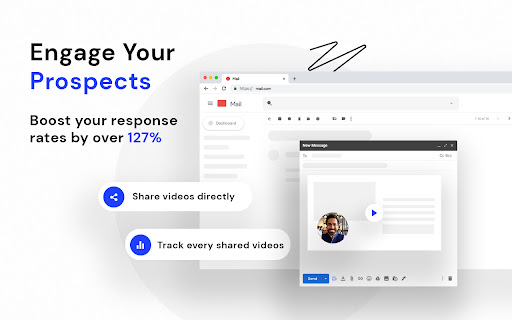


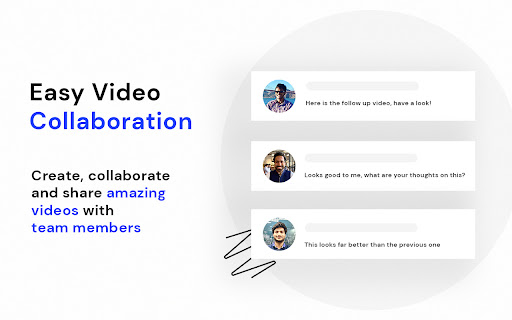

Screen Recorder App with Webcam Video Recorder, Video Editor, Upload Video in a Single Extension. Screen Recorder App with Webcam Video Recorder, Video Editor, Upload Video in a Single Extension. StoryXpress is an online free Screen Recorder with Webcam, Online Video Editor, Hosting & Analytics, all in one place. Use the screencast recorder or the webcam to express yourself better. This is a flexible tool to record with or without Screen recording, Audio, or Face Cam, all combinations work, with even Offline Recording functionality! This is best suited for teams involved in frequent meetings or to coordinate with various internal/external stakeholders. Be it your customer success team, sales, marketing, or HR, with quick video messages, you can reduce the load of texts, emails & lengthy conversation threads. -TRUSTED by 10 out of Forbes Top 50 Companies -500,000+ users and Millions of recordings created Not just a screen recording tool, StoryXpress is packed with features that make video creation a cakewalk for everyone: -Online Video Editor to Trim, Crop, or Blur any part of a recording. -Analytics to track metrics like how many people watched it, for how long. -Various Customisations like player settings, intro, and outro that turn a simple recording into a branded experience. -Picture in Picture mode to show your camera bubble outside chrome as well as on desktop, other apps, and browsers. - Easy, one-click access to the recordings library, help-center and account settings from within the Chrome Extension. - Ability to record the tab audio: The updated extension lets you record the system audio along with your screen. This means you can now record your Google Meetings, Zoom calls, webinars & interviews. - Annotations: A simple annotations menu is easy to use and navigate while you’re in the middle of a recording. No confusing options, just a highlighter brush whose color and size you can adjust. No need to manually erase the curves you draw to catch your prospect’s attention. Whatever you draw disappears automatically after five seconds. - 1080 p recording option for Lite, Pro and Plus users - You can choose the recording quality with a drop down as well, only for Pro Users. - Offline Recording: Start your recording even when there is no internet connection. Why will you love StoryXpress? -It is QUICK & SIMPLE to use. -Greatly successful at REMOTE communication. -Useful in PITCHING to clients. -An amazing tool to solve your CUSTOMERS’ queries. -Trouble-free to create tutorials for schools, customers, and teams. -Makes communication effective & personalised. ZERO% failure rate with uploading: Just after the recording, we take you to a locally hosted intermediate page that you can use to track the progress of your upload and retry uploading in case it fails due to internet connectivity issues. ZERO% failure rate, no more work getting lost due to upload issues or poor internet connection. What you can do with the StoryXpress Screen recording extension? StoryXpress extension enables you to: -) Record your webcam & screen together. -) Edit - trim, crop, or blur them before publishing -) Share instantly with an easy-to-share link. -) Embed videos in App or Website landing pages. -) Upload Your Offline files to the platform. -) Analyse performance statistics in real-time. -) Download without watermarks. Sales rep: Pitch your product/services online to clients by starting with a Face only webcam Introduction. Freelancers: Showcase your portfolio, and suggestions with a prospective client, or share an update on the work status so far with StoryXpress free screen recorder. Marketers: Record presentations using the free screen recorder, download them offline, share the link on Social Media & Emails & track the performance through analytics. HR Teams: -Design effective training programs to Onboard New Employees remotely. -Automate the hiring process by introducing the job role and company vision using the video & screen recorder. Customer Service: -Solve user problems with a recorded video. -Make use of the Draw, Focus & Text Tool to highlight steps while offering a solution. Teachers: - Create lectures & then edit them using the Online Video Editor and share them with Students. QA Teams: - Share the bugs on the product using the screenrecorder and highlighter; Our free screen recorder lets you do everything quickly and easily. No more wasting your time typing long cryptic emails! Simply, get this amazing extension for Chrome in your toolkit and see the conversions happening in a flash. FAQs you might have: → On What Devices Can I Use this Online Tool? It works on most of the operating systems. All you need is a chrome browser installed and you can record anything - tabs on Chrome or other browsers, Desktop Screen, or your webcam. Just one click to open the gateway for narrating and sharing ideas, stories, and updates. → How to use StoryXpress to record? - Download the screen recorder extension. - Choose from 3 recording modes - Screen + Cam, Screen only, Cam only. - Start Recording. - Use the Draw tools like a cursor, pen, eraser, focus, and text tools. → Can I customize my Videos on StoryXpress for pc? StoryXpress comes with an online editor that lets you customize your screen-captured video or your uploaded files in numerous beautiful ways. You can use these customizations to make your message more interactive, informational, and personalized. A truly white Labelled Platform gives you a wide range of customization options and tools to brand and promote your content. Create a branded landing page for your business. Create a perfect hook with the FaceCam Introduction. Customize the player with your theme colors to suit your brand. Create GIF thumbnails to instantly improve the open rate. Add attractive annotations- like a text or a marker to point up relevant information to the user. Make your content interactive and compel viewers to take the desired action. Files and Folders: Arrange your content using folders. Share folders with your team members and control who sees what. Leads Page: View all the leads captured on a single page Channel Subscribers: Have your viewers subscribe to your channels and manage the subscribers Video Replies: Receive responses from your viewers without them having to sign up/downloading the StoryXpress Chrome extension Smoother UI: UI improvement for the sidebars for a smoother user experience. Also, an easier way to manage and install your integrations. Transcripts - Automatically generate transcripts Notifications in the Dashboard: Get all the latest updates and notifications in your dashboard. → Is StoryXpress Screen recording software useful for YouTubers too? StoryXpress helps YouTubers to record screens with sound. It is helpful for YouTube screencasts, especially those who review a digital product, do a podcast, or create a reaction on a game. StoryXpress is the best YouTube recording tool for screencasting on chrome and desktop screens. It can be your go-to screen share tool to screen record on mac or pc, with sound. You can also use this as a Google Meet recorder and Zoom recorder

Loom – Screen Recorder & Screen Capture
Record your screen and camera with one click. Share that content in an instant with a link. Loom is the industry leading screen recording tool. Join more than 14 million people across 200,000 companies who use Loom to record their screen, share their thoughts visually, and provide asynchronous feedback. With Loom you can record your screen and instantly get a link to share with anyone. It’s the fastest and easiest way to screen capture and stay connected with your team. Whether you’re screen recording a product demo, giving feedback, or simply sharing your thoughts, Loom makes it simple to stay in the loop with async video. KEY FEATURES 📽️ Record your screen, camera, microphone, and internal audio 💾 Automatically save videos to the cloud and share them instantly with a link 💬 Get notified when someone views, reacts, or comments on your video 😀 Leave time-based comments and emoji reactions 📚 Manage your Loom video library on-the-go and across devices 🔒 Choose who can see your video with security and access controls ⏬ Download recordings to your camera roll 📽️ Screen Recorder 📽️ - Record your screen, camera, or both for free - iOS and Android apps to record your mobile phone - Record in 720p, 1080p, 1440p, or 4k HD - Add flair to your video with camera frames, backgrounds, and camera effects like blurring 💾 Video Hosting 💾 - Store your videos inside of Loom HQ - Upload Zoom and Google Meet recordings directly into Loom to search and find later - Create hashtags to keep track of important videos 🪄 Share With A Link 🪄 - Our recordings finish so fast that we had to file multiple patents - Anyone in the world can watch your screen recording for free - Share your videos to LinkedIn, Twitter, or publish to the Google Search index 🗣️ Drive Engagement 🗣️ - Use comments and emoji reactions to boost engagement - Respond with your own Loom in the comments to create a video message thread - Loom videos automatically display in Slack and Microsoft Teams ⏱️ Meeting Replacement ⏱️ - Send a Loom instead of having another standup meeting - Record a presentation with Loom and send it to your audience ahead of time - Screen record your next weekly update to add rich visual context and your own personal touch TRUSTED BY THE BEST Over 14 million people across 200,000 companies use Loom to record, share, and review asynchronous video. From HubSpot, to Atlassian, to Netflix, Loom is the screen recording and collaboration tool of choice for top companies. EVERYTHING YOU NEED AND MORE Using Loom, you can collaborate with your team, add time-stamped comments and reactions to those videos, and save videos you’ve recorded to your device. Now, you can spend less time crafting the perfect email between meetings, and say it with video using Loom. ABOUT LOOM Loom is the leading video communication platform for async work. Engineered for simplicity and speed, you can record, watch, and share videos to move work forward whether you're at your desk or on the move. LOOM IN THE NEWS "Why are we all trapped in enterprise chat apps if we talk 6X faster than we type, and our brain processes visual info 60,000X faster than text?...now is the time for Loom." – TechCrunch "It fills this gap between writing an email and taking the time to have a meeting or conference...it's rare to have something that's low friction and high impact, while also adding personal connection." – Forbes “Asynchronous video is catching on fast, and Loom thinks it's going to change the way we work. And maybe do everything else, too.” – Protocol

Video Recorder
Use Video Recorder, a simple tool to screen record. It also lets you audio recorder online, capturing both your camera and display. 🚀 Looking for a powerful and easy-to-use screen recorder Chrome? Our extension provides all the tools you need for seamless video recorder. 1️⃣ Effortless Screen Recording: ➞ Easily capture your display with just one click using this intuitive tool. ➞ Simultaneously create a screencast. 2️⃣ Video Recording in One: – Record video while checking your webcam settings. – Perform a record camera and start capturing without interruptions. 3️⃣ All-in-One Recording Software: ◆ Webcam recorder and capture audio from your computer or microphone. ◆ Includes features like screen castify and screencastomatic for high-quality screencast. ◆ Essential for content creators and educators using a stream recorder. ◆ This recording software offers both video and audio recording. 4️⃣ High-Quality Display and Audio Recorder Online: ▶ Supports both screen and audio recording for crystal-clear video and sound quality. ▶ Full control over video recording with adjustable audio and video settings. 5️⃣ All-in-One Solution: ■ No need for tools like Clipchamp – our product provides all the features directly in the browser. ■ Forget about Bandicam – capture both display and audio directly without any additional software installation. ■ No more reliance on loom video – get full video and webcam features all in one place. 🎨 For Creators: ➞ Record a video with both display and audio at the same time. ➞ Capture high-quality screencast. ➞ Webcam test feature to ensure your camera is set up correctly. 🤓 For Remote Workers and Students: ➤ Capture lectures, webinars, or meetings effortlessly. ➤ Use the video recorder to capture both display and audio. ➤ Record video online. 🎓 For Teachers and Trainers: 🔹 Use the camera recording to capture both your display and voice. 🔹 Ideal for classroom screen captures with just a few clicks. 🔹 Works seamlessly as a screen recorder for PC or mac screen recorder. 🧑💻 For Content Creators and Bloggers: ⭐ Create engaging content with video recording software. ⭐ Capture both video and audio at once. ⭐ Enhance videos with features like online screen recorder and screencastomatic. 🖥️ For Those Who Want Simplicity Without Extra Software: ➡️ Record your video online along with audio directly, with no additional installations required. 💼 For Professionals and Beginners: ■ Screen recorder Windows and best screen recorder for mac options available. ■ Screencastify extension integration for advanced editing features. ■ Simple, user-friendly interface for the recording app. ❓ FAQ: 📌 How does the screen recording program work? 💡 Our tool lets you easily capture both your screen and audio with just one click. 📌 Can I capture both the display and webcam simultaneously? 💡 You can screen record and video with your webcam at the same time for a dynamic recording experience. 📌 Does the product support audio recording software? 💡 Yes, our tool is a screen and audio recorder that allows you to capture both video content and sound from your microphone or computer. 📌 Can I use this product to capture tutorials or presentations? 💡 Our screen video recorder allows you to capture everything you need, whether you're making a product demo or teaching a class. 📌 Can I record video online without downloading any software? 💡 Yes, our tool is an online video recorder, so you can create your video online directly from your browser without needing any extra installations. 📌 Is this tool suitable for classroom or educational use? 💡 Yes, it’s great for classroom screen recording, whether you’re teaching online classes or creating educational videos for students. 📌 What about audio recorder online capabilities? 💡 Our tool also functions as an online audio recorder, allowing you to capture high-quality audio along with media, making it ideal for podcasts or voice-over recordings. 📌 Can you screen record on mac? 💡 Yes, our screen recording software mac and screen recorder windows versions are fully optimized for their respective platforms. 📌 How to screen record on mac? 💡 Install this extension. Click the icon and press the "Record" orange button.

BombBomb Video - Webcam & Screen Recorder
Create, share, and track webcam and screen capture videos with the BombBomb Browser Extension. Get better results with video. Quickly and easily create, share, and track webcam and screen capture videos from any page in Chrome with the BombBomb Chrome Extension. 🎥 RECORD OR UPLOAD VIDEOS ‣ Record your webcam, your screen, or both ‣ Create and add in-video Calls-to-Action ✉️ SHARE YOUR VIDEOS ‣ Embed video on a page or in an email, or share video URL ‣ 3-second Animated Preview in emails ‣ Add logo to your video player pages ‣ Recipients can like and comment on videos ‣ Recipients can reply with their own video 📊 TRACK ENGAGEMENT WITH YOUR VIDEOS ‣ Track emails opened, videos played, links clicked ‣ Real-time activity feed ‣ Know how much of your videos were watched ‣ Browser and smartphone push notifications ★★ Using Gmail? Enjoy all of the above features added directly to your Gmail inbox, PLUS: 🗒 SNIPPETS (GMAIL ONLY) ‣ Create and save canned responses to be reused ‣ Include text, images, links, and videos We believe that every message you send can (and should!) be as effective as an in-person meeting. Join 40,000+ Sales and Customer Success professionals by humanizing your digital messages with BombBomb Video. WHY BOMBBOMB? BombBomb has been pioneering video communication since 2006. With over a decade of experience, an engaged community, and the definitive guide (we literally wrote the book on it!), you'll have the education, training, and support you need to be successful with video. Try free for 14 days (no credit card required).

Screen Capture and Screen Recorder
Screen capture and screen recorder tool to record screen. Get more out of your screen captures! Take screenshots for free. Introducing the Ultimate Screen Capture and Screen Recording Extension for Chrome! Are you tired of the limited screenshot and screen recording capabilities of your browser? Look no further! Our Chrome browser extension is here to revolutionize your online experience. With an array of powerful features designed to cater to all your screen capture and recording needs, this simple yet versatile extension is completely free, giving you the tools you need without breaking the bank. 📷 Capture Your Screen ✔ Whole Page Say goodbye to tedious scrolling and stitching! Our extension allows you to capture entire web pages in a single, seamless screenshot. Whether it's a lengthy article, a captivating webpage, or an extensive document, you can capture it all with ease. ✔ Visible Area Sometimes, you don't need the whole page. Our extension lets you snap a screenshot of just the visible area on your screen, saving you time and ensuring you get exactly what you need. ✔ Selected Area Precision matters. Select and capturing a specific area of your screen, is perfect for highlighting important information or showcasing a particular part of a webpage. 🎥 Record Your Screen Like a Pro ✔ Desktop Bring your screen to life! Record your entire desktop to create comprehensive tutorials, presentations, or demonstrations. ✔ Current Tab Focus on what matters most! Capture only the content within the current browser tab. Ideal for recording webinars, video conferences, or gameplay without distractions. ✔ Record Yourself Personalize your content! With the option to record yourself via your device's camera, you can add a personal touch to your screen recordings. Perfect for vlogs, video messages, or commentary. Our extension is not only feature-rich but also incredibly user-friendly. You'll be capturing screenshots and recording your screen like a pro in no time. Best of all, it's completely free, so there are no hidden costs or subscriptions to worry about. Whether you're a student, a professional, or just someone who loves to share content online, our Chrome browser extension is your go-to tool for all your screen capture and screen recording needs. Elevate your online presence, streamline your workflow, and unlock new possibilities today!
