
jfjdfokifdlmbkbncmcfbcobggohdnif
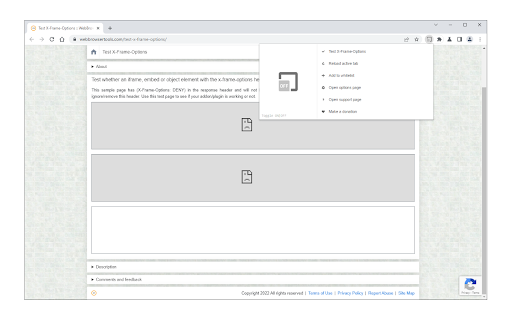
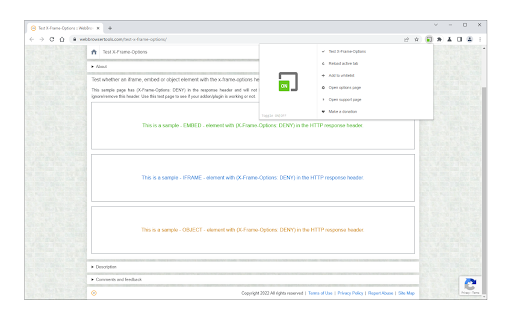
Easily remove X-Frame-Options from the response header. This extension enables you to remove the x-frame-options from the HTTP response header. To work with this addon, please open the toolbar popup and then click on the toggle button on the left side. Once the addon is turned ON, the browser ignores the x-frame-options for all iframes within websites. To whitelist a domain, please click on the - Add to whitelist - button on the toolbar popup. If you want the addon to work per tab only, please mark the related option from the options page. Please note that, in per-tab mode, the whitelist feature is not working. If you have a feature request or found a bug to report, please fill out the bug report form on the addon's homepage (https://mybrowseraddon.com/allow-x-frame-options.html).

Disable Content-Security-Policy
Disable Content-Security-Policy for web application testing. When the icon is colored, CSP headers are disabled. Use at your own risk. This disables the Content-Security-Policy header for a tab. Use this when testing what resources a new third-party tag includes onto the page. Click the extension icon to disable Content-Security-Policy header for the tab. Click the extension icon again to re-enable Content-Security-Policy header. Use this only as a last resort. Disabling Content-Security-Policy means disabling features designed to protect you from cross-site scripting. Prefer to use report-uri which instructs the browser to send CSP violations to a URI. That allows you keep Content-Security-Policy enabled in your browser but still know what got blocked. https://report-uri.com is a free tool that gives you a web interface to inspect CSP violations on your site.

Taskmonk iFrame Enabler
This plugin enables the loading of any website in an iframe on the Taskmonk application This plugin helps to enable any webpage in a Taskmonk iframe. Normally several webpages are blocked from being rendered in an iFrame of another website. But this plugin adds the required header to load the webpages in an iFrame of your desired site. Useful if you are trying to compare two different websites in a single application.

No X-Frame-Options
Remove X-Frame-Options header from the response Overview: This extension enables you to display external websites using embedded tags on your personal dashboard or digital signage. Details: When displaying another HTML page inside an HTML embedded tag ( or ), another HTML page may not be displayed. The reason for not displaying the page is that the accessing server is responds with response headers ("X-Frame-Options", "Content-Security-Policy") to deny the display. This extension can remove these response headers. Notes: It's a security risk to turn ON this extension all the time. Only turn ON this extension when necessary.

Link Protector
Adds the noopener attribute to links (third-party only) and prevents websites from accessing the opener window. Link Protector extension is designed to potentially improve your online security. For all link elements (hyperlinks) within the page, if the link opens in a new tab and does NOT have an opener attribute (rel=noopener), this addon adds this attribute to the link to prevent the new window from accessing the opener window (previous tab). Please note that this addon only works if the links have a third-party href, otherwise it won't change the attributes at all. By adding the noopener attribute, it can potentially improve your online security and privacy, as the third-party website does not have access to the opener window (the tab in which the hyperlink is opened), therefore your online data will not be exposed to other websites. The toolbar button serves as an ON, OFF switch to quickly turn the extension ON or OFF. Badge icon text shows the number of hyperlinks that are being changed. This addon does not have separate options or settings page. If you have a feature request or found a bug to report, please fill the bug report form on the addon's homepage (https://mybrowseraddon.com/link-protector.html).
