
jephmlgehnceimcjkmmafjmlmmjgdnnl

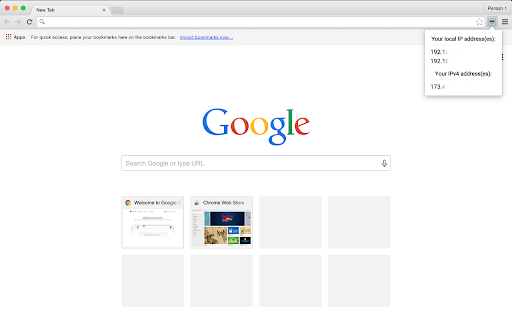
Show all of your local and external (IPv4 & IPv6) addresses Version 1.2.0 Updates: - Fixed issue where external IP addresses were not being displayed - Optimization for quicker load (We had a pesky one second delay that we couldn't stand) - Shrunk the size of the extension by 43% thanks to those optimizations! See all of your local and external IP addresses (IPv4 & IPv6) without being sent to another website! All IP addresses are shown in the extension popover when you click on the icon. Please post suggestions and reviews!

What is My IP Address
View your public ip address via toolbar popup. What is My IP Address is an extension that lets you view your public IP address in the toolbar popup UI. By default, no server is selected. Please open the UI and select a desired server from the list. Two types of servers are available in the list, HTTP or STUN. STUN servers use WebRTC technology to find your IP address. HTTP servers use fetch API to obtain the IP address. In general, all third-part servers should show a similar IP address. But, in some situations, they might show different IP addresses. All changes in the popup UI are auto-saved to the memory. Note: this addon uses several third-party API engines to render your IP address. Please note that, unless you select a server, this addon does NOT interact with any third-party website/service at all. Moreover, it does NOT store your IP address or any other information in any remote location. However, third-party servers (HTTP or STUN) have their policy and rules for storing IP addresses. Therefore, before using any server, please read their privacy policy. This addon does NOT have any control over their privacy policies. To report bugs or suggest a feature request, please fill the bug report form on the addon's homepage (https://mybrowseraddon.com/ip-address.html).

Show IP
Show IPv4 & IPv6 addresses of the current webpage without doing external requests to a home server. Show IPv4 & IPv6 addresses of the current webpage without doing external requests to a home server.

What is my IP
Discover your IP quickly with 'What is My IP' Chrome Extension – a fast, easy tool for Public IP address detection! What is My IP Quickly view and copy your public IPv4 address with one click. • Instant Reveal – Shows your current IP in a clean, minimal popup. • Geolocation Details – See city, country and ISP information. • Change Alerts – Get notified if your address changes. • Privacy Tips – Learn how to keep your connection secure. • Zero Configuration – Works right out of the box, no setup needed.

IP Address and Domain Information
The Ultimate online investigation tool! See detailed information about every IP Address, Domain Name and Provider. This extension displays detailed information about the current website. The information can be used for online investigation and SEO purposes. See IP info like (IPv4 and IPv6): location, DNS, whois data, routing, domain neighbors, blacklists and ASN information. Including a shortcut to Your public IP Address (myIP info). See domain info like: Alexa en Quantcast ranking, DMOZ info, social media activity, WOT ranking, whois data and PageRank of every domain. See provider info like: BGP, IPv4 subnets, IPv6 subnets, connected providers (peers), hosted nameservers, hosted domains, number of spam hosts, bogon subnets and whois data. ******************* This extension is also available for Firefox, Opera and Safari. https://addons.mozilla.org/en-US/firefox/addon/ip-address-and-domain-info/ https://addons.opera.com/extensions/details/ip-address-and-domain-information/ http://www.macupdate.com/app/mac/39018/ip-address-information
