
jendpielmejekmmcccnnkgckhmjfpgep


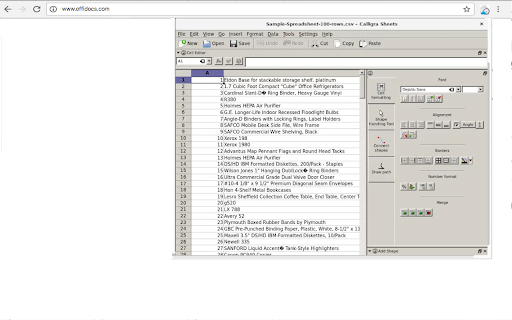
Suite applications for word processing, spreadsheets, presentation and graphics with email client This extension allows to create and edit any office file using the Calligra online app integrated, which is a suite of applications for word processing, spreadsheets, presentation and graphics. This extension allows to handle the OpenDocument formats and it can also import other formats, including Microsoft Office formats. This Calligra suite office includes the following office components: * Words, which is a word processor application with desktop publishing features. It makes it easy to create rich documents with images, tables, and more. Open and save ODF, and open Microsoft Office Word files .doc and .docx files. * Sheets, which is a fully-featured spreadsheet application. It is a calculation and spreadsheet tool with a comprehensive formula list, default templates, and use shapes for notes or create flowcharts and mindmaps. Open and save ODS, and open Microsoft Office Excel files .xls and .xlsx files. * Stage, which is a powerful and easy to use presentation application. It provides tools to make creating slides using images, videos, animation and other special effects easy. It is extensible through a plugin system. Open and save ODP, and open Microsoft Office Powerpoint files .ppt and .pptx files. * Krita, which is a creative sketching and painting application based on Calligra technology. It is valid for creating concept art, comics, textures for rendering and matte paintings. Krita supports many colourspaces like RGB and CMYK at 8 and 16 bits integer channels, as well as 16 and 32 bits floating point channels. Please refer to the video in order to know how to use the extension. IMPORTANT: This extension scans the URLs browsed in order to detect Calligra compliant files. The Calligra compliant files detected appear in a list located in the extension popup that are retrieved from our servers. The scanning is performed from our servers so your URL are reported to our system. No personal data is collected. This scan can be disabled with a checkbox that appears in the extension popup. If you disable this scanning, this functionality is not available so then the extension functionality is very limited.

Music mixer DJMusic
DJMusic music mixer to combine, listen and play with SoundCloud and YouTube music streams DJMusic, a music mixer with two music boxes where you can mix, listen and play with the music streams provided by SoundCloud and YouTube according to their service terms. - Integration with official APIs Soundcloud and YouTube. - Search for tracks using the SoundCloud API. - Search for tracks using the YouTube API. - Play the music tracks the search has produced as results in two music boxes. - Change the playback speed of a track while is played. - Play/pause button that plays or pauses audio at the current time. - Create a music cross fader that could fade the volume in and out between two different musics that are playing simultaneously. It moves the volume between one deck to the other, but also that keeps track of the individual volume value of each deck - Sound effects: Speed up or slow down each track, change the sound volume. - Audio and video player using Wavesurfer.js. - Web Audio API.

qwertySeq()
An 8 bank, 8 track, 16 step MIDI sequencer for sequencing external hardware and recording return audio for Mac and Windows.

KBD To MIDI Piano
A feature-rich offline piano for composing, recording, and exporting MIDI with full keyboard, mouse, and MIDI device control. Low latency. No internet required.

Video editor OpenShot online
Create and edit videos with OpenShot online The OpenShot video editor is a Chrome extension that allows to create and edit videos online. It is an integration with an OpenShot instance, which is a free and open-source video editor . It supports commonly used video codecs that are supported by FFmpeg like WebM (VP9), AVCHD (libx264), HEVC (libx265) and audio codecs like mp3 (libmp3lame) and aac (libfaac). The program can render MPEG4, ogv, Blu-ray and DVD video, and Full HD videos for uploading to the internet video websites. It is a video editor integrated with our file manager to manage only video file types with this desktop app. OpenShot main features are - Support for many video, audio, and image formats (based on FFmpeg). - Unlimited tracks / layers. - Clip resizing, scaling, trimming, snapping, rotation, and cutting. - Video transitions with real-time previews. - Compositing, image overlays, watermarks. - Title templates, title creation, sub-titles. - Scrolling motion picture credits. - Solid color clips (including alpha compositing). - Support for Rotoscoping / Image sequences. - Advanced Timeline (including Drag & drop, scrolling, panning, zooming, and snapping). - Video encoding (based on FFmpeg). - Digital zooming of video clips. - Time-mapping and Speed changes on clips (slow/fast, forward/backward, etc...) - Custom transition lumas and masks. - Audio mixing and editing. - Digital video effects, including brightness, gamma, hue, greyscale, chroma key. (bluescreen / greenscreen) , and many more. In order to handle the video compositions this extension includes the following functionality over the files used by this extension: - Personal files and directories in the Cloud. - Operations with files and folders: copy, move, upload, create folder/file, etc - Search for files. This is not a video player, it is a video editor, so do not expect great quality when playing video or audio. Download locally the video composed by OpenShot to play it with the right quality. This OpenShot Video Editor extension uses the platform http://www.offidocs.com. It is available for free online users but it also allows the integration with premium users and on-premises OffiDocs deployments where the OffiDocs OpenShot video editor is installed. IMPORTANT: This extension scans the URLs browsed in order to detect video files. The video files detected appear in a file list located in the extension popup that are retrieved from our servers. The scanning is performed from our servers so your URL are reported to our system. No personal data is collected. This scan can be disabled with a checkbox that appears in the extension popup. If you disable this scanning, this functionality is not available so then the extension functionality is very limited.
