
jeembfabfaajhaachbpepocffjmbbdbo
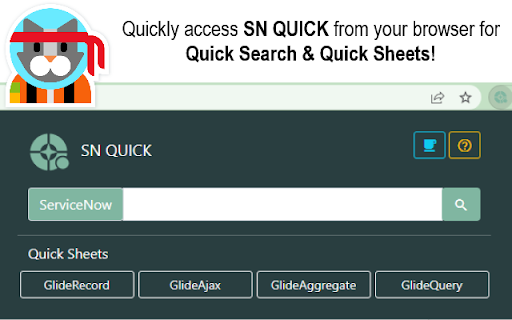
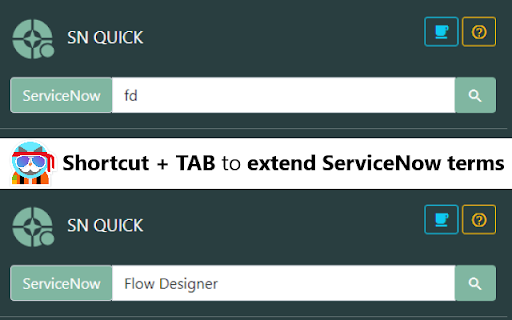


A tool for ServiceNow developers to quickly search for ServiceNow terms with shortcut text expanders. Quick Search all your searches starting with "ServiceNow" so your searches always provide relevant results. Also, be sure to leverage shortcut keys with "Tab" that expands key, common ServiceNow terms to streamline your development tasks. Quick Sheets are provided for GlideRecord, GlideQuery, GlideAggregate, & GlideAjax that open a link to the respective SN QUICK page. Filter, Copy, Paste, & Go. This tool provides key features in a smaller scope to those offered on the SN QUICK main website, so be sure to check out the site for more in-depth developer tools to streamline and expedite your ServiceNow development tasks.

Next Experience Developer Tools
Debugging/Profiling tools for your ServiceNow Next Experiences. The extension is composed of two panels: Next Exp Inspector and Next Exp Profiler. The Next Exp Inspector has the capability to observe page behavior and access component details via seven distinct tabs. • Home: view indicators to help identify areas of improvement • Components: analyze the DOM tree and inspect a component’s properties, state and actions. • Events: view a list of events occurring in a page and generate a new custom event when needed for testing. • Traces: view interactions of a page and an execution hierarchy to see relationship between items and their duration • Logs: view a list of logs that have been emitted across the page. • Versions: a list of all asset versions on the instance • Service Workers: debugging service worker info on the instance Next Exp Profiler allows you to create, manage, and compare profiles for optimizing page performance proactively. • Profile: view detailed information about the page execution to understand its performance and opportunities for optimizations. • Compare: See what has changed between two profiles by viewing differences across different event types. This helps identify areas of focus when troubleshooting performance degradation. Right-click and use "ServiceNow Tools" to navigate to UI Builder and other builders from the current page.

UI Builder Dock for ServiceNow
A lightweight utility that enhances ServiceNow UI Builder development by making key parts easier to explore and understand. UI Builder Dock makes your ServiceNow development smoother and faster by giving you the best possible overview of all key parts of both the UI Builder and Configurable Workspace. 🗂️ Data Resources - see Inputs, Events and Usage - quickly open the backend record 🧠 State - state overview incl. data types and values 📜 Client Scripts - formatted client scripts from the UIB page ⚙️ Properties - page properties overview incl. data types and values 🎯 Events - see what events your page Dispatch and Handles 🌟 Workspace Dock - floating panel for Configurable Workspace 🕵️♂️ Workspace Inspector (beta) - configuration overview of your workspace 🌳 Component Tree - your UI Builder implementation overview 🔍 Search - quickly find Experience, Page collections or Components 📝 Notes - small feature for taking notes 🧮 JSON Validator - validate, format and copy JSON with no external sites needed 🛡️ Source code is publicly available on GitHub for full transparency and audit.

ServiceNow Helper
Tired of copying pasting ServiceNow record identifiers from emails and chat messages into the ServiceNow search field? Then this extension is for you. With a simple double click to select the record identifier and a right click, you can quickly navigate to the ServiceNow record.

SN ScriptMaster
Generate powerful ServiceNow scripts with natural language. SN ScriptMaster is the perfect solution for streamlining and automating your development processes. With just a few simple clicks, you can easily create custom scripts from natural language that can be used to automate a wide range of tasks within ServiceNow. Need to find all of the Computer records on the cmdb_ci_computer table that are assigned to "John Cena" and update the location to Building C? No problem! SN ScriptMaster will generate a script for you to use immediately. Try it out today and see the benefits for yourself!
