
jdiljjjlnmciheackloanmdcnkoknpji
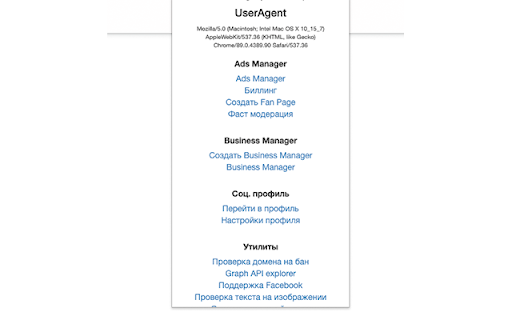
Get Access Token for control your Ads Get token from Ads Manager page to use it for automation in external tools.

Ad Library Cloud
Save ads from Facebook Ad Library in one click, download ads from the Ad Library in HD quality. Before using the extension, read the text! Sometimes, after a Facebook Ad Library frontend update, some extension features stop working. We do our best to adapt it as quickly as possible. If you rate the extension 5 stars, it will help us restore its functionality faster! The extension shows the number of ad impressions, allows you to download/save ad creatives in HD from Facebook Ad Library and open ads in a new tab. The extension can hide regular posts from the Facebook feed and leave only ads there, autoscrolling of the feed has been added. All ads from the feed are saved in the local storage in a convenient form. — Download ad creative in HD quality from Facebook feed and Ad Library. — Save ads from Facebook Ad Library with one click. — Saves ads from Facebook feed. — The extension shows the number of ad impressions and spent for EU ads only.

Save Facebook Ads & Reveal Ad Spend - Adscan.ai
This extension adds a 'Check Spend' button to Meta ads (EU/UK/Brazil), reveals winning ads, and saves them to your library AdScan.ai gives you X-Ray vision inside the Meta Ad Library, LinkedIn Ads — and now TikTok & YouTube Ads. We don’t just let you save ads… We reveal the hidden spend data platforms don’t want you to see. 1. Install the Extension 2. Create Your Account Once the extension installs, you’ll be prompted to sign up or log in to AdScan.ai. (Required to unlock spend data and sync your saved ads.) TikTok Ads Browse TikTok ads via TikTok’s ad transparency views and promoted content. YouTube Ads Browse videos normally and when ads popup you're now able to save them. LinkedIn Ads Open any LinkedIn Ad Transparency page or sponsored post preview. 4. AdScan.ai Auto-Enhances the Ads Once you’re logged in, the extension automatically injects two new buttons on every ad: • 🔵 Check Spend • 💾 Save Ad All added directly inside the platform UI — no new tabs, no dashboards, no switching pages. With one click, AdScan.ai instantly shows: • 💰 Estimated Ad Spend • 👀 Impressions & Reach • 🌍 Audience & Demographics (where available) Displayed as a clean overlay on the ad card itself. Like what you see? Click Save Ad to store the creative, copy, and metadata in your AdScan dashboard — even if the advertiser deletes the ad later. Works for: • Meta Image ads • Meta Video ads • Meta Carousels • TikTok creatives • LinkedIn sponsored posts Available for ads running in: • 🇪🇺 European Union (EU) • 🇬🇧 United Kingdom (UK) • 🇧🇷 Brazil ✔️ Work globally across Meta, TikTok, and LinkedIn. Pro tip: Even if you’re in the US, you can spy on UK/EU brands scaling hard — most run the same creatives worldwide. 🚀 WHY YOU NEED ADSCAN.AI Stop guessing. Click Check Spend and see what brands are actually spending on Meta, TikTok, and LinkedIn. 📂 Build the Ultimate Global Swipe File Save ads forever across Meta + TikTok + LinkedIn — creatives, hooks, formats, and copy. Love a static ad? Clone it. Rebuild the layout and generate fresh variations automatically. READY TO UNCOVER THE TRUTH? See what your competitors really spend on Meta, TikTok, and LinkedIn — and save their best-performing ads forever.

AdLib Pro
Analyze facebook ads activity, views and spends, download and make media unique, work with advertising links, etc AdLib Pro is your professional tool for deep analysis of Facebook ads in the Ad Library. Are you working with competitors, studying creatives? The usual Ad Library interface restricts data — AdLib Pro removes these boundaries. - Create unique media — Download unique copies of media with minor visual changes - Get full access to links — instantly see the link and caption, edit or copy the key parts - Download all media — videos, images, carousels — everything can be saved with one click - Access ad data directly from the feed — find out the number of days of activity, views and approximate decline without going into details - Hide filters — remove unnecessary blocks for a clean, convenient viewing of the ad feed - Work faster — the most frequent actions can now be performed in one click AdLib Pro is designed for marketers, SMM specialists, analysts and agencies who need more than Facebook provides by default. Quickly, precisely, without unnecessary steps. Install AdLib Pro and turn Ad Library into a powerful platform for ad analysis.

Access Token Grabber
Access Token Grabber - One‑click JWT tokens from Dev-Tools for faster API testing (Open-source) Get your web request access tokens instantly without digging through DevTools. This lightweight, background Chrome extension detects tokens as you browse and lets you copy them with a single click, perfect for Postman, cURL, or any API client. Open‑source. Transparent. Your token never leaves your computer. 👉 Why it’s better Stop hunting for auth requests in Network tab and manually copying headers. Access Token Grabber automatically surfaces detected tokens and marks them with a small “1” badge when one is ready. Click once to copy - no extra steps, no context switching, no guesswork. 🔑 Key benefits - One‑click copy: Grab the token directly from the extension with a single click. - Works while you work: Runs silently in the background and detects tokens when requests fire. - Dev‑friendly: Ideal for testing backend endpoints, reproducing issues, and iterating with Postman or other API tools. - Open‑source and transparent: Review the code, contribute, and trust what runs in your browser. - Privacy: No tokens leave your machine. ❓ How to use 1. Install the extension from the Chrome Web Store. It'll automatically run in the background. 2. Browse to your app or the page that triggers authenticated requests. 3. When a token is detected, you’ll see a "1" indicator on the extension icon. 4. Click the extension icon once to copy the token to your clipboard. 5. Paste into Postman, cURL, or your API client’s Authorization header and start testing. ⚙️ What it detects Access Token Grabber looks for access tokens in outgoing requests and defined auth headers used by modern web apps. It’s designed to simplify typical developer workflows without changing how your app authenticates. 🔒 Privacy & security - Tokens stay locally in your browser. - Fully open‑source so you can audit the code yourself. 👉 Get involved Check out the source code, open issues, and contribute on GitHub: https://github.com/yannherren/access-token-grabber-extension Make token retrieval a one‑click action and get back to building.
