
jcdmcpefbebkldopabclefjaggejocff


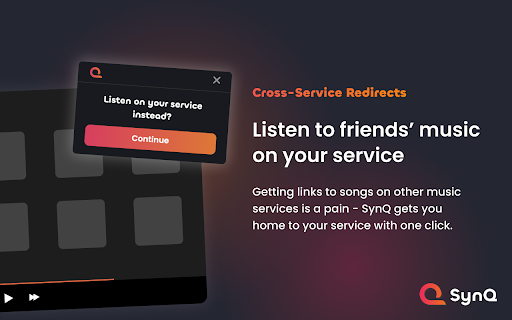

Mini player with universal music sharing for Spotify, Apple Music, YouTube Music, and Amazon Music. Note: We're open source! We appreciate any stars and code contributions on GitHub: https://github.com/SynQApp/Extension Elevate your music streaming experience with SynQ, your ultimate music companion for the web that seamlessly integrates with Spotify, Apple Music, Amazon Music, and YouTube Music. 🎵 Multi-Platform Integration: SynQ supports Spotify, Apple Music, Amazon Music, and YouTube Music, with more to come! 🔗 Cross-Platform Link Redirects: When you receive a link to a track, album, or artist on a music service that's not your preferred one, SynQ ensures you can quickly redirect to that same link but on your music service! ⚙️ Comprehensive Controls: Easily control your music with a full set of playback options including play/pause, next, previous, volume adjustment, repeat options, and like/dislike buttons – all conveniently accessible in a compact mini player. 🔄 Queue Playback: View your upcoming tracks and play anything currently in your queue without having to go to your music service UI. 🔊 Floating Mode: Take your music anywhere on the web with the floating/always-on-top mode. Enjoy the freedom to keep your mini player on top of other windows for an uninterrupted music journey. 🔔 Notifications: Stay in the know! SynQ notifies you instantly when the song changes, ensuring you're always aware of the music playing in the background. ⌨️ Key Controls: Effortlessly control your music with added keyboard shortcuts integrated directly into the mini player.

YouTube Music Manager
Extension adds volume percentages, improves slider responsiveness, and features Auto-Pause to smartly manage playback with media. Transform your YouTube Music experience with YouTube Music Manager! This extension adds a volume percentage display for accurate control and significantly improves slider responsiveness⚡for a smoother experience. The standout feature is Auto-Pause Manager, which automatically pauses music when videos or other media start playing and resumes playback as soon as they stop. No more manual interruptions – focus on what matters while YouTube Music adapts to your multitasking needs.💡🔍 🎉 Perfect for users who want enhanced control and seamless integration with their media activities!

Lyrics ( Youtube / Youtube Music )
Displays lyrics in a flexible panel at YouTube and many other music sites Automatically load KPOP lyrics for Youtube, Youtube Music What does this extension do? ¯¯¯¯¯¯¯¯¯¯¯¯¯¯¯¯¯¯¯¯¯¯¯¯¯¯¯¯¯¯¯¯¯ Displays lyrics in a flexible panel at YouTube and many other music sites (see below for the full list). __________________________________ Supported music sites YouTube is supported by default. The following are supported too, but only after enabling them at the options page: - Youtube / Youtube Music

YouTube Genius
This extension allows you to view and listen YouTube music videos alongside the lyrics. Lyrics are placed inside the YouTube page itself so you don't need to open a separate tab in order to read the lyrics of your favorite songs.

Spotify on Chrome: A mini Spotify player
Mini Spotify player with global keyboard shortcuts. Stream, browse library, repeat or shuffle, manage queue — all from your browser. Spotify has a really cool feature called Spotify Connect. Basically it could turn anything into a Spotify player, and control it with your cellphone. I made this app trying to connect Spotify with Chrome.(Check it out: Firefox version is released!) By the restriction of Spotify, this add-on only works with Spotify premium account. Spotify on Chrome turns your browser into a full Spotify Connect player. No desktop app, no extra tabs — just a clean popup that does everything you need. Bigger, better player with seekbar (skip podcast ads with a click!) Smart playback button: shuffle, repeat one, repeat all—one button does it all Queue panel: see what's playing next Library panel: browse albums, playlists, and podcasts Full podcast support Why it's better than the Spotify website Plays in the background — no need to keep a tab open Global keyboard shortcuts work even when Chrome isn't focused Transfer playback from your phone to browser with one click Keyboard Shortcuts (set them up in chrome://extensions/shortcuts) Open source and privacy-friendly — we don't collect any data.
