
jbmmhpdhdjfdkeloodleednmoaejkgeo

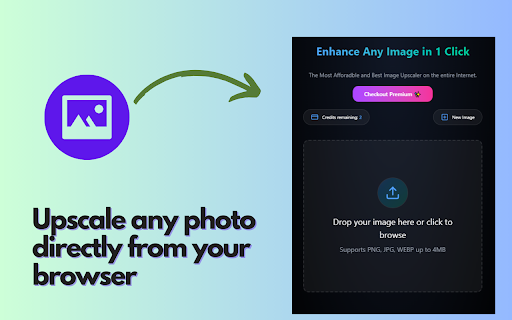

The best AI image upscaler and enhancer transforms low-resolution photos into 4K instantly. Get 5 free upscales! MegaPixel+ AI Image Upscaler is the ultimate tool for upgrading low-resolution images into stunning 4K high-quality pictures. Using advanced AI upscaling technology, it enhances details, sharpens edges, and reduces noise, making images crisp and clear. # Why Choose MegaPixel+? - AI-powered upscaling for high-quality photos and media - One-click image enhancement with no complex settings - Upscale low-resolution images without losing quality - 4K, HD, and ultra-clear results in seconds - No watermarks, no ads, just pure quality # Perfect for: ✔ Photographers who need sharper images ✔ Graphic designers looking for high-resolution assets ✔ Content creators improving visuals for social media ✔ Businesses enhancing marketing materials ✔ Anyone who wants to restore old or blurry photos # How It Works: 1. Upload your low-resolution image 2. Let our AI upscaler enhance it to 4K quality 3. Download the improved high-definition version # Free Trial & Affordable Pricing Try 5 free upscales before upgrading! Get unlimited AI upscaling for just $7/month and enjoy professional-quality images without expensive software. Upgrade your images today with MegaPixel+ AI Image Upscaler!

Video Tools Ultimate
A set of tools to enhance video playback and control experience. 🛠️ Video Tools Ultimate – The Only Video Enhancer You’ll Ever Need! Take full control over your online video experience with Video Tools Ultimate – a powerful, all-in-one extension packed with essential features to enhance, customize, and control video playback like never before! 🚀 Features: ✅ 🎥 Video Loop – Set start & end times to loop specific parts of a video. ✅ 🖼️ Picture-in-Picture – Watch videos in a floating mini-player while multitasking. ✅ 🎭 Hide Video UI – Remove controls & overlays for a distraction-free experience. ✅ 🔊 Volume Boost – Increase volume up to 300% beyond default limits. ✅ 🎨 Video Enhancer – Adjust brightness, contrast, saturation, and save custom presets. ✅ ⏩ Video Speed – Speed up or slow down video playback with precise controls. ✅ ⏩ Video Skipper – Set custom keybindings to skip forward/backward by chosen seconds. ✅ ⏪ Frame Scrubbing – Step frame-by-frame forward or backward with buttons or keys. 🎯 Why Choose Video Tools Ultimate? 🔹 Fully customizable – Configure shortcuts & playback settings to fit your style. 🔹 Works on most video sites – YouTube, Netflix, Vimeo, and more! 🔹 Lightweight & fast – No lag, no ads, just seamless video control. 🔹 Easy-to-use UI – Simple, intuitive popup menu for quick access. 🚀 Upgrade your video-watching experience now with Video Tools Ultimate! 📌 How to Use: 1️⃣ Install the extension. 2️⃣ Click the 📺 Video Tools Ultimate icon in your browser. 3️⃣ Select a feature & take full control over video playback! 📩 Feedback & Support Have suggestions or found a bug? Let us know! Your feedback helps improve Video Tools Ultimate for everyone. 🔹 Try it now & revolutionize your video experience! 🎬🔥 🚀 Work in Progress Disclaimer ⚠️ Note: Video Tools Ultimate is a work in progress, and some features may not work on all websites. Sites with multiple playable videos on the same page may experience limited functionality, and not all media players are currently supported. We are continuously improving compatibility and adding support for more video platforms. If you encounter issues, feel free to provide feedback! 🚀

AI Video Enhancer | Upscale & Restore Video Quality with AI
Transform low-quality videos into HD/4K content with AI-powered enhancement, noise reduction, stabilization, and smart upscaling. Enhance and restore your videos with cutting-edge AI technology that intelligently upscales resolution, removes noise, stabilizes shaky footage, and improves overall visual quality - all in your browser. Perfect for content creators, marketers, and anyone looking to breathe new life into old or low-quality videos. 🎯 Key Features • 📈 Multi-Resolution Upscaling Choose from three quality tiers: 720p (HD Quality), 1080p (Full HD), or 4K (Ultra HD) to match your exact needs. • 🎞️ Frame Rate Control Adjust the output frame rate with an intuitive slider to optimize smoothness and file size for your specific use case. • 📤 Flexible Input Options Upload videos directly from your device or provide a video URL for quick processing without downloading. • ⚡ Fast Processing AI-powered enhancement engine delivers high-quality results efficiently, with clear cost visibility before processing. • 👁️ Real-Time Preview Review your source video before enhancement to ensure you're working with the right content. • 🔄 Easy Reset Quickly reset all settings to default values and start fresh with different parameters. 👥 Who It's For • Content Creators: upgrade older footage and phone videos to professional quality for YouTube, TikTok, and Instagram • Marketing Teams: enhance promotional videos, product demos, and testimonials for better audience engagement • E-commerce Sellers: improve product video quality to increase customer confidence and conversions • Social Media Managers: optimize video content for different platforms with appropriate resolution settings • Educators: enhance recorded lessons, webinars, and training videos for clearer viewing • Personal Projects: restore and improve home videos, travel footage, and cherished memories 2. Choose Upscale (720p / 1080p / 4K) and set Frame Rate 3. Click Generate Video and review the Preview 4. Click Download to save your enhanced video 💡 Best Practices • Start with the best source possible: Higher quality input videos produce better enhancement results • Choose resolution wisely: Select 1080p for most uses; reserve 4K for projects requiring maximum detail • Match frame rate to content type: 30 FPS works well for most content; use 60 FPS for sports or action footage • Preview before processing: Always check your uploaded video to confirm it's the correct file • Processing Time: Varies based on video length and selected resolution 🔐 Privacy & Security We respect your privacy. Your prompts and uploads are processed only to generate videos. Projects are saved to your account per your settings and can be deleted anytime. See our website privacy policy for details. 📚 Support & Resources If you have questions or need help, contact support with details and screenshots for faster assistance.

AI Image Enhancer - HyperEnhancer
Upgrade low-quality images to high resolution with HyperEnhancer

Remove / Upscale / Compress / Colorize in One Click
Just right-click any image online and let our AI do the work! ✅ Remove Backgrounds ✅ Upscale Images ✅ Colorize ✅ Compress Here's how to get started: 👉 Install the extension. 👉 Create an account on our website. 👉 Subscribe to the All-Access Plan for $9.99/month (100,000 credits per month: 500 edits or 41 upscales). 👉 Right-click any image to apply your edit instantly. One subscription covers both this extension and our full platform PicassoPix.com—fast, simple, and powerful AI image editing!
