
jaaajddkaoldkiajncgakhmogoboijoo
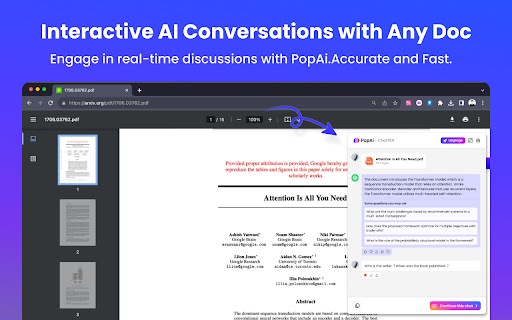

Unlock full potential of PDF: Summarize,chat and image recognition - your all-in-one AI extension for smarter document interaction Transform your browsing experience with PopAi, the cutting-edge Chrome extension that brings the power of AI to your fingertips. Designed for professionals, educators and students, PopAi offers an unparalleled suite of features to optimize your digital interactions. Key Features: - Interactive AI Conversations: Engage in real-time discussions with PopAi, asking questions and receiving instant, accurate responses. - Advanced PDF Analysis: Upload PDFs for swift, comprehensive summaries and detailed outlines. Ideal for quick reviews and deep dives into complex material. - Screenshot Q&A &Chat in Documents: Capture and interact with images within PDFs, unlocking new levels of understanding and insight. - User-Friendly Interface: Modeled after the simplicity and elegance of Apple's design ethos, PopAi is intuitive and accessible to all users. - Multi-lingual Support: Catering to a global audience, PopAi offers its services in multiple languages. - Continuous Updates and Enhancements: Regular updates ensure an ever-evolving user experience, with new features and improvements based on user feedback. Upcoming Enhancements: - Extended Document Interaction: New tools for more dynamic interaction with various document types. - Enhanced Customization: Tailor PopAi's responses to suit your specific needs in education, research, or professional work. Limitations and Notes: - PopAi integrates seamlessly with your browser, ensuring data privacy and security. - The extension is continually tested and updated for reliability and speed. Join the PopAi Community: Become part of a growing community of PopAi users. Share your experience, suggest features, and help shape the future of this innovative tool.Follow us on @popaiinone to know more ! Download PopAi Today: Ready to experience the future of AI-driven web interaction? Download PopAi from the Chrome Web Store and elevate your digital experience now!

ChatPDF - ChatGPT for PDF
Use ChatPDF: AI summarizer to chat with PDF, extract insights, and get AI summary. Simplify your pdf reading! ⚡ Introducing ChatPDF, the revolutionary Google Chrome extension and powerful AI tool that transforms the way you interact with PDF files (powered by ChatGPT models). ⭐ With ChatPDF, you can now upload file and ask your pdf about its content using AI chat technology. ⭐ This innovative tool is perfect for students, professionals, and anyone looking to streamline their document analysis process. Chat PDF allows you to chat with PDF in a way that feels natural and intuitive. Just upload your file, and you can start asking questions about its contents (like in ChatGPT). The AI understands the context and provides you with precise answers, making information retrieval a breeze. Imagine being able to dive deep into any document without the hassle of manual searching! ✨ 1️⃣ Upload and Ask ChatPDF With Chat to pdf (powered by ChatGPT), you can easily upload any file and ask anything. Want to know specific details? Just type your question, and watch as the AI provides instant answers. 2️⃣ Conversations Our advanced Pdf ai chat capability allows you to engage in meaningful dialogues about the document. Whether you need a quick summary or detailed explanations, AI technology has you covered. 3️⃣ Smart Document Summarization Use the AI summarizer feature to generate concise summaries of your documents. This AI summarizer quickly distills the essential points, helping you grasp the main ideas without spending hours reading. 4️⃣ Versatile Use Cases of ChatPDF Our extension is designed to meet a variety of needs. Here are some practical applications: ▪️ Research Assistance: Quickly extract relevant information from research papers. ▪️ Study Aid: Use AI (ChatGPT) Pdf summarizer notes to aid in exam preparation. ▪️ Contract Review: Get clarity on legal terms in contracts with a simple question. ▪️ Report Analysis: Analyze complex reports effortlessly by asking ChatPDF targeted questions. ▪️ User Manuals: Navigate through user manuals and find instructions with ease. ️ 5️⃣ Engaging With the pdf chat feature, you can transform any document into an interactive experience. Imagine discussing the contents of a textbook or a business report as if you were talking to a knowledgeable friend! 💬 📍 Step 1: Install the extension from the Chrome Web Store. 📍 Step 2: Upload your desired file directly through the extension. 📍 Step 3: Start asking questions about the document. Use prompts like: ➤ What are the main arguments in this paper? ➤ Can you summarize the conclusion? ➤ What statistics are mentioned? 🔍 📃 Time-Saving: No more tedious reading. Get straight to the answers you need. 📃 Convenience: Access ChatPDF free of charge and elevate your document-reading experience. 📃 Enhanced Learning: Great for students who want to maximize their study efficiency. 📃 Accessibility: Perfect for anyone looking to extract information from PDFs without hassle. 💪 The Power of AI Harness the power of AI summary for your needs with ChatGPT. With Doc reading AI capabilities, chat to pdf ai offers a unique blend of efficiency and ease of use. This AI not only helps in summarizing content but also facilitates discussions about the material, making it an indispensable tool for anyone working with documents regularly. 💡 Choosing ChatPDF means opting for a smarter way to handle your documents. Experience the benefits of: 💡 AI tool capabilities for enhanced interaction. 💡 The ability to Chat with any document and get tailored responses. 💡 Comprehensive pdf features that allow for effective learning and information retention. In today's fast-paced world, efficient document management is crucial. ChatPDF provides a groundbreaking solution for anyone looking to optimize their file interactions. Whether you're preparing for exams, conducting research, or managing business documents, Chat PDF is your go-to extension. Upload your files, engage in insightful discussions, and unlock the full potential of your documents today! Start your journey towards more effective text handling and enjoy the seamless integration of AI in your reading experience. Get ready to transform the way you handle documents forever! 🚀

AI Blaze: Instantly Use AI in Any Webpage
Blazing fast AI copilot on any website: write emails, summarize articles, do research, fix your writing using GPT-5 or Claude Sonnet Open the AI Blaze sidebar on any webpage to chat with AI. You can ask the AI anything you want, or use the built-in prompts. AI Blaze comes with many powerful built-in prompts, including for: 🛠️ Correcting spelling or grammar mistakes 📝 Summarizing a page 🤔 Learning more about a topic ❓ Answering questions ➕ Expanding or ✂️ shortening writing 🌐 Translating text 💬 Replying to messages 🚀 And much more… You can easily customize AI Blaze for your needs by editing these built-in prompts or creating and saving your own new custom prompts. In addition to the sidebar, quick prompts can optionally appear whenever you highlight text in your page. These quick prompts let you trigger a prompt with a single click. Are you a keyboard warrior? Then save even more time with shortcuts. Assign a shortcut to each saved prompt, then type it anywhere to trigger the prompt. For example: 💬 type /reply in Gmail to write a reply 🛠️ type /fix at the end of any textbox to show any mistakes or typos 🪄 type /edit at the end of any textbox to make your writing more professional And much more: ★ Use interactive form fields in your prompts: include text fields, dropdown menus, date and time, system clipboard, etc. in your prompts. These prompts can dynamically adjust based on your input. ★ Use website data: include website data directly into your prompts. This helps the AI focus on your specific request. For example: “Write a short LinkedIn connection request to {linkedin-firstname} who is {linkedin-headline}” “Respond to this comment: {site: comment above your text box}” ★ Share with your team: share your prompt library with your teammates. The prompts synchronize live for all teammates whenever any member updates them. ★ Easily search your prompts: quickly search your prompts from anywhere with the AI Blaze Assistant or right click on any web page to insert a prompt from a menu. ★ Multiple models: easily switch between Claude Sonnet, GPT-4o mini, GPT-4o (powering ChatGPT) as per your preference for speed or robustness. ★ User privacy is a top priority for us. We are SOC 2 certified. AI Blaze is your own personalized AI agent helping you in a variety of use cases: 🤝 Customer Support: Improve response rate to customer queries on platforms like Zendesk, Freshdesk, and Intercom, by providing quick, professional, and accurate answers in line with the query raised. 👩💻 Social Media Managers: Write personalized and dynamic responses for each customer interaction across multiple social channels on platforms like SproutSocial, Hootsuite or Brandwatch. 📡 Social Media Marketers: Plan and execute compelling social media content on Facebook, Twitter, or Instagram with AI-crafted prompts. Ideal for instant caption creations or marketing slogans. 👩💼 Sales Representatives: Draft persuasive responses on CRM platforms like Salesforce, Zoho CRM, and HubSpot, with a customized pitch according to the customer's previous interactions. 💼 Job Seekers: Create compelling cover letters and improve your CV quality on platforms like LinkedIn, Indeed, and Glassdoor. Add AI Blaze now and unleash the power of AI anywhere on the Web! You can contact us at support@blaze.today

Ask Steve: Time-Saving AI Agents For Your Browser
Save an hour a day with 1-click & voice access to 100+ powerful AI Agents for your Browser - or easily make your own! * Use powerful 1-click AI Agents on the web pages where you're already working, and build new ones with NO CODE * Launch Agents with your VOICE and have the results read out to you * Agents can write results into Google Sheets, Microsoft Excel, Notion, Airtable, Slack and more, in SECONDS * IT'S LIKE TAMPERMONKEY, but for AI Agents! ✅ Works where you already already are, so you can stay in the flow Ask Steve integrates seamlessly into any website or web application. Now you can access AI help wherever you are. ✅ Can see what you're working on, because context matters Eliminate hours of tedious copying and pasting. Steve can read the current page or text selection and use that as context for your request, saving you time and effort. ✅ Can use AI to extract data from the page that you're on - Build AI-powered Agents that extract data in seconds - Write directly into Google Sheets, Microsoft Excel, Notion, Airtable, Slack and more. See our full list of supported services here: https://www.asksteve.to/docs/connections#services ✅ Is personalized for YOU - Add 1-click buttons to any website or web application - no more messing around with prompts - Create your own Agents and Buttons ✅ Give you AI help right in your inbox - Use AI to draft replies in your own tone and style - Generate customized summaries of threads and unread emails - Use AI to label and archive threads that you specify - Create calendar events from emails with 1 click - Get writing help right in the compose window ✅ Gets you answers FAST - Chat with any web page, PDF, YouTube video, or spreadsheet - Ask anything that you would ask ChatGPT or Gemini - Chat with a tab, a tab group, or all the tabs in a window at the same time - But without all the copying and pasting ✅ Build Agents quickly with NO CODE - Create new Agents in English - Add Buttons to websites in seconds - Connect to any LLM: public (e.g. OpenAI, Anthropic, Gemini), private, on-premise or on-computer (e.g. Ollama, LM Studio, Jan) with no code - Connect to any Webhook or API with no code - Easily share Agents and Buttons ✅ Is a great front-end for RPA and workflow automation Made a workflow automation in a tool like Zapier, n8n or Make? Connect it to Ask Steve and run it from anywhere with 1-click. ✅ Works in the enterprise - secure, private and customizable by design - Ask Steve is the only AI browser extension suitable for enterprise deployment - it runs on the employee's computer and connects directly to the LLM, Webhook or API that you specify. None of your data is ever sent to or through Ask Steve. - Customize the Ask Steve experience for your employees with your own branding, custom Agents and Buttons, and more. *** FREE TO TRY *** - You get a bundle of FREE Credits right away to try things out. - After that BYO Account and continue using Ask Steve for FREE, or purchase more Credits as you need them. *** PERMISSIONS & YOUR PRIVACY: *** We take your privacy seriously. When you install Ask Steve it will ask for permission to "Read and change all your data on all websites". It needs this permission in order to be helpful on any web page. We do not store any of your data. See more details here: https://www.asksteve.to/docs/permissions *** TRY ASK STEVE TODAY! *** Read to take your browser and your productivity to the next level? Install Ask Steve today!

AI Note taker for Google Meet, by Noty.ai
AI note taker for Google Meet. Meeting transcription, automatic summaries, and task tracking, powered by Gemini. Noty.ai transcribes and summarizes your meetings in real time — no bot joins your call, ever. Works with Google Meet, Zoom, YouTube, online lectures, webinars, and any audio playing in your browser. 98.6% accurate transcription in 88 languages. Powered by Google Gemini. Backed by Google for Startups. Used by 100,000+ professionals, students, and educators worldwide. 1. Install the extension 2. Join any Google Meet or Zoom call (or open any tab with audio) 3. Noty.ai automatically generates real-time transcription, AI summaries, and action items 4. Review, search, and share from your workspace No setup. No bot in your meeting. No awkward "Who is Noty Notetaker?" - Live transcription as people speak - Speaker identification - Keyword search within any transcript - Time-stamped insights - No bots joining your meeting Perfect for sales calls, team standups, onboarding, HR interviews, research interviews, lectures, seminars, and study groups. One-click AI summaries powered by Gemini: - Key decisions and next steps - Risks and blockers - Client needs and commitments - Lecture summaries and research insights - Custom summary formats Noty.ai detects and extracts tasks, follow-ups, deadlines, client requests, and assignments. Sync to Google Tasks, Gmail, Google Keep, and Docs. Find anything across your entire meeting history — decisions, requirements, quotes, study materials. A searchable knowledge base built from every conversation. Chat with your meeting data: - Ask questions grounded in your actual meetings - Draft follow-up emails - Generate reports and study summaries - Create documentation from transcripts It's ChatGPT — but connected to your meetings. Not just meetings. Transcribe and summarize: - YouTube videos - Online lectures and courses - Podcast episodes - Webinars and live streams - Recorded presentations For Work: Sales call notes, product research transcripts, marketing feedback, customer success tracking, HR interviews, legal meeting records. For Education: Lecture transcription, study notes, research interviews, group projects. Students and educators get 90% off — email natalia@noty.ai. No bot joins your meeting — ever. Encrypted transcripts. Never used for AI training. GDPR compliant. Private by default. Free: 10 meetings/month + 7-day Pro trial Pro: $10/month — unlimited meetings and AI features Pay-as-you-go: $1/hour — no subscription needed EDU / Non-Profit: $25/year (email natalia@noty.ai) Your meetings — captured, summarized, and organized automatically.
