
ipjihocheeihhnlikejndlohhlafkcij
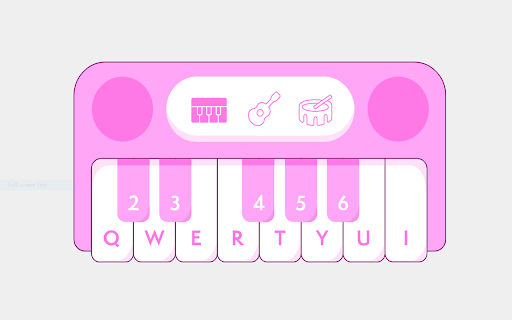
Little Synth Piano is a compact and simple Use add-on for playing and learning the piano. A lightweight and simple-to-use add-on for playing and learning the piano is called Little Synth Piano. It is entirely constructed using web technologies (HTML, JS, CSS). Using either the mouse or the built-in keyboard, you can play your favourite sound. Little Synth Piano is a compact and simple-to-use add-on for playing and learning the piano. It is entirely based on web technologies. Using the mouse or built-in keyboard, Overall, this app is a lightweight and incredibly user-friendly piano and guitar sound or drum software that runs in your browser.

ZumaPiano: AI Piano Transcription & Lessons
ZumaPiano uses AI to transcribe any piano audio on the internet into an interactive waterfall-style lesson. Whether the music is from YouTube, a website playing piano audio, your own recordings, or a MIDI upload, ZumaPiano transcribes it and converts it into notes you can slow down, loop, and practice with left or right hand separately. - Transcribes piano audio from YouTube into practice-ready waterfall lessons - Records and transcribes piano from any website that can play audio, not just YouTube - Upload MIDI files for instant, accurate transcription into a visual lesson - Waterfall note display for intuitive visual learning - Slow down or speed up the transcription playback - Loop challenging parts for focused repetition - Practice left hand, right hand, or both hands together - Toggle note names on or off depending on your learning preference - Control playback using voice commands (Play, Pause, Faster, Slower, Back, Forward) - Save unlimited songs in your personal library with Premium - Edit song titles, images, and information - Group songs into playlists for structured practice - Multi-language interface for learners worldwide ZumaPiano transcribes piano audio from: - YouTube - Spotify (clean piano tracks) - SoundCloud piano covers - Piano tutorial websites - Blogs and pages with embedded piano audio - Private teaching portals and shared video files - Any webpage capable of playing a piano recording WHO IT IS FOR - Beginners learning their first piano songs - Intermediate players needing slower, clear practice tools - Advanced musicians drilling complex passages - Teachers creating custom lessons for students - Anyone who wants to learn piano songs not available as sheet music or tutorials From any website: 1) Play a piano piece on the webpage. 2) Open the ZumaPiano extension and press Record. 3) After AI transcription, open the generated lesson and practice using waterfalls, tempo control, and looping. From a MIDI file: 1) Open ZumaPiano and select Upload MIDI. 2) Choose your MIDI file. 3) The transcription appears instantly with full practice controls. Free mode includes two songs in your library and core practice tools. Premium unlocks unlimited songs, playlists, advanced features, and priority transcription. Does ZumaPiano only work with YouTube? No. ZumaPiano can transcribe piano audio from any website. Is it suitable for beginners? Yes. Waterfall notes, tempo adjustment, and looping make it ideal for new learners. Does it work on mobile? The Chrome extension works on desktop (Windows, Mac, Linux, ChromeOS). Mobile support is planned. PRIVACY AND SECURITY No login required. ZumaPiano processes only the audio or files you choose. It does not access browsing history or personal data. Install ZumaPiano to transcribe and learn any piano song from anywhere on the internet.

Piano
- Play notes with your computer's keyboard or by clicking - Toggle sustain with shift - Change octave with arrow keys

Chrome Piano
Play the piano in your browser Record your own music or pick a song from a wide variety of artists from the music sheet. There is virtually no learning curve. The only thing you need is your keyboard or mouse. Features: - Play the piano from a wide selection of music - Recording and playback - Keyboard and mouse compatible - Dark theme and Light theme

Virtual piano
Let our virtual piano teach you to play piano using Roblox sheet music and exercises on a virtual keyboard. Enjoy piano online. Discover the ultimate Chrome extension for music lovers, learners, and creators: a powerful and user-friendly virtual piano that brings a full musical experience directly into your browser. Whether you’re a beginner exploring the world of music or a seasoned pianist, this interactive keyboard tool will transform the way you engage with music right in your browser tab. With our digital keyboard, there’s no need for downloads or installations. Just open a new tab and start playing your favorite tunes instantly. From simple melodies to complex arrangements, our feature-rich musical interface offers a seamless way to enjoy and practice anywhere, anytime. Play a virtual piano using your computer keyboard or mouse. Our online keyboard is mapped to match realmusical instrument keys, offering an authentic musical experience. Perfect for students and teachers, it’s an essential app for practicing scales, chords, and songs. The intuitive layout also supports quick access to essential tools and markings for learning. Features include: A responsive virtual keyboard piano Accurate sound rendering for realistic practice Visual cues for learning keys Multiple octaves and settings Compatibility with virtual piano sheet music Unlock the full potential of your musical journey with access to thousands of music sheets. Practice classics or discover modern songs with our integrated soundboard interface and sheet music platform. 🔍 Looking for piano sheets virtual? We’ve got you covered with easy navigation and instant display. Whether you’re searching for a virtual keyboard online to rehearse or a fun piano game to enjoy, this extension delivers. Its versatility makes it great for quick jams, demos, and creative moments alike. 💃Enjoy two modes: improvisation and Roblox sheet music. Key highlights: Works as a virtual piano keyboard with a clean UI Designed to support online piano experiences Includes piano sheets virtual and roblox sheet music 🧩The interface mimics a real piano keyboard, making it easier to learn finger positioning and key placement. Whether you’re learning Beethoven or experimenting with modern compositions, the extension is your perfect companion. You can even personalize key visuals and octaves for a more tailored experience. 🎓Teachers love it for quick demonstrations, and students enjoy using it as a virtual keyboard for music theory lessons. Explore virtual sheet music and enjoy real-time interaction with every note on the online keyboard. Great for self-study, group lessons, and school assignments. Our platform allows you to: 1️⃣ Learn with visual guides 2️⃣ Play music from roblox sheet music collections 3️⃣ Access and use virtual piano sheets and virtual piano and sheet music together 💡Looking for a quick musical escape? Launch the extension, choose your scale, and start creating. From C major to D sharp minor, our extension offers smooth transitions and high-quality audio. Piano apps often lack versatility, but this extension is built for variety: practice, perform, explore, and share. Whether you’re using a desktop or Chromebook, the experience remains fluid and delightful. 🤔 So why wait? Add this must-have app to your browser and unlock a new world of musical creativity. Perfect for kids, hobbyists, educators, and professionals, our app is more than a tool—it’s your digital concert hall. 🚀 Start your musical adventure with the best virtual keyboard piano available on Chrome. Discover the harmony of convenience and creativity today! 💬 Frequently Asked Questions ❓How do I use the online piano? 💡Simply click the extension icon to launch it in a new tab. Use your keyboard or mouse to start playing instantly. ❓Can I play using my computer keyboard? 💡Yes! The digital piano keys is mapped to your computer keys, so you can play just like on a real musical instrument online. ❓Where can I find a music to play? 💡The extension gives you access to Roblox sheet music. You can browse or search directly inside the interface. ❓Are there different modes? 💡Yes — you can choose between Improvisation Mode (free play) and Roblox Sheet Music Mode to follow guided songs. Try it now and let your fingers dance across the keyboard like never before 🎹
