
iohmlpofcemlofnlnfkhdgfndihbkjac

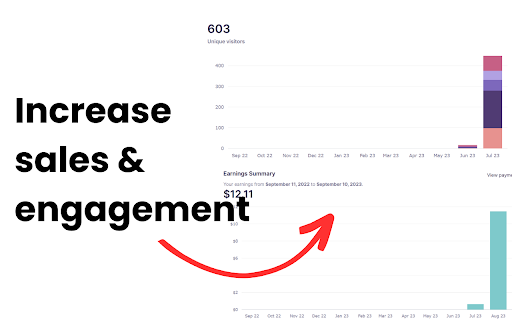

INSTRUCTIONS (IF YOU DON'T FOLLOW THIS EXTENSION IS LEAST EFFECTIVE): - Go on Redbubble - Filter by newest (MOST IMPORTANT STEP) - Use the extension and voila! Reciprocal Favoring is a strategy that experienced Redbubble Sellers use to increase engagement and sales in their store, where people favorite your work to try and get you to favorite theirs. This benefits both people and allowing both their works to rank higher in the Redbubble algorithm, leading to more sales. Manually favoriting works can be EXTREMELY tedious and boring. However, this extension completely automates this process in just a click of a button!

Copytasker - Copy Tags Redbubble and Autofill Listings
Gets Tags from Redbubble and generates Titles so you can list your products faster. Want to show up at the top of Redbubble? It's easy. You just need the right tags. Copytasker for Redbubble gets all the top tags for any Redbubble keyword search. Bonus: it also Generates a Title for you and has a Trademark searcher. Do your Redbubble keyword research faster than ever before! ✔ Get Top Tags from Redbubble ✔ Generates Titles ✔ Trademark search (Highlight text and Right click) ✔ Print on Demand dashboard (Click on the extension and hit 'Options') BONUS: Includes a Print on Demand dashboard with a directory of POD fulfillment sites that is constantly being added to. Just right click on the extension and hit 'Options'. - Search any keyword at Redbubble.com - Then, click the extension and choose if you want to generate a title, get the top tags, all tags, etc. - They will automatically be copied to your clipboard so all you have to do now is paste. Extract tags from given searches with ease, because having relevant tags will boost your SEO. This is because the Redbubble algorithm is based on "relevancy". Have you ever noticed 'Most Relevant' is the default setting for showing products on Redbubble? Your relevancy score is based on keyword usage for your design, and alignment or keyword parallelism. Increasing your relevancy means your design show up in the top of search results AND show up as a recommended product alongside the #1 design. For example: If your design has a set of keywords which are 90% relevant to the top ranking result, your design has the highest probability of being seen in association with it, due to it having the highest relevancy score. As a Redbubble seller, the best way to get more sales is to get more traffic. Let Copytasker start helping you with your Redbubble store today!

Redbubble Monster Max Analytics
The tool for finding and selecting the best keywords to target for your products. Take your Redbubble keyword tagging to a whole new level! learn about exactly what it takes to RANK & SELL on Redbubble by getting the details you need that Redbubble doesnt publicly share with you! If you want to make money on Redbubble your tags are going to be the reason why your raking in the dough... But most people have BAD tags. This Redbubble chrome extension will provided the following details: OUR REDBUBBLE TOOL FUNCTIONS ✔Find Keyword search demand. ✔Google Trend Data ✔Related Google Trends ✔Related Keywords & Their search volumes ✔Redbubble Trends ✔Redbubble Tag Searchers ✔Shops Competing with Your Selected Keywords ✔Average price Per Product ✔Number of competition per keyword ✔Redbubble Frequency tag monitor

Redbubble Scraper Pro
Advanced analysis and data extraction for Redbubble search results and stores. Redbubble Scraper Pro: Your Ultimate Research Toolkit Supercharge your Redbubble research with Redbubble Scraper Pro, the definitive tool for sellers and artists. Get instant, actionable insights from any search results page. With a single click, analyze competition, extract comprehensive store data, and uncover high-demand keywords. Stop guessing and start making data-driven decisions to grow your print-on-demand business. Instant Page Analysis: See total designs, unique store counts, and verified artists at a glance. In-Depth Data Extraction: Export full store details—including follower counts, design numbers, join dates, and social links—to a CSV file. Advanced Keyword Insights: Discover and rank all keywords on a page to optimize your listings. Option 2: Feature-Rich (A detailed and comprehensive description) Redbubble Scraper Pro: Advanced Analysis & Data Extraction Unlock the data behind Redbubble's marketplace with Redbubble Scraper Pro. This powerful extension provides a comprehensive suite of tools designed to give print-on-demand sellers and artists a competitive edge. From macro-level niche analysis to granular store details, every feature is built to streamline your workflow and enhance your market research. What You Can Do: Quick Analysis Dashboard: Instantly evaluate any Redbubble search results page with a clean dashboard showing: Total design count on the page. Number of unique and verified stores. A ranked list of the most frequently appearing stores. The top 10 most used keywords in the listings. Extract All Store Links (Fast): Quickly scrapes the current page (scrolling to the bottom to load all results) to generate a unique list of every artist's shop URL. Extract Full Details (CSV): Performs a deep scan of each store to gather extensive data points and exports them into a clean CSV file. The exported data includes: Store Name, Link, Featured/Fan Artist status, Location, Join Date, Designs, Followers, Following, Favorites, and all associated social media links. Navigate to the 'Keywords' tab to see a complete table of every keyword extracted from the page, sorted by frequency. Use checkboxes to select specific keywords, copy them to your clipboard, or download the selected list as a CSV file for further analysis. Use the 'Search' tab to perform a new, refined search on Redbubble directly from the extension, with options for product type and sorting order. Option 3: User-Centric (Focuses on benefits and solving problems) Redbubble Scraper Pro: Work Smarter, Not Harder Are you a Redbubble artist struggling to find your niche or a seller looking to understand the competition? Redbubble Scraper Pro is the tool you've been missing. It was built to eliminate hours of manual research by automating data collection and presenting it in a clear, actionable format. Analyze Any Niche in Seconds: Before you enter a new niche, get a complete overview of the landscape. Instantly see how competitive it is, who the top players are, and how many are part of the verified artist program. Uncover Winning Keywords: Don't just copy tags. Our keyword analysis tool shows you every keyword being used on a results page, ranked by frequency. Discover hidden gems, understand keyword trends, and optimize your listings for maximum visibility. Easily select, copy, and export keywords for your workflow. Deep-Dive Competitor Research: Go beyond the surface. With our "Extract Full Details" feature, you can download a complete CSV report of all stores on a page. Analyze their design counts, follower growth, join dates, and even their social media presence to understand what makes successful stores tick. Streamline Your Workflow: All data is exportable, allowing you to perform offline analysis, build reports, and create a data-backed strategy to grow your sales. Install Redbubble Scraper Pro today and transform your approach to the world's largest print-on-demand marketplace.

Redbubble Favorite
Your professional assistant to automate favoriting artworks on Redbubble with an elegant interface. 1. Short Description (Tagline) This is a concise, single sentence perfect for the space just under your extension's title. Your professional assistant for Redbubble. Automate artwork favoriting to save time, boost engagement, and build inspiring collections faster. 2. Medium Description (Summary Paragraph) This is a slightly longer version that can be used as an introduction in the store listing. Supercharge your Redbubble workflow with Redbubble Favorite, the ultimate productivity tool for artists, designers, and curators. This powerful assistant intelligently automates the repetitive task of favoriting artwork, allowing you to engage with the community and build collections with unparalleled efficiency. Featuring a sleek, user-friendly interface and fully customizable settings, it's the smartest way to enhance your experience on the platform. 3. Full Description (For the Chrome Web Store Listing) This is a comprehensive description structured with headings to be clear and professional. Redbubble Favorite: The Smart Automation Tool Are you an artist looking to engage with the community, or a curator building the perfect collection of inspiring art? Manually favoriting hundreds of artworks on Redbubble is a slow and repetitive process. Redbubble Favorite is here to change that. Our extension is a professional assistant designed to intelligently automate the process of favoriting artworks. With a clean and intuitive interface, this tool streamlines your workflow, allowing you to focus on what truly matters: discovering and promoting incredible art. Smart Automation: Automatically favorite artworks based on your custom settings. Full Control: Set the exact number of artworks you want to favorite in a single session. Flexible Run Modes: Choose between running the process "once" for a specific batch or use the "Timed Interval" mode for continuous, gentle engagement over time. Customizable Delays: Use a natural, randomized delay between actions to simulate human behavior, or set a specific custom delay in milliseconds for precise control. Elegant Interface: Manage everything from a beautiful and simple popup window, complete with a dark mode theme for your comfort. Progress Tracking: A built-in counter tracks your progress, which can be reset with a single click. Perfect For: Artists & Designers: Efficiently engage with fellow creators to increase your visibility and build strong community connections. Art Curators & Enthusiasts: Quickly build vast collections of your favorite designs for creative inspiration or personal enjoyment. Power Users: Save hours of manual clicking and dramatically enhance your productivity on the Redbubble platform. Disclaimer & Responsible Use: This tool is designed to enhance productivity and should be used responsibly. We encourage all users to respect Redbubble's community guidelines and terms of service. Automated actions should be used thoughtfully to improve your experience, not to spam the platform.
