
inmnbcfibjlnbhgopbcggeolfojeeill

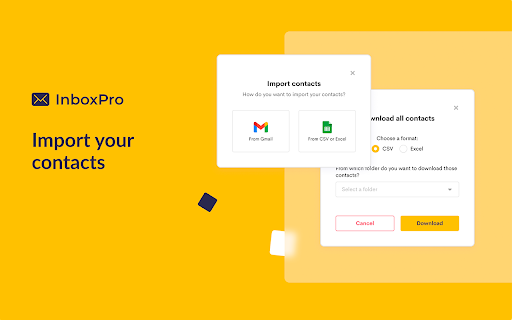



Boost email outreach using AI: automate sequences, personalize with tags, and improve customer interaction. Win more deals today Transform your email management and turn every inbox into a high-efficiency, lead-converting machine with InboxPro. Turn your inbox into a dynamic tool for customer conversion and engagement, enhanced by AI. AI-POWERED EMAIL ASSISTANT 🤖 Compose compelling emails in seconds with our GPT-3 assistant. 🪄 Quickly grasp email content with the TLDR summarization feature. ADVANCED SEQUENCES 🔁 Design targeted sequences with merge tags for personalization. 🔄 Automate your outreach and re-engage leads effectively. INTELLIGENT CONTACT MANAGEMENT 📇 Organize and manage contacts with ease, enhancing your outreach efficiency. 🏷 Utilize merge tags in both sequences and templates for tailored communication. CUSTOMIZABLE EMAIL TEMPLATES 📰 Create and reuse impactful templates, streamlining your communication process. STREAMLINED EMAIL TRACKING ✔️ Monitor email opens and link clicks to understand recipient engagement. PROFESSIONAL EMAIL SIGNATURES ™️ Stand out with beautifully designed, brand-enhancing email signatures. INTEGRATED CALENDAR SCHEDULING 📅 Coordinate meetings effortlessly with our integrated calendar feature. COMPREHENSIVE REPORTING & INSIGHTS 📈 Access in-depth analytics for strategic decision-making and improved email performance. With InboxPro, you're not just managing emails; you're mastering client acquisition and retention. Boost your productivity and transform every lead into a success story.

Mailbutler for Gmail
Improves your inbox with productivity-boosting features such as an AI-powered assistant, email tracking, and smart email scheduling. ⧓ Mailbutler: Your inbox, smarter. ⧓ Meet Mailbutler, the email extension that makes your Gmail inbox smarter. Mailbutler offers four powerful solutions designed to meet your dynamic email needs: Write professional, mistake-free emails with Mailbutler’s customizable AI. Personalize your messages and reach each recipient at the best time to maximize your chances of getting a reply. Build and maintain strong customer relationships in the increasingly competitive inbox environment. Get valuable insights into how your recipients engage with your messages, including when, where, how many times, and on which devices they have opened your emails and clicked your links. Use this data to eliminate guesswork and make informed business decisions. Turn your team inbox into a collaboration hub with live status indicators, email assignments, and real-time updates. Stay on top of your emails and make sure nothing slips through the cracks with private and shared notes and tasks, reminders, and colored tags. Unlock the full potential of your email signatures and promote your limited-time offers, products or services, and special events with customizable marketing messages and banners, videos, and call-to-action buttons. ⧓ Who is Mailbutler for? ⧓ Freelancers, independent professionals, and marketers Businesses, marketing teams, and sales teams that prioritize direct client communication Teams that need clear, easy, and productive internal communication Our members guide the development of our extension – we’re constantly upgrading and revamping features based on customer feedback Cross-platform compatibility means if other members of your team are using other email clients, Mailbutler still works perfectly Most importantly, Mailbutler helps you improve your customer communication and get new prospects, clients, and contacts All new Mailbutler members get a 14-day free trial so they can try out all our features and decide which plan suits their needs best. We don’t require any credit card details until you subscribe to a plan, so you can opt out at any time! Terms of Service: https://www.mailbutler.io/terms-and-conditions/

Autobound (ChatGPT for sales emails)
We get it: Researching prospects and writing personalized emails takes forever. That's where Autobound steps in - your AI-assistant that skyrockets your reply rate by instantly writing hyper-personalized emails based on billions of third party data points. Autobound empowers sellers, founders, and marketers to save hours daily, book more meetings, and increase revenue through: 1. Effortless Personalization: Generate highly customized emails in seconds using our Chrome Extension, or in bulk. Based on news, social, LinkedIn posts, podcast appearances, job openings, technologies used and more! 2. Access Comprehensive Contact Data: Stop overpaying for B2B contact data. With Autobound, you get access to our extensive database at no extra cost. By instantly researching the recipient in the “To:” field in your drafted email, Autobound scours millions of data sources from across the web, then aggregates insights unique to both your email recipient and their employer. With a single click, Autobound's AI assistant generates a list of emails, and email openers, that are proven to spark conversations. You can use Autobound no matter what site you’re on! Our widget stays tucked away on the side of your screen, adjustable to where you want it. We have native integrations with LinkedIn, Gmail, Outreach, and Salesloft. For Gmail, Outreach and Salesloft Autobound starts working when you enter a recipient’s email address into the “to” field of an email. With 1 click, you can view Autobound’s suggested emails and email openers. When you’re viewing a person's profile, Autobound is researching them, their industry, and company behind the scenes. Similar to Gmail/Outreach/Salesloft, when you click the Autobound icon, we’ll display personalized emails, email openers, and relevant insights. Simply click the Autobound icon to open “Autobound Anywhere”. From here, you can enter someone’s email or LinkedIn Profile URL, and Autobound will generate personalized content. Autobound’s “listening engine” combs through the digital footprint of your email recipient, their employer, and industry to surface the most relevant insights. Some of the insights we track… On the INDIVIDUAL level: initiatives in current role, interests and hobbies, job changes, work anniversaries, schools attended, promotions & more. We’ll also identify experiences they share with you, such as if you both worked at the same company, live in the same city, etc. On the COMPANY level: funding rounds, acquisitions, competitor news, press releases, company initiatives, names of customers/investors, product launches, competitive technologies used, and more. Getting started is free, takes 30 seconds, and doesn’t require a credit card. All you have to do is install the Chrome Extension and start composing an email to a prospective customer within Gmail, Outreach, or Salesloft.

MailMaestro - Gmail AI assistant
Get to Inbox Zero in no time with AI. Write, reply, improve, and summarize email threads in seconds Start today for free. No credit card required. What if you could effortlessly summarize email threads and attachments in Gmail and quickly reply with AI, all in seconds? With a free trial, you can experience MailMaestro's full potential as your personal Gmail AI email assistant, using a combination of the latest LLMs like GPT4o and Claude 3.5 for faster, higher quality emails in your preferred tone, language, and length. MailMaestro is a generative AI tool built for Gmail users with a simple interface that lets you write and reply to emails in seconds. It's designed for teams and professionals who want to save time and communicate without stress, increasing productivity and minimizing the risk of data breaches. Increase your productivity by up to 86% with MailMaestro. Our AI-powered tool provides instant summaries of long email threads and attachments, and helps you reply to any email in seconds using a combination of conversational context and custom prompts. ✉️Improve the Quality of Emails Quickly create high-quality business emails to improve relationships and engagement. Our AI email assistant currently supports 14 languages, including English, Spanish, Portuguese, German, French, Dutch - and more. No more generic AI. MailMaestro adapts based on your feedback, making it the ultimate email assistant. Choose from 7 writing styles (from professional to casual to fun) and 4 preferred email lengths (from extra short to long). Each time you prompt our artificial intelligence assistant, it will provide you with 3 suggestions you can choose from. 🛡️Stay protected with enterprise-grade user privacy Unlike many AI tools, MailMaestro keeps your data secure. While 70% of professionals use various unprotected AI tools, posing security risks, we strictly adhere to protocols to protect your sensitive data. To ensure your security, we anonymize data before it is shared with machine learning algorithms, and we are AICPA SOC and SOC2 compliant. 🚀New features right inside your Google Inbox on a weekly basis We're constantly evolving our extension to bring you a new Gmail AI feature every week, so you're always using the latest technology to help you navigate your inbox. - Use AI's compose window to write emails from prompts in your chosen tone, language, and length directly in Gmail - Quickly reply to emails using data from all previous messages in the email thread - Let our AI assistant improve the draft message for your important emails, giving you 3 different options to choose from - Instantly summarize the entire conversation. Get to the most relevant information in less time with a summary card - whether the thread is 3 or 30 emails long - Sync with your Google Calendar for 1-click meeting responses - Save your favorite templates in the add-on and use them to communicate even faster Revolutionize your Gmail management, write better emails faster, and increase your productivity. Install MailMaestro today and achieve email zen. Get started now for free! How the Gmail Chrome Extension works ❓ - Start by installing the MailMaestro Gmail Chrome Extension into your browser. - Either open any email account or create a new message and click MailMaestro Gmail Chrome Extension in your browser's Extensions. - Write a prompt as if you're instructing an AI writing assistant to compose the message for you. - Make it easier by using our magic templates that will compose the email for you. - Or compose your own email and let our AI improve your draft using the Improve with Artificial Intelligence feature. - Voila! Your Ai Email Assistant has now created 3 versions of your desired email for you to choose from. - MailMaestro works in Chrome with the latest version of Gmail. - If you have any problems launching MailMaestro for Gmail, please contact us at feedback@maestrolabs.com. MailMaestro uses a combination of advanced language models from OpenAI and Anthropic, including models such as GPT4-o and Claude 3.5. This fusion of leading language technologies gives MailMaestro unparalleled natural language processing capabilities, helping you write important messages faster than ever before. Using unprotected AI tools for work puts your company's security at risk. At MailMaestro, protecting your data is our top priority. All emails containing sensitive information such as names, birthdates, purchase details, etc. are anonymized and encrypted before being sent to Large Language Models (LLMs). Our commitment to data security is further demonstrated by our SOC2 compliance, which ensures adherence to rigorous industry standards for both security and privacy, so you're safe whenever you use AI in your inbox. Google, the search technology giant, recently introduced AI capabilities to Gmail as part of its Gemini for Google Workspace launch. However, if you're not a Google Workspace subscriber, the best way to try out some of the Gmail AI features is to download a Gmail extension like MailMaestro. 4. Is there a ChatGPT plugin for Gmail? To access ChatGPT-like features in Gmail, you need to download one of the AI extensions or sign up for Google Workspace Labs. MailMaestro has some free basic AI features to help you write and improve your emails, as well as more advanced features like email thread summarization, machine learning powered 1-click replies, and more.

MyNextBrowser: Agentic AI & Web Automation
Your all-in-one Agentic AI. Automates research, shopping, & emails. Includes Prompt Enhancer & Text Humanizer. Local-first privacy. Stop browsing manually. Let your AI agent do the work. MyNextBrowser transforms your standard browser into an "Agentic" powerhouse. Instead of opening dozens of tabs, comparing prices manually, or struggling with research, simply issue a command and watch the agent execute it for you. 🚀 WHAT IS AGENTIC BROWSING? Traditional extensions just summarize text. MyNextBrowser takes action. It understands the structure of the web page you are viewing and can simulate interactions to complete multi-step workflows. Smart Shopping: "Find the best price for Sony headphones." The agent visits multiple stores, checks shipping, and highlights the best deal. Deep Research: "Research battery recycling regulations in the EU." The agent scans sources, compiles data, and generates a cited report. Email Intelligence: "Summarize this inbox." Connect securely to Gmail (optional) to triage emails and draft replies in seconds. AI Presentation Maker: Turn your research into professional slide decks instantly. Just type "Generate a presentation on Biosphere Reserves," and the agent builds the outline and slides for you. AI Dashboard Maker: Visualize complex data in seconds. Convert raw research or trend data into beautiful, interactive charts and dashboards without using spreadsheet software. Write with confidence on any website. Fix grammar, adjust tone (Professional vs. Casual), and humanize AI-generated text directly inside input fields. Supercharge your chats on multiple ai platforms. Automatically refines your prompts to get better, more accurate answers from leading AI models. 🛡️ PRIVACY-FIRST ARCHITECTURE We believe your browsing data belongs to you. Local-First Storage: Chat history and sensitive tokens are stored locally on your device, not our servers. Zero Training Policy: We never use your data to train AI models. No Third-Party Trackers: We guarantee no third-party analytics or trackers are used inside the extension. Your activity is yours alone. Ephemeral Processing: Website snapshots used for analysis are permanently auto-deleted after 24 hours. Install the extension and open the Side Panel. Command the agent. "Summarize this page" "Go to this site and fill the form..."
