
iljnbjgmpegmikpmaoadpbacfnfpmfch
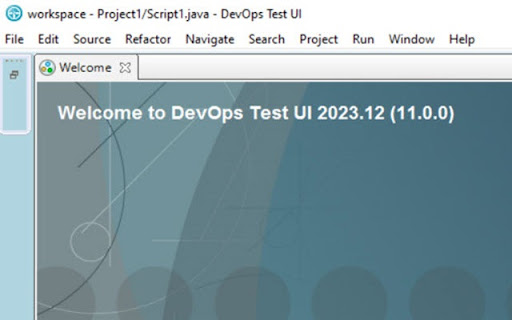
Enables DevOps Test UI - Functional Test support for web applications Supported in DevOps Test UI 11.0.0 and future releases. DevOps Test UI for Google Chrome™ DevOps Test UI is an object-oriented automated functional testing tool that tests applications based on HTML, Java, Microsoft Windows and numerous other technologies. With this DevOps Test UI extension for Google Chrome, you can test HTML applications that are loaded in the Google Chrome browser on Windows and Linux operating systems with tests built in traditional programming languages like Java and VB. You may customize the port number for the web server that is used for automation thru extension options. While testing browser based applications, DevOps Test UI maybe integrated with many of the CI/CD environments.

Extension Manager
Manage your Chrome extensions comfortably by enabling and disabling them with ease. # Extension Manager A Chrome extension that lets you quickly enable and disable your installed extensions from a single popup window, using keyboard shortcuts and customizable key mappings. - **Keyboard‑driven extension toggle** - Open the popup with a global shortcut (default: `Alt+M`) and toggle extensions using letter keys. - Supports single‑letter and two‑letter keys (`a` … `z`, `aa`, `ab`, … `zz`). - **Key Mapping tab** - View all installed extensions with their icons and current keys. - Edit keys directly (1–2 letters `a–z`). - When assigning a key that is already in use, shows a confirmation dialog and safely reassigns the key. - Independent search bar to quickly find an extension by name. - **View Options tab** - Choose how many cards to show per row (2/3/4 columns). - Configure maximum popup height; the popup grows up to that height and then scrolls vertically. - All view options are persisted between sessions. - **Search and filtering** - Toggle Keys tab: search installed extensions by name. - Key Mapping tab: separate search for the mapping list. - `Ctrl+F` / `Cmd+F` focuses the appropriate search box depending on the active tab. - **Persistent settings** - Key mappings, view options, active tab, and theme (light/dark) are stored and restored automatically. - Reset button to clear all key mappings and re‑generate them in alphabetical order. - Search extensions by name using the search field. - Each card shows: - Assigned key - Icon and name - Enable/Disable button - Press the assigned key to toggle the extension: - 1‑letter keys toggle immediately. - 2‑letter keys: - First key press starts a short key sequence window. - Press the second letter within the timeout to trigger the 2‑letter key. - If no second key is pressed and there is a single‑letter mapping with no longer sequence, that 1‑letter key is triggered. - Use the search field to filter the mapping list by extension name. - Edit keys inline: - Focus the input, type a new key (`a–z`, length 1–2), press Enter or blur. - Conflicts show a confirmation dialog before reassigning. - Use **Reset all keys** to clear all mappings and regenerate keys alphabetically. - **Columns per row**: choose 2, 3, or 4. - **Max popup height**: choose 480px or 600px. - Changes are applied immediately and saved. Assignments are stable: once a mapping is saved for an extension ID, it is reused on the next load. In the **Key Mapping** tab: - Each extension shows: - Icon and name - Current key label (`Key: a`, `Key: aa`, or `Key: -`) - Editable key input (1–2 letters) - Valid keys: - Only `a–z`, length 1–2. - Invalid input (numbers, symbols, 3+ letters) is rejected with an inline error: - `Key must be 1–2 letters (a–z).` When you type a key that is already used: 1. The extension looks up other extensions using the same key. 2. A confirmation dialog appears, for example: ```txt Key 'a' is already used by other extensions. Replace the key there and assign it to this extension? ``` 3. If you confirm: - The key is removed from the conflicting extension. - The key is assigned to the current extension. - A small inline info message shows: - `Key reassigned from other extension.` 4. If you cancel: - No mappings are changed. - The input reverts to the previous key. - **Open popup**: `Alt+M` (configured via `manifest.json` → `commands`). - **Search** - `Ctrl+F` / `Cmd+F`: - On **Toggle Keys**: focuses the main search field. - On **Key Mapping**: focuses the mapping search field. - **Toggle extensions**: - Press the mapped key while the **Toggle Keys** tab is active and focus is not in a text field. - `manifest.json` – Extension metadata, permissions, keyboard command. - `popup.html` – Popup layout and tab structure. - `popup.css` – Styling and responsive grids for each tab. - `popup.js` – All popup logic: - Loading extensions via `chrome.management` - Rendering Toggle / Mapping / View tabs - Key mapping management and conflict handling - View options and theme persistence - Keyboard shortcut handling (key sequences, Ctrl+F / Cmd+F) This extension uses the following permissions: - `management` – Required to read the list of installed extensions and enable/disable them. - `commands` – Required to bind the global shortcut for opening the popup. - `storage` – Required to persist user settings (key mappings, view options, theme, last active tab). The extension does **not** access or modify web page content; it only manages browser extensions through the official Chrome APIs.

GitLab Plus
Add some feature to your gitlab with a simple chrome extension. Install extension and visit https://gitlab.com/franckrst/gitlab-plus-test/-/merge_requests/2

Webopt - Website Testing Tool
All-in-one Chrome extension for SEO, UI/UX, responsive design, grammar, and security checks. Optimize websites with a single click. Comprehensive Website Optimization Chrome Extension: SEO, UI/UX, Responsiveness, Grammar, and Security Checks in One Tool In the digital age, a well-optimized website is crucial for success. Whether you're a digital marketer, web developer, UX/UI designer, or content creator, ensuring that your website performs optimally across various parameters is essential. The WebOpt.ai Chrome Extension is your all-in-one solution for comprehensive website optimization. This powerful tool seamlessly integrates with your browser to offer a suite of features that analyze and improve SEO, UI/UX, responsiveness, grammar, and security, helping you create a flawless online presence. Search Engine Optimization (SEO) is the backbone of online visibility. The extension provides in-depth analysis of on-page SEO factors, including meta tags, keyword usage, image alt texts, and internal linking structures. It offers actionable recommendations to improve your site’s ranking on search engines like Google, ensuring that your content reaches its intended audience. Meta Tags: Scan and optimize your title tags, meta descriptions, and header tags for better search engine indexing. Keyword Analysis: Analyze the density and placement of keywords to ensure they align with your SEO strategy. Link Structure: Evaluate internal and external linking patterns to enhance site navigation and authority. Image Optimization: Identify missing or poorly written alt texts and compress large images for faster load times. User Interface (UI) and User Experience (UX) are critical for retaining visitors and converting them into customers. The extension reviews your site’s UI/UX elements, providing insights into design consistency, usability, accessibility, and overall user experience. Design Consistency: Check for uniformity in fonts, colors, and layouts across your website. Accessibility: Ensure your website is accessible to users with disabilities by testing against WCAG (Web Content Accessibility Guidelines). Navigation: Analyze menu structures, button placements, and call-to-action elements to improve user journeys. Interactive Elements: Test forms, buttons, and other interactive elements for responsiveness and ease of use. With the growing use of mobile devices, ensuring your website is responsive across different screen sizes is non-negotiable. The extension simulates various devices, allowing you to test how your website performs on desktops, tablets, and smartphones. Multi-Device Simulation: Test your website’s responsiveness on multiple devices, including iPhones, Android phones, tablets, and desktops. Screen Resolution Checks: Verify how your content adapts to different screen resolutions, ensuring a seamless user experience. Viewport Adaptation: Assess how elements like navigation bars, images, and text blocks adjust when viewed on smaller screens. 4. Grammar and Spelling Check: Content quality directly impacts user engagement and trust. The extension includes a robust grammar and spelling checker that reviews your website’s text content, highlighting errors and suggesting corrections. Real-Time Analysis: Receive instant feedback on grammar, spelling, punctuation, and style as you type or upload content. Contextual Suggestions: Get context-aware recommendations for improving sentence structure and word choice. Plagiarism Detection: Identify duplicate content that could harm your SEO rankings and brand credibility. A secure website protects both your business and your users. The extension scans your site for common security vulnerabilities, offering insights and solutions to bolster your website’s defenses. SSL Certificate Check: Verify that your website’s SSL certificate is up to date and correctly configured. Malware Detection: Identify malicious scripts or code that could compromise your site’s security. Privacy Compliance: Ensure your website complies with data protection regulations like GDPR, including cookie consent management. Outdated Software Alerts: Get notified about outdated plugins, themes, or CMS versions that could expose your site to attacks. 1. Easy Installation: Installing the WebOpt.ai Chrome Extension is quick and simple. Just visit the Chrome Web Store, search for WebOpt.ai, and click “Add to Chrome.” Within seconds, the extension will be integrated into your browser, ready to assist you with website optimization. 2. Seamless Integration: Once installed, the extension operates directly from your Chrome browser, allowing you to run comprehensive checks with just a few clicks. Whether you’re visiting your own site or analyzing a competitor’s, the extension provides real-time insights and actionable reports without requiring any additional software. 3. One-Click Optimization: The extension’s intuitive interface lets you perform all checks simultaneously or focus on specific areas of concern. With a single click, you can generate a detailed report covering SEO, UI/UX, responsiveness, grammar, and security. Each report includes a summary of issues found, recommendations for improvement, and links to additional resources. 4. Real-Time Reporting: Forget waiting hours for website analysis. The extension provides real-time feedback, enabling you to make immediate adjustments and see the impact of your changes instantly. This feature is particularly valuable for developers and marketers working on tight deadlines. 5. Customizable Settings: Tailor the extension to meet your specific needs. Whether you want to focus on SEO, improve your website’s grammar, or ensure mobile responsiveness, you can customize the tool’s settings to prioritize the checks that matter most to you. 1. Comprehensive Coverage: Unlike other tools that focus solely on one aspect of website optimization, WebOpt.ai provides a holistic approach. By combining SEO, UI/UX, responsiveness, grammar, and security checks into one tool, it saves you time and ensures that no aspect of your website is overlooked. 2. User-Friendly Interface: Designed with both beginners and experts in mind, the extension features a clean, user-friendly interface that makes website optimization accessible to everyone. Even if you’re new to web development or digital marketing, you’ll find the extension easy to navigate and use. 3. Actionable Insights: The extension doesn’t just identify issues; it provides clear, actionable recommendations to help you address them. Whether you need to update your meta tags, fix a broken link, or improve your site’s accessibility, the extension guides you through the process step by step. 4. Regular Updates: The digital landscape is constantly evolving, and so is WebOpt.ai. We regularly update the extension to ensure it remains compatible with the latest web standards and best practices. Our team is committed to providing you with the most up-to-date tools for optimizing your website. 5. Excellent Support: If you ever encounter an issue or have a question, our dedicated support team is here to help. We offer a range of resources, including FAQs, tutorials, and direct support options, to ensure you get the most out of the extension. 1. Digital Marketers: Boost your site’s search engine rankings, improve user experience, and ensure your content is error-free with the extension’s comprehensive SEO and content analysis tools. 2. Web Developers: Save time and effort by using the extension to test your site’s responsiveness, identify security vulnerabilities, and ensure your design is consistent across all devices. 3. UX/UI Designers: Ensure your website provides an optimal user experience by evaluating its design, usability, and accessibility in real-time. 4. Content Creators: Keep your content polished and professional with the extension’s advanced grammar and spelling checker, ensuring that your message is clear and error-free. 5. Business Owners: Enhance your website’s performance, security, and overall quality to attract and retain customers, all while protecting your brand’s reputation. Ready to optimize your website like a pro? Follow these simple steps to get started with WebOpt.ai: Install the Extension: Visit the Chrome Web Store and install WebOpt.ai with a single click. Start the test: Navigate to your website and run a comprehensive scan using the extension’s toolbar. Review the Report: Analyze the detailed report to identify areas for improvement in SEO, UI/UX, responsiveness, grammar, and security. Implement Recommendations: Follow the extension’s suggestions to optimize your site and enhance its performance. Monitor Progress: Regularly use the extension to monitor your website’s performance and stay ahead of potential issues. The WebOpt.ai Chrome Extension is your go-to tool for comprehensive website optimization. By combining SEO analysis, UI/UX evaluation, responsiveness testing, grammar and spelling checks, and security vulnerability scanning into one powerful tool, it offers everything you need to create a top-performing website. Whether you’re a seasoned professional or just starting out, WebOpt.ai empowers you to take control of your website’s performance and achieve your online goals. Install WebOpt.ai today and unlock the full potential of your website with ease and confidence.

UI Dux Chrome Extension
Seamlessly integrate high-quality, real-time updated web, mobile, and dashboard UI resources into your projects. Unlock seamless UI design integration directly in your browser with the UIDux Chrome Extension, a powerful tool crafted to enhance your web design workflow. Just like its counterpart for Figma, this extension brings the rich library of UIDux directly into Chrome, allowing you to access a vast selection of web, mobile, and dashboard UI design resources with unparalleled ease. Direct Access: Browse and download premium and free UI design resources directly through Chrome, without ever leaving your web browsing environment. Streamlined Workflow: Enhance your productivity by integrating UIDux's extensive design resource library into your daily web development and design tasks. Instant Updates: Receive real-time updates and notifications about new resources and collections as soon as they become available. Easy Integration: Seamlessly integrate with your existing design tools and workflows, ensuring a smooth transition and consistent performance. User-Friendly Interface: Experience a clean and intuitive interface designed for optimal user interaction, making navigation and resource management effortless. Whether you’re a professional web designer, a developer, or a hobbyist looking to elevate your projects, the UIDux Chrome Extension is your gateway to accessing top-tier UI resources efficiently. Transform your browser into a powerful design tool today and bring your digital creations to life with UIDux.
