
ilfljaannahbmhjlbpbampccoeohlncg
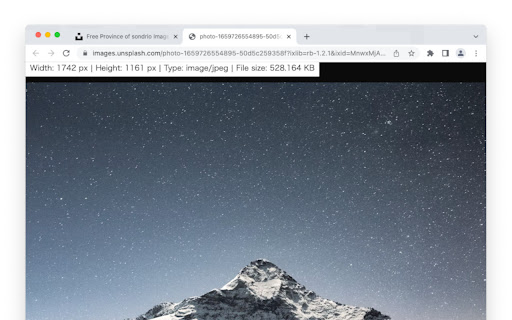
Add image information to the tab where the image was opened Displays information about the image when the image is opened in a new tab. The information includes the width, height, extension and file size of the image.

Image Info Checker
View image metadata, EXIF/PNG details, full technical info, hover file-size preview, and one-click image downloading. Simply right-click any image to view its basic metadata (URL, displayed size, natural dimensions, alt text, file type, and file size) along with full technical metadata, including EXIF, PNG text fields, color profile, megapixels, aspect ratio, and more — all displayed in a clean, modern popup. This tool helps you audit website images, troubleshoot display issues, verify EXIF data, check for missing alt text, and optimize assets for accessibility, SEO, and performance. Basic Image Details: Image URL Alt text (including hidden or missing alt detection) Displayed size & natural dimensions File type (MIME), extension, and file size Megapixels & aspect ratio Full Metadata Viewer: EXIF data (JPEG): camera model, date taken, exposure settings, GPS, lens info, image description, artist, and more PNG metadata: Title, Description, Author, bit depth, color type, compression, pixel density, and embedded text chunks Auto-extracted Title & Description when available Smart Hover Preview: Hover any image to instantly see its approximate file size next to your cursor One-Click Image Download: Built-in download button for saving images instantly Modern, User-Friendly UI: Clean tabbed interface for Basic Info and Full Metadata Scrollable tables, image preview thumbnail, and optimized layout Boost your site’s SEO and image optimization workflow today with Image Info Checker!

Image Information Viewer
Image Information Viewer is a simple and useful tool for photographers and web designers. When you hover over an image on any webpage, it instantly shows you key details about that image: • Dimensions (width and height) • File name • Image format • Alt text (if available) This extension makes it easy to quickly check image properties without needing to download files or use separate tools. It's perfect for anyone who works with images online and needs quick access to basic image information. The extension is lightweight and works on all websites. Developed by PhotoCultivator.com - your source for weekly photography tips, inspiration and best gear recommentions.

File Info (type, size, pixels, aspect ratio and more)
Provides detailed information about files opened in the browser (images, PDFs, videos, etc.) including local files What It Does: 📊 Complete File Details - Size, type, dimensions, duration 🖼️ Image Info - Width, height, aspect ratio 🎥 Video Data - Duration, resolution, format 📄 Document Support - PDFs, Office files, archives 💾 Local Files - Works with files on your computer Perfect For: 👨💻 Developers • 🎨 Designers • 📱 Content Creators • 💼 Professionals

Image Info - View Image Dimensions
Right-click any image to instantly view its dimensions, file size, type, and more. Download or open images in new tabs. Get the information of any image on the website by right-clicking it. Information provided are: actual size, rendered size, file type, and file size. You can also download or open it in a new tab.
