
ikomcdngibfmlobeebnejmeapnjmhcfl
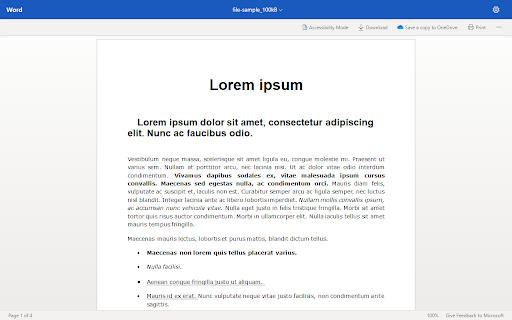
Displays online office documents in the browser (.doc*, .ppt*, .xls*, .odt) View office apps by intercepting their downloads and parsing it to an online viewer engine. Once viewed, you may download the file via the download button on the viewer page or by resuming the intercepted download through the downloads panel (ctrl + J) . Otherwise, disable the extension to download office files directly.

Apiary - Web Highlighter & Annotator
Highlight and take notes directly on what you read online and instantly share them with friends and colleagues. Easily highlight and take notes on what you read online and then easily save them for later and share them with friends and colleagues in one click. Apiary is a free to try chrome extension based product that allows you to easily highlight and take notes on what you read online. After you have annotated something online it will be saved to your Apiary account where you can then organize in any way you like with our folder system. You can than easily share directly from the website where you took the notes or from your Apiary account later on with anyone you want. Just highlight and get a shareable link you can send to anyone with one click. When using Apiary on a website or email online you have two options. You can choose to just highlight some text or you can highlight and add a comment to that highlight. Allowing you to save and share you favorite parts and current thoughts while reading it with others. You can view your annotations live by clicking the chrome extension and having the Apiary sidebar appear showing all the highlights and notes you have made on that page. Or you can view them later in your Apiary account where we save all the contents of what you were reading and the highlights and notes you took. Allowing you to get the full context of whatever you were taking notes on. Annotate, save, and share what you read online instantly today. ----------------------------------------- Key Features: Web and Email Highlighting Take Notes On What You Read Online Apiary Account Access With Organization Systems Quick and Easy Shareable Notes Private Notes That Only You Can See Automatically Saving Notes ------------------------------------------- How To Use: In order to use the Apiary Chrome Extension you will need an account with Apiary. Please visit www.myapiary.io to create an account today. 1) Create An Account On Apiary (www.myapiary.io) 2) Download Chrome Extension 3) Sign Into Chrome Extension w/ Your Apiary Account 4) Select Text (Left Click & Drag) You Wish To Annotate 5) Click On Apiary Popup To Either Highlight Or Take Note On Selected Text 6) Delete An Annotation By Clicking On A Highlight And clicking Delete Icon 7) Share Your Notes For A Page By Clicking The Apiary Share Button On Bottom Left Corner Of Window 8) View A Note By Either Visiting Your Apiary Account Or By Clicking View On A Currently Annotated Web Page ------------------------------------ Pro Tips: 1) Make Sure You Are Logged Into Apiary Chrome Extension If You Are Having Issues Annotating 2) Organize Your Notes Into Folders On Apiary To Easily Find Notes Later 3) Share Your Notes With Friends By Clicking Share Button And Sending Link To Friends. --------------------------- Got Feedback? Please reach out to us at support@myapiary.io If you find bugs please let us know at https://forms.gle/rHvoLZwaXfVcbAMJ7. If you have a feature request please let us know at https://forms.gle/vguFD2Rxi2FCsSQi8. By installing the extension, you agree to Apiary's Terms of Service, Privacy Policy, and Community Guidelines (which can be found here: https://www.myapiary.io/term-services and https://www.myapiary.io/privacy-policy)

Tab Search Pro
Search active tabs, highlight results, save search history, switch between the last two active tabs, navigate tabs chronologically. Introducing Tab Search Pro, the ultimate browser extension designed to revolutionize your web searching experience. Tired of juggling multiple tabs just to find the information you need? Tab Search Pro is here to make your browsing efficient, organized, and productive. *Now, with the new feature to duplicate the current tab, you can effortlessly create a copy of any tab you're working on, enhancing your browsing efficiency even further.* Now you can easily switch between the last two active tabs, and navigate tabs chronologically for efficient browsing. At its core, Tab Search Pro is all about simplifying the way you search for content within your open tabs. Say goodbye to the hassle of switching between tabs, wasting precious time in endless clicks. With Tab Search Pro, you can effortlessly search for text across all your active tabs without losing focus on your current page. Using Tab Search Pro is a breeze. Just highlight any text that you want to look up, and a world of possibilities opens up. Activate the search through convenient context menu options or by utilizing customizable keyboard shortcuts. Tab Search Pro will quickly scan your open tabs, seeking out the first tab where your desired content is found. Not only that, it will highlight all occurrences of the text throughout your open tabs, making it easy to locate the information you need at a glance. Available Shortcuts: Duplicate Current Tab and Activate It Alt+Shift+D (Mac) Alt+Shift+D (Windows/Linux) Switch between the last two active tabs Command+Q (Mac) Ctrl+Q (Windows/Linux) Switch to the previous tab in the order they were activated, maintaining the chronological sequence of tab activations Ctrl+Shift+Space (Mac) Command+Space (Windows/Linux) But what sets Tab Search Pro apart is its versatility. If Tab Search Pro doesn't find a match within your tabs, it has your back. Instead of leaving you empty-handed, the extension prompts you to conduct a Google search directly, ensuring that you never miss out on any relevant information. With this dynamic feature, you're never left without answers. We value your privacy and security, which is why Tab Search Pro is designed with minimal permissions, including activeTab, contextMenus, scripting, and tabs. Rest assured, your data stays within your browser, and you remain in complete control. Tab Search Pro is not just a simple search tool; it's a productivity powerhouse. Imagine the time and effort you'll save as you seamlessly navigate through your tabs, instantly finding the information you need. No more distractions, no more wasted clicks – just pure efficiency. Whether you're a researcher, student, or a professional seeking the latest news, Tab Search Pro empowers you to be in charge of your browsing. No more losing focus, no more disruptions – only smooth and targeted searches. With Tab Search Pro as your trusted companion, you can create an organized browsing environment, keeping track of your searches and creating a history for later usage. No more digging through browser history or bookmarks; your sought-after content is always just a click away. Don't settle for inefficient browsing. Upgrade to Tab Search Pro and unlock the full potential of your web searching capabilities. Embrace a new level of productivity, save time, and access information faster than ever before. Tab Search Pro is your ticket to a more streamlined, effortless, and enjoyable browsing experience. Install Tab Search Pro today and take the first step towards a smarter, more efficient web journey.

Quick Access Office Apps
Simplify your Office365 experience with Quick Access Office Apps ✨. Quickly access your favorite Office applications directly from your browser and boost your productivity in just a few clicks! 🔗 Instant Access: Open your Office365 apps like Outlook, Word, Excel, Teams, and more with a single click. ⚙️ Easy Customization: Select which apps you want to display in the popup. 🖱️ Intuitive Interface: A sleek and user-friendly design for maximum convenience. Save precious time by effortlessly accessing your essential tools. Whether you're a professional, a student, or a regular user, this extension makes your Office365 experience smoother and more efficient. Add Quick Access Office Apps now and revolutionize the way you use Office365! *The extension does not collect any user information or other information. Only extension-related parameters are stored.* GitHub Repository: https://github.com/shevabam/extension-quick-access-office-apps

Faro
Save pages with highlighted taglines - Bookmark manager ⨯ web highlighter Chaos in your bookmarks? Can't find what you want? They end up gathering dust? Or you don't even try and end up with 100s of open tabs? Faro is made to fix that! It's the simplest way to save & keep track of pages. With it, even thousands of saves don't get overwhelming. When saving, you highlight a sentence to act as a tagline. It helps you remember what the page is about and why you saved it. If unsure - just save whatever sentence you're reading. All saves appear on your dashboard. They come most-recent-first by default, so you don't forget what you recently saved. You can pick up your reading where you left off - no need for a separate reading list. You can also pin & archive to further arrange it. Organize them with tags. Since you're reminded what you saved and why, you can do it later. It makes your saves much easier to manage than bookmarks. Faro supports nested tags (eg: recipes/vegan), so combines the best of tags and folders. Clicking a save takes you right back to your highlight - especially useful for longer articles. Also: ➣ export to bookmarks to keep them if you uninstall Faro ➣ copy links to highlights and share them or paste into Notion, Obsidian, etc. ℹ️ About your data: When installing you can read: "it can read and change all your data on all websites" The only information that ever gets uploaded (when signed in) when you use it to save: ➣ Open page address ➣ Saved highlight/quote - what's visible in the sidebar ➣ Timestamp ➣ Debug info e.g. errors The extension also keeps track the currently open tab for each window - to update the sidebar as you navigate - but doesn't save or upload that data.
