
ikidkfkfaknenmnmiigcdlkmjgmbkflb
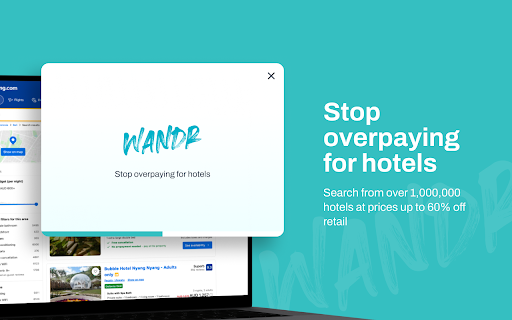


Wandr Travel is the VIP lounge of travel affordability. Our prices are so jaw-droppingly competitive that we can't spill the beans online. 🌟 Don't waste precious time searching for the best hotel deal. Let Wandr Travel do the work for you and unlock fantastic savings! 🍭 Sweet deals taste good, and Wandr Travel makes them even sweeter! Think of us as your free, easy money solution. With our browser extension, you can book directly with over 1,00,000 hotels and save cash (up to 60% off retail rates). Imagine having more money in your pocket to spend on incredible experiences during your travels. 🔍 Our browser extension automatically scours the web to find you the best price for local hotels and pops up just when you need it. Say goodbye to endless searching and book directly with confidence. With the money you save, you can indulge in delightful room service or treat yourself to something special. The choice is yours, and it tastes oh-so-good! 🍽️ Craving a saving? Feed your travels and add Wandr Travel to your browser—it's completely free! Our extension works like magic, bringing you exclusive deals and ensuring you always get the best hotel rate. Let Wandr Travel be your trusted companion on every journey, making travel planning effortless and exciting. Join Wandr Travel today and start saving on your next adventure! ✨

Mio
Mio helps you easily and efficiently plan solo and group trips with AI-generated travel itineraries. Invite your friends, add your trip details and activities and Mio will generate the most efficient route and itinerary so you and your friends can get the most out of your trip. You can save whole pages or individual activities and Mio will identify addresses and commute time between each activity. No more manual planning with spreadsheets and searching individual addresses. As new activities get added, Mio will dynamically update the itinerary. Customize your itinerary with breaks, food, and more so you can vacation how you want. Get updates and reminders for nearby recommendations or saved activities. ✨ Save time: No more manual searching and planning ✨ Share and customize: Invite friends and make the most out of your vacation ✨ Travel smart: Never miss out on your favorite activities or experiences Vacation how you want, doing as little or as much as you'd like. Let Mio make it happen.

Kogan Travel
Booking your next trip? The Kogan Travel extension allows you to instantly compare and see if there’s a better deal at Kogan Travel when browsing other popular travel sites like Expedia, Agoda or Booking.com! Simply install the extension, then browse on any popular travel site as usual, and we’ll let you know when there’s a better deal available at Kogan Travel.

Empire Traveller
Empire Traveller: Stop Overpaying for Hotels. Don't waste precious time searching for the best hotel deal. Let Empire Traveller do the work for you and unlock fantastic savings!

AppSheet Sync Skipper
Skip the sync, speed up your AppSheet workflows AppSheet Sync Skipper AppSheet Sync Skipper is a lightweight Chrome Extension that helps you skip the default sync process in AppSheet by directly sending data to your AppSheet app via its API. This enables faster actions, more efficient workflows, and a smoother experience when triggering changes or submitting form data. ⚙️ What it does: Detects special URLs with AppSheet parameters (e.g. ?appid=...&accesskey=...) Extracts information and sends it to AppSheet’s API Displays the status of requests (success, error, pending) Automatically closes the triggering tab (if needed) This is useful for AppSheet developers who want to simulate form submissions, bypass sync delays, or build automation tools using AppSheet's public API. 🎯 Purpose AppSheet Sync Skipper helps you skip manual Sync in AppSheet workflows by sending structured data directly to the AppSheet API via a custom URL. Ideal for performing Add, Edit, or Find actions with a single link. Step 1: Set up a "Go to a website" Action in AppSheet In your AppSheet app, create an action of type: "Go to a website" ID=123,124,125 → 3 rows with 3 key IDs. action: Add → Creates a new row in the Orders table. action: Edit → Updates the Invoices table. Step 2: Attach the link to a button, event, or automation When this URL is opened, the extension detects the parameters, sends a request to AppSheet's API, and then closes the tab automatically. appid | Your AppSheet app ID accesskey | Your AppSheet API access key tablename | The name of the table to interact with action | One of: "Add", "Edit", or "Find" locale (optional) | Defaults to "en-US if not provided location (optional) | Defaults to "47.623098,-122.330184" if not provided timezone (optional) | Defaults to "Pacific Standard Time" if not provided Any other parameters | Treated as column names and values for the row data This will send a POST request to the AppSheet API to insert a new row into the Customers table. Click the extension icon to view a log of recent API requests. Each entry includes: - Success – Successfully sent to AppSheet - Error – Failed to send - Pending – Currently being processed Only the 10 most recent requests are saved in memory. - It's recommended to open the link in a new browser tab to ensure the extension can capture and process it. - Make sure the Chrome Extension is installed and enabled on the browser where the action is triggered. - Do not include sensitive credentials like access keys in public actions unless you trust the user.
