
ikhaodnmmckfcicchdpkhiglapadhiac


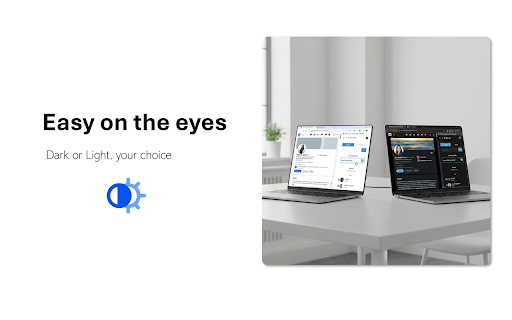
inNotion — Import & enrich LinkedIn profiles to Notion CRM. Get emails, phone numbers, add private notes and automate networking. Import LinkedIn profiles to Notion with automatic email and phone enrichment — no more tab switching. What it does ************* inNotion connects LinkedIn to your Notion CRM via your browser's side panel. Import profiles in one click, automatically enrich contacts with verified emails and phone numbers, automate your live events networking workflow, add private notes and reminders that stay in your browser, not in Notion. Your CRM always stays visible while you browse. No more copying data between tabs. Why it matters *************** Manual CRM data entry is super-slow & boring: open LinkedIn, copy name, switch to Notion, paste, go back, copy company, switch again. Repeat for every field, every contact. inNotion eliminates this. One click imports all profile data. Automatic enrichment adds contact details you'd otherwise search for manually. Side panel means zero context switching. Core features ************** - LinkedIn profile import: One-click People to Notion import from any LinkedIn page - Email & phone enrichment: Automatic contact data retrieval - Live events networking automation: keep the conversation rolling - LinkedIn import - Email/phone enrichment - Contextualized note & follow up reminder - Contextualized LinkedIn invitation message - Real-time sync: Changes appear in Notion immediately - Private notes & reminders: Browser-only storage, not synced to Notion - Side panel workflow: Your Notion CRM stays visible beside any webpage - QR code scanner: Capture LinkedIn profiles at in-person events (mobile) - Multi-database support: Switch between different Notion CRMs Built for ******** - Sales teams tracking prospects - Recruiters managing candidates - Freelancers organizing clients - Anyone running a CRM in Notion. Setup ****** 1- Install extension 2- Connect your Notion database 3- Import your first profile! Privacy ******** Data flows between your browser and Notion only. Private notes stay local. We don't store or access your information. Legal disclaimer ***************** inNotion is not affiliated with, endorsed by, or sponsored by LinkedIn or Notion. LinkedIn™ and Notion™ are registered trademarks of their respective owners. inNotion is an independent third-party browser extension.

InkStrike – LinkedIn outreach at scale, without the spam
Every message lands like you wrote it by hand. Personalized, precise, and without risking your LinkedIn account. Choose the perfect template for each profile, make manual edits before sending, and refine your AI prompts for better results. 🔒Templates are stored on your computer. We never store or see your LinkedIn profile data or messages in ou servers. Drag and drop AI-powered templates directly into LinkedIn message boxes, InMails, and connection requests. Each template personalizes instantly based on the profile you're viewing, filling in names, companies, and custom variables through AI. Send the same volume of messages as LinkedIn automation tools in a few minutes, but with more control, more personalization, and no risk of LinkedIn bans. Key Features: ✓ Maximum ease of use and efficiency ✓ Reliable message templates that work ✓ AI templates that personalize on-the-fly (customize any prompt you want) ✓ Multi-step sequences to track your outreach flow ✓ Lead lists for organized prospecting ✓ Works seamlessly with Sales Navigator ✓ Send 40+ personalized messages per hour ✓ Privacy-first: we don't store any LinkedIn data on our servers Perfect for: SDRs, recruiters, sales teams, founders, job seekers, and anyone doing high-volume prospecting without losing the personal touch. Start free and upgrade when you're ready to scale your outreach. Take control of your LinkedIn outreach. Every strike personal, every message yours.

Leads to Notion
Notion CRM, Add new entries to your Notion database from LinkedIn and X(Twitter) in one click. Streamline your lead management process with Leads to Notion, the ultimate Chrome extension for seamlessly importing leads from LinkedIn and Twitter into your Notion CRM files. Say goodbye to manual data entry and hello to effortless lead capture! - LinkedIn Integration: Easily add leads from LinkedIn profiles directly to your Notion CRM with just a few clicks. - Twitter Integration: Capture potential leads from Twitter and organize them efficiently in your Notion workspace. - Customizable Templates: Create custom templates in Notion to suit your specific lead management needs and effortlessly import leads into them. - Time-Saving Automation: Eliminate tedious manual data entry tasks and focus on nurturing your leads with our intuitive automation features. - Secure and Private: Rest assured that your data is safe and protected with our robust security measures and privacy policies. - Boost Productivity: Save time and effort by automating the lead capture process and keeping all your leads organized in one place. - Enhanced Efficiency: Access leads from LinkedIn and Twitter directly within Notion, eliminating the need to switch between multiple platforms. - Personalized Lead Management: Tailor your lead management system to fit your unique workflow with customizable templates and tags. - Seamless Integration: Integrate Leads to Notion effortlessly into your existing Notion workspace and start capturing leads instantly. - Constant Updates and Support: Enjoy regular updates and dedicated support to ensure a smooth and hassle-free experience. Start maximizing your lead generation efforts and revolutionize your CRM workflow with Leads to Notion. Try it now and take your lead management to the next level!

ChatGPT Spark
Ignite better conversations with AI. Real-time analysis, smart suggestions, and conversation memory. Hi, I'm Chinmay Shrivastava, and I built ChatGPT Spark because I wanted better conversations with AI. Like many of you, I use ChatGPT daily for coding, writing, and problem-solving. But I kept running into the same issues: forgetting previous conversations, hitting context limits, and not knowing if my prompts were effective. So I built this extension to solve these problems. Real-Time Prompt Coaching - See how good your prompts are as you type - Get suggestions to improve them - One-click to enhance any prompt with AI Conversation Memory That Actually Works - Save conversations you want to remember - Search through them later (it understands context, not just keywords) - See connections between your past conversations - Never lose important code snippets or insights again Stay in the Flow - Monitor conversation quality - Get smart follow-up questions when you're stuck - Track context usage so you don't hit limits mid-conversation - Works with all ChatGPT models (GPT-4o, o1, o3, etc.) WHO THIS IS FOR: - Developers who want to keep track of code solutions - Writers managing multiple creative projects - Researchers organizing complex topics - Anyone tired of losing great ChatGPT conversations PRIVACY MATTERS: I built this with privacy in mind. Your conversations stay yours - stored securely with user isolation. No ads, no tracking, just a tool that helps you work better with AI. Quick tip: Press Cmd/Ctrl+J to toggle the coach panel anytime. Built with love by Chinmay Shrivastava Connect with me: - Twitter: twitter.com/chinmayyy18 - LinkedIn: linkedin.com/in/cshrivastava - GitHub: github.com/JonSnow1807 - Email: cshrivastava2000@gmail.com P.S. If you find this helpful, please leave a review. And if you have ideas to make it better, reach out!

NoBridge – Private Chat, Calls & Screen Sharing
Peer-to-peer browser extension for private chat, audio calls, screen sharing, and file transfers — no logins or installs. 🌟 Connect Instantly. Share Effortlessly. Chat & Call with Ease. 🌟 Introducing NoBridge — your next-level, ultra-simplified tool for private file sharing, real-time chat, high-quality audio calls, and screen sharing. ➡️ Real-Time Messaging – Instant, smooth, and intuitive — messaging that just works. 💬✨ ➡️ Effortless File Sharing – Send up to 1GB of files at a time — photos, documents, videos — all in a click. 📂🚀 ➡️ Crystal-Clear Audio Calls – Talk in high fidelity right from your browser. No downloads, no delays. 📞🎶 ➡️ Screen Sharing (NEW!) – Share your screen instantly — perfect for walkthroughs, support, or quick demos. 🖥️👀 ➡️ Beautifully Responsive UI – Clean, modern design that works seamlessly across desktop and mobile. 📱💻🎨 ➡️ Privacy First, Always – Everything is 100% peer-to-peer. No servers. No data stored. Just you and your connection. 🔒🛡️ ➡️ Open NoBridge & copy your unique ID 🆔 ➡️ Share your ID with the person you want to connect with 🤝 ➡️ Enter their ID to connect instantly 🔗 ➡️ Start chatting, calling, screen sharing, or sending files — no hassle, no setup 💬 ➡️ End-to-end encrypted communication 🔒 ➡️ No cloud storage, no third parties involved ☁️🚫 ➡️ All data is wiped once the session ends 🧹 ➡️ What happens in your session stays in your session ✅ ➡️ Download NoBridge today and experience the future of secure, frictionless communication 🚀 ➡️ No logins. No uploads. No trace. 🛑 ➡️ Just your browser — and a better connection. 🌍 ➡️ Let’s talk. Let’s share. Let’s connect — with NoBridge. 🙌
