
ijofbaoffgipjcopcbapdfnbodeonlbe
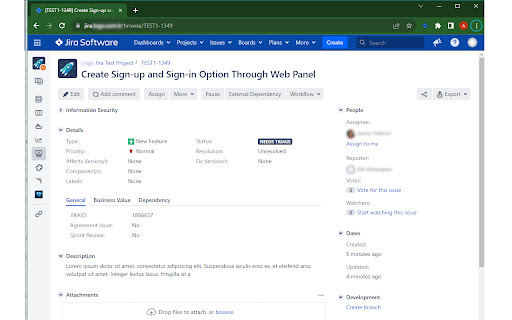
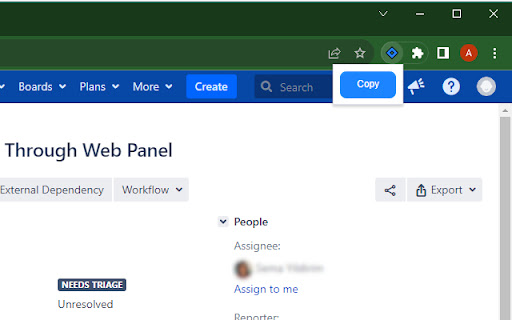

Extension to copy your Jira issue title and URL. The Jira Issue Copy Helper is a Chrome extension tailored for Jira users. It simplifies your workflow by allowing you to effortlessly copy the title and URL of a Jira issue. Whether you're managing tasks, sharing information with your team, or organizing your work, this extension is a valuable addition to your toolkit. Key Features: - One-click copy: Easily copy the title and URL of the current Jira issue to your clipboard. - Productivity booster: Streamline your work in Jira by eliminating manual copying and pasting. - Jira-friendly: Designed for Jira users, this extension enhances your experience on the platform. How to Use: 1. Install the extension from the Chrome Web Store. 2. Pin the extension to your Chrome extension bar. 3. Navigate to a Jira issue that you want to copy. 3. Click the extension icon in your browser to copy the issue's title and URL to your clipboard. Privacy and Security: The Jira Issue Copy Helper extension prioritizes your privacy. It accesses data from the current tab only and does not store any information. Your data remains secure.

Ticket Summary for Jira
This extension grabs the ticket key, title, and link from Jira and formats it into a one-line summary - ready to copy and paste anywhere. Works on Jira pages with this URL format: org_name.atlassian.net/browse/TICKET-KEY That’s it. No setup, just click and copy.

Better Issue Link for Jira - Smart Copy with Templates
Enhance Jira's copy link functionality with customizable HTML and Markdown templates, perfect for Slack and documentation. 🔗 Transform Your Jira Links into Smart, Readable References! Tired of manually formatting Jira issue links for different platforms? Better Issue Link for Jira is your solution! With just one click, get perfectly formatted links that include both the issue key and summary. ✨ Key Features: • One-Click Wonder: Copy both issue ID and summary instantly • Dual Format Support: Get HTML (perfect for Slack!) and Markdown formats simultaneously • Custom Templates: Make your links look exactly how you want them • Live Preview: See how your customized links will look before saving • Works Everywhere: Compatible with all Atlassian Cloud instances 🎯 Perfect for: • Development teams using Slack • Technical writers maintaining documentation • Project managers sharing updates • Anyone who wants to share Jira issues more effectively 💡 Pro tip: Customize your templates in the options page to match your team's style! No more copying and pasting multiple times or manually formatting links. Better Issue Link for Jira makes sharing Jira references a breeze! 🛡️ Privacy First: No data collection, no external services, works entirely in your browser. Made with ❤️ for the Jira community

Jira Copy Issue Title
Adds a 'Copy Issue Title' button to 'Browse' and 'Issues' Jira pages Improve user experience in Jira and allow: - Copy issue Title, Key-ID, URL to clipboard; - Customize copy template (e.g. markdown compatible); - Customize button name; - Customize keyboard shortcut; - Get native Jira notifications;

Jira Tools
Automatic Confluence Page Creation: From the Backlog page, you can automatically create a Confluence page from template page based on the current sprint's issues. This makes it easy to share sprint progress and task details. Press the "Shift" key while clicking the "Copy link" button to copy the Jira issue key to the clipboard. Press "Shift" + "Alt" while clicking the "Copy link" button to copy both the Jira issue key and summary to the clipboard.
