
iikfaeadojlchajbbockiagnmbbajcan
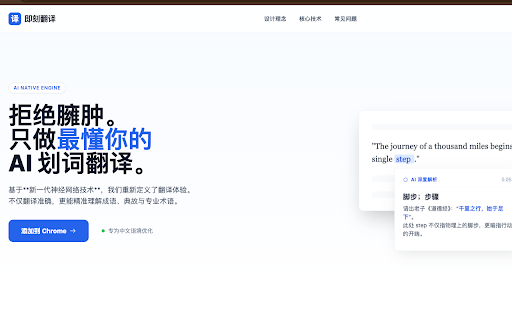
即刻AI翻译 拒绝臃肿。只做最懂你的。AI 划词翻译。我们重新定义了翻译体验。不仅翻译准确,更能精准理解成语、典故与专业术语。

AI Translation
Generate AI translation to read global content. Translate English into 100+ languages with natural, fast and accurate ai translator. 🌍 AI Translation is your all-in-one AI language translator extension for Google Chrome. Instantly trasnlate words, sentences, and paragraphs into English or over 100 languages without copy-paste or switching tools. Whether you need to translate English to Spanish, Japanese or German to English, this AI translation tool makes multilingual browsing effortless. ✨ Effortless to start: install the extension, select text, click the bubble, and see results. Compare original and translated text side by side, perfect for language learning apps, professional reading, or casual browsing. 🚀 Why choose AI Translation? 1️⃣ Context-aware artificial intelligence instant traslate words on a page 2️⃣ Accurate and fast ai translations across 100+ languages 3️⃣ Clean, distraction-free design you can trust ✅ Everyday uses for AI language translation • Social media: ai translate twitter / X, Instagram, Facebook, Reddit, LinkedIn • Read global content in web Telegram, WhatsApp with AI Translation • For fun: captions, lyrics, jokes, slang • Use the translator on forums to follow popular discussions • Seamless shopping: translate Temu, AliExpress, JD.com, Amazon, and others • Find answers in your native language • It translates news, blogs, and research articles into your language • Learn how to say good morning in spanish or hello in korean directly from webpages • Get contract translation, medical or academic translation support without leaving Chrome • Use as your AI powered translator for work, study, and travel 👩💻 Who benefits most? ⭐ Internet users ⭐ Students and language learners ⭐ Professionals needing legal translation and technical translation services ⭐ Researchers working with multilingual sources ⭐ Freelancers and teams worldwide ⭐ Travelers needing quick AI translater app support on the go 🌍 Language Coverage 🌐 Popular everyday pairs: Use english to spanish for work, study, and travel. Translate to German is perfect for product manuals and academic papers. Translate English to Italian and Portuguese to English help retail, design, and creative professionals reach international audiences. 🌐 Asia & the Pacific: Handle japanese to english, english to chinese translator, and english to korean for study, wikipedia translate research, and global tech. Vietnamese ai translation supports training packs and local operations, while filipino to english and ai translate english to indonesian are valuable for community services and regional business. 🌐 South Asia & the Middle East: From english to hindi and english to urdu, to farsi to english and english to arabic, the extension supports chatgpt translation for education, business, and healthcare. Convert English into Malayalam helps adapt learning and professional resources, use as notion translator. 🌐 Africa & the South: Translate Swahili, Somali, Haitian Creole to English for community support, policy, and outreach. These ai translation services are especially valuable for NGOs, aid organizations, and local governments. 🌐 Specialized translations: The extension also supports bosnian to english for compliance and contracts, Hebrew for investor updates, translating professional reports and documents in Turkish, and many more languages and purposes! ⚡ A complete translation workflow From quick highlights to in-depth editor review, AI Translation gives you three flexible modes: 1) Highlight → click "AI Translate" - the fastest way to tranlate text on any webpage. 2) Right-click translation inside PDF - inderstand important documents. 3) Side-by-side editor mode - copy the full page or type text in an editor for structured comparison. This multi-mode workflow ensures you can instantly transalte sentences on a page while also managing longer texts with precision and control. 💼 Translate selected on any website 🔥 Highlight → click “AI Translate” → enjoy the ai translation. 🔥 Instantly translate words, sentences, or paragraphs on any webpage. 🔥 Simple, fast, and accurate - powered by advanced AI for translation. 📑 Translate PDF text 🏆 Open a PDF in Chrome, select paragraph, and right-click AI Translate. 🏆 Get immediate, accurate translation of document text. 📝 Editor view for side-by-side comparison 💻 Click “Open in Editor” (pen icon) for a split view. 💻 Translate text that you type or copy it. 💻 Original paragraph on one side, ai translation on the other. 💻 Perfect for contracts, academic papers, legal or medical translations where precision matters. 🛡️ Security and Privacy 🔹 Text is processed only for AI translations, never sold. 🔹 No personal data is shared with third parties including ads. 🔹 Built on Chrome Manifest V3 for extra security. 💬 Frequently Asked Questions ❓ How do I tranlsate sentence in Chrome? 💡 Highlight text, click the AI Translate bubble, and read the result instantly. ❓ Can I use it for language learning? 💡 Yes - compare translation AI results line by line to learn faster. ❓ What makes this different from google translate ai? 💡 AI Translation tools use advanced LLMs (ChatGPT, Gemini) alongside AI Google Translate-style engines for smarter results. ❓ Does it support translating professional documents? 💡 Yes - use it for legal translation, contract and academic translation right in your browser. ❓ Can it translate social media? 💡 Yes - translate tweets on twitter, replies on X, captions and comments on Instagram, comments on Facebook, posts on LinkedIn, forums. Feel free to use it as Reddit translater, and web telegram or whatsapp translator of messages.

Sokuji - AI Meeting Translator
Real-time AI voice translation for video meetings. Speak your language, be heard in theirs — works with Meet, Teams, Zoom & more. 🗣️ Speak your language. Be understood in theirs. Instantly. Sokuji is an AI-powered real-time speech translator that works directly inside your video meetings — no extra apps, no copy-pasting, no awkward pauses. Just speak naturally, and your words are translated and spoken aloud in your teammate's language, in real time. Unlike text-based translators or clunky meeting bots, Sokuji provides voice-to-voice translation that flows naturally into your conversation: • Real-time voice translation — Your speech is translated AND spoken aloud, not just displayed as text • Virtual microphone — Others hear the translation directly through their meeting audio, no setup needed on their end • Works inside your meetings — No separate window, no screen sharing, just seamless integration • Multiple AI engines — Choose from OpenAI, Google Gemini, Volcengine (ByteDance Doubao), Palabra AI, or Kizuna AI based on your needs • Offline AI models — Run translation entirely on your device with built-in AI models, completely free, no API key needed, no internet required • True privacy by design — Your voice NEVER passes through our servers. Not even we can hear your conversations • 35+ languages supported — From English, Japanese, Chinese to Arabic, Hindi, and beyond 🖥️ WORKS WHERE YOU WORK Sokuji works seamlessly with all major web-based video meeting platforms. Whether you're on a team call, a client meeting, or a virtual conference, just select "Sokuji Virtual Microphone" in your meeting's audio settings and you're ready to go. It supports any web-based meeting tool that allows microphone selection. 1. Open your video meeting on any supported platform 2. Click the Sokuji icon and configure your AI provider & languages 3. Select "Sokuji Virtual Microphone" as your mic — done! Your colleagues hear the translated voice automatically. No installation or setup needed on their side. 💡 PERFECT FOR • International teams with daily standups and meetings • Customer calls across language barriers • Global conferences and webinars • Remote workers collaborating across countries • Language learners practicing in real conversations • Content creators working with international collaborators • Privacy-conscious organizations that cannot send audio to third-party servers 🔒 PRIVACY-FIRST — YOUR VOICE STAYS YOURS Sokuji is built so that your voice data NEVER touches our servers. By architecture, not by policy. • Zero data collection — We have no server that receives your audio. It's technically impossible for us to hear your conversations • Offline AI mode — Use built-in AI models that run 100% on your device. Your voice never leaves your computer. Completely free • Cloud AI mode — When using OpenAI or Gemini, you use YOUR OWN API keys. Data flows directly between you and your chosen AI provider — we are never in the middle • No third parties — Your voice is only heard by meeting participants and (if you choose cloud AI) your selected AI provider. No one else. Ever • Open source — Don't take our word for it. Inspect the code yourself at github.com/kizuna-ai-lab/sokuji • No account required for basic usage • Chrome/Edge browser extension (this listing) • Desktop app for Windows, macOS, and Linux We'd love to hear from you! • Report issues: github.com/kizuna-ai-lab/sokuji/issues • Star us on GitHub if you find Sokuji useful ⭐ Made with ❤️ by Kizuna AI Lab

Prompt Optimizer
Optimize any prompt instantly with intelligent AI refinement. For writers, developers, students. Made by Kshitij AI Stop wrestling with lazy AI responses. Prompt Optimizer is the missing bridge between your raw thoughts and high-performance LLM outputs. Whether you are a developer debugging code, a writer crafting a novel, or a student researching complex topics, this extension transforms simple text into architecturally precise system instructions. 🚀 Under the Hood: The Engineering Behind the Magic This isn't just a simple "rewrite" tool. We built this based on extensive research. Agnostic Production-Grade Architecture: Developed by analyzing top-tier prompt engineering resources and GitHub repositories. We iterated through hundreds of variations to build a robust "Meta-Prompt" that works universally across models. Dynamic Decision Branching: The extension intelligently analyzes your input. It determines if you are providing raw content (to be fixed/analyzed) or an abstract request (to be created from scratch) and adapts its optimization strategy in real-time. Context-Aware Preservation: Unlike basic tools that "hallucinate" or forget your data, our Data Preservation Protocol ensures your original code, emails, or drafts are locked into a dedicated input section, ensuring the AI strictly adheres to your specific content. Few-Shot Reasoning: We utilize advanced few-shot prompting techniques to force the AI into a "Chain of Thought" process, ensuring the optimized prompt assigns the perfect Expert Persona before it even starts writing. Please refresh your LLM provider webpage after activating this extension. (PS: Only to be done when you install this extension for the first time) ✨ Key Features One-Click Optimization: A non-intrusive button that appears only where you need it. Cyberpunk UI: A sleek, modern interface designed for speed and focus. Privacy by Design: We do not store your prompts. Your data is processed securely and ephemeral. 🌐 Supported Platforms Seamlessly integrates with the world's leading AI models, including ChatGPT,Gemini, Claude, and other major LLM interfaces. 🔒 Privacy & Usage Note Secure: Your inputs are sent directly to the optimization endpoint and are never saved or sold. Powered by Gemini: This extension leverages the advanced reasoning capabilities of Google's Gemini models. Note: Heavy usage may result in temporary rate limits as we utilize the free tier to keep this tool accessible to everyone. Elevate your AI workflow today. Stop prompting. Start engineering.

AI Art Prompt Lucky Dice
Easily helps convert text to image by creating detailed prompts, fast and effective! AI Art Prompt Lucky Dice -- Best Extension for AI Art Generator AI Art Prompt Lucky Dice is a web tool that helps you create accurate and detailed prompts for AI art generator from text. Just click the lucky dice, it will generate texts within seconds. Click on the lucky dice until you are satisfied with the generated ones, with no limits! AI art generator online credits are precious, to make most use of them, please don't hesitate to use this extension for text to image generators. Key Features: ✓ Accurate And Detailed Prompts Copy the AI-generated texts, accurate and detailed, and paste to the best AI art generator to make the best AI art work. ✓ AI Text To Image As a must-have tool for AI text to image generator, our chrome extension, powered by AI, can automatically generate comprehensive texts as you like. Of cause, you can also manually enter words to create the artwork you exactly want. ✓ Save Online AI Art Generator Creadits We will show you texts or modifiers randomly. Once you get your ideal ones, it offers an access to AI art generator online directly, such as 4AiPaw, Wombo AI art generator, Nightcafe, Hotpot and Photoroom. ✓ No Limits No purchase required and no times limits in this Lucky Dice service! So keep clicking the lucky dice to get your ideal texts. With it, there is no need to worry about being uninspired when using AI art generator APPs. ✓ 100% Safe Our extension do not collect any user information, so there are no privacy issues involved and you can use it with no worries. All done on your browser, no need to download anything. ✓ Professional Support If you have any questions or inquires, please don't hesitate to contact support@hitpaw.com, our support team will give you professional help as soon as possible.
