
iifdmmlholnidpomgpbgejalncoiplhm

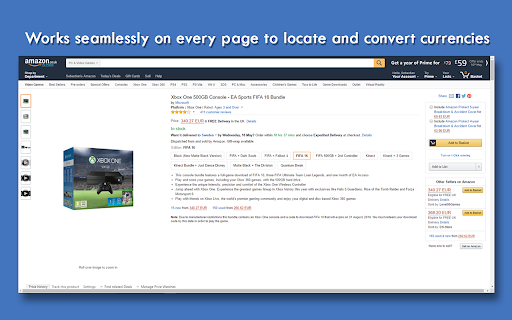

Automatically convert currencies using rates provided by the European Central Bank New in the latest update: * Improved detection of numbers that should be converted * Fixes for latest required manifest version An automatic currency converter is what the name suggests. It allows you to convert to and from all of the supported currencies! Online shopping has never been easier. The converter is always up to date with current rates from the European Central Bank, so you are assured and guaranteed of getting the latest rates! No matter what page you are using, the currency converter will attempt to provide you with whatever currency you want. Key Features: * Automatically detects the currency used on most pages * Automatically converts currencies, i.e. prices, (from supported currencies) using said detection to a supported currency of your choice * Automatically updates conversion when an AJAX request is completed, such as when AutoPatchWork loads a new page. * Specify additional exchange rate to account for differences between your exchange rate and the official ECB exchange rate * Right-click selected text/number and select 'Convert selected text' to get a conversion of the selected number.

Universal Automatic Currency Converter
Universal automatic currency converter for all web browsing needs This extension provides for all your conversion desires. The primary focuses being: - Intelligent conversion and detection of currencies - Automatic and non-intrusive in-site conversions - Always access to converter no matter where you are - Support for more than 170 currencies and their symbolic equivalents, getting rates from fixer.io and openexchangerates.org - Intelligent currency detection, catching everything for most if not all symbols, $, £ and € to EUR, USD, GBP to 'US $' - Control exactly how your prices are displayed, anything from $100 or 100 dollars to 100 schmekels - Intelligent localization of multi-currency symbols like $ and kr - Flip quickly between converted prices and original using either left-clicking, a self chosen shortcut or via the UI - Mini converter between currencies in the popup window - Blacklisting and whitelisting of websites for conversion This extension/add-on is also available for...

Currency Converter
Quickly convert currencies with real-time exchange rates. Easily convert currencies with the Currency Converter Chrome Extension. This tool makes it simple to check current exchange rates and convert between different currencies on the go. Multiple Currencies Supported: Convert between a wide range of global currencies (Will updated more in future). Easy to Use: Simple, user-friendly interface for quick currency conversions. Lightweight and Fast: Minimal impact on browser performance. Whether you’re traveling, shopping online, or working with international clients, this extension is your go-to tool for seamless currency conversion.

NBP Currency Converter
This extension allows you to convert values of one currency to another, using the data based on average exchange rates of foreign currencies in Polish Zloty, given by the Polish National Bank. Additionally, it allows for a quick preview of six arbitrary, user-defined currencies (by default, PLN, EUR, USD, GBP, CZK, CHF). You can mark the amount on the web page and the data will be instantly transferred to the NBP Currency. If you mark the name, symbol or currency code as well (or just the name, symbol or currency code) a proper option will be chosen as well. Now, the add-on also allows you to perform simple mathematical operations in the field of the entered value, i.e. add, subtract, multiply and divide. The result of the operation is converted into individual currencies on an ongoing basis. The '=' button or enter button replaces individual operations with their result.

Buff Currency Converter
Don't you hate having to convert every price on buff.163.com? Well hate that no more, as with this solution we've solved the problem. It's VERY simple. 1. Install the extension 2. Click the Buff Currency icon in the extensions bar and choose the currency you want to convert to
