
ihbmlaaafangfnkkfegilmbahcfcocbm
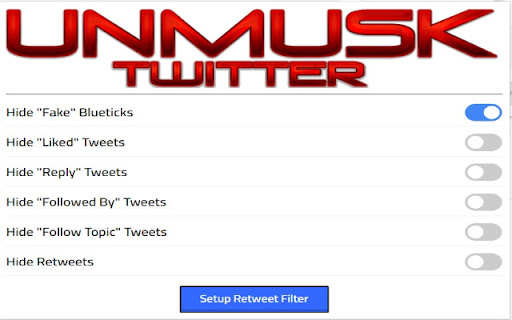
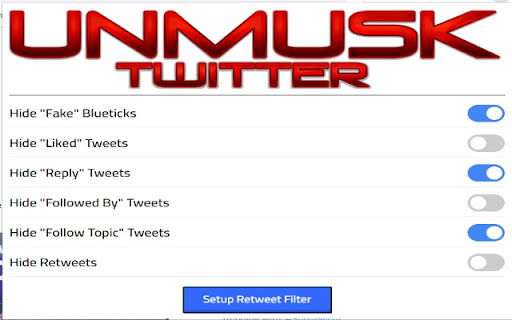
Allows users to choose what types of tweets appear in their timeline, remove paid Bluecheck and to hide Retweets on a per-user basis Allows users to choose what types of tweets appear in their timeline, remove paid Bluecheck and to hide Retweets on a per-user basis By default, Twitter shows you a variety of Tweets that do not directly pertain to the people you are following. From showing what the users you follow "Like", to popping up with a Tweet letting you know that some random person you've never talked to in your life has just commented on a post of someone you follow, Twitter's timeline can certainly be a messy, frustrating experience at times. Twitter Timeline & Bluecheck Fixer is an extension that allows you to toggle these random Tweets on and off. 1. Remove Verified Blue Check form Paid Twitter Blue subscribers 2. "Liked" - Tweets that users you follow have liked 3 "Reply" - Replies by random people on posts of users you follow 4. "Followed By" - Tweets by people who are followed by users you follow, but who you don't follow personally (confounding, I know) 5. "Follow Topic" - Tweets recommending you to follow a topic, like "Drawing" or "Cycling" 6. "Retweets" - Tweets that users you follow have retweeted In addition, added some granularity to the "Retweets" function. Many people don't want to hide all their retweets, but we know those certain users who just retweet wacky stuff constantly... for these cases, Twitter Timeline Fixer comes with a "Retweet Filter", which allows you to specify the users who's Retweets you want to hide. NOTE: You must refresh your Twitter page after installing this extension for it to take effect. If that doesn't work, please try restarting your browser.

Clean Twitter/X.com (Hide Tweets,Ads,etc)
A browser extension that filters out unwanted tweets. (Hides tweet by keywords, Hides ads, etc) Clean Twitter/X.com is a browser extension designed to enhance your Twitter browsing experience. It allows you to hide tweets in Twitter threads that contain specified keywords. Additionally, it provides options to hide Ad tweets and suggestions for who to follow or subscribe to. Key Features - Keyword Filtering: Set specific keywords to filter out unwanted tweets. - Hide or Notify: Choose to either hide the tweet/Ads completely or display a notice that the tweet/Ads was hidden. - Granular Options: Customize your filtering preferences for tweets, ads, and suggestions separately. - Privacy-Focused: No tracking or sign-in required. All options can found in the extension popup menu.

Twitter tags hider
Hides tags and who to follow and other options Hide Twitter Tags Trends and elements (All languages) + (Open source) 🌠 Hide Features: ⭐ Trends and Tags. ⭐ Topics to follow ⭐ Who to follow. ⭐ Relevant people. ⭐ Footer. ⭐ Search ⭐ Explore Button ⭐ Communities Button ⭐ Hide Curiouscat, Tellonym (experimental) ☕ Changes: in 3.0.9 Removed border of removed CC and Tell Tweets in 3.0.8 Added ability to hide Curiouscat and Tellonym Rewrote codebase in 2.0.5 Stopped auto refresh if you're using the extension from outside Twitter (To prevent accidental loss of unsaved work) in 2.0.0 Added support for Manifest v3 Cleaned the code more in 1.9.0 Added support for Topics to follow (Thanks Bob for the heads up) in 1.8.5 Code cleaning and hot fix for media inside profiles in 1.8.0 Updated with latest Twitter in 1.7.5 Made the UI smaller in 1.7.2 The extension now always uses methods to auto detect changes to Twitter styles and hides them as the user provided (In plain English: it goes the extra mile to hide stuff for you) in 1.7.0 Now It works for all Twitter Light and dark themes (Wasn't aware this was an issue) New UI colors in 1.6.0 Works for all languages now in 1.4.5 HotFix: Search doesn't auto hide like the rest in 1.4.2 Fixed some problems with "Who to follow and relevant people" I implemented a backup code that runs when Twitter change their elements in 1.3.7 New Ui colors Fixed With New Twitter Who to follow tag. in 1.3.1 Design change Fixed Relevant people line ( has been out for a while on Github) (1.3.0) in 1.2.9 Rewrote most of the project to make it more efficient Added new Twitter's new styling of (Who to follow) selector in 1.2.7 fixed: Line appears after hiding everything The code is now faster and more efficient in 1.2.0 - Fixed all the bugs and now it works all the time :P - New redesign - Hide specific elements - Twitter Trends and hashtags! - Who to follow - Relevant people (inside tweets) - Hide Twitter footer

Tweet Block Pro
Take control of your Twitter/X feed Want to gently clean up your Twitter timeline by removing unwanted content? Tweet Block Pro… Take control of your Twitter/X feed Want to gently clean up your Twitter timeline by removing unwanted content? Tweet Block Pro allows you to subtly filter your feed by concealing tweets from specified clusters of accounts. Quietly tidy your notifications without missing out on relevant discussions. Experience a calm, constructive Twitter again by unobtrusively hiding any barrage of out of context posts or coordinated negativity you wish to avoid. Regain your personalized timeline tailored how you want it

Better Twitter
Make Twitter great again by removing unwanted contents from your timeline. The current settings allow you to hide the following elements: - view counts - tweet analytics - share buttons - ads & promoted tweets - promoted account (who to follow section only) - 'You might like' tweets Please note that in case of any new UI changes on Twitter, it may take 1-3 days for our extension to update. Feels free to leave feedback and suggestions, as I will be continue improving the extension and add more features later on. Changelog: v.10.3 (18/01/2023) - Added new option to hide 'You might like' tweets
