
ignaljemchdlmoimaliinmonecgbdnkk


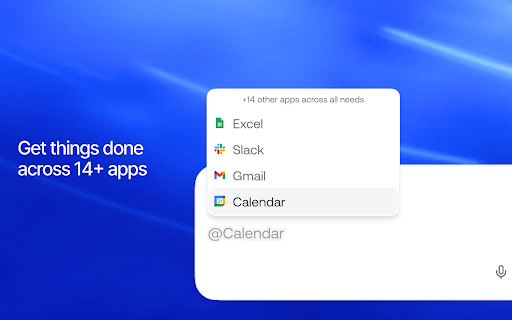

The AI copilot for your browser Dex is your AI coworker that lives in Chrome. It learns your workspace, remembers your context, and takes action across your tabs - so you spend less time switching tools and more time doing real work. WHAT'S NEW - Cross-app agents: run multi-step workflows across Slack, Gmail, Calendar, Linear, and more — from a single prompt - Proactive suggestions: Dex predicts your next move and surfaces actions before you ask - Browser memory [beta]: Opt in to let Dex remember useful details from your browsing to provide better responses and suggestions (see below) WHAT DEX CAN DO - Automate repetitive tasks: draft emails, schedule meetings, update CRMs, build lead lists — all from your sidebar - Work across tabs and apps: execute workflows that span multiple apps without switching windows - Remember your context: Dex learns from every interaction so you never have to re-explain your workflow - Organize your work: AI-generated notes, to-dos, and summaries that stay organized automatically - Scrape and structure data: pull info from web pages into spreadsheets with a single prompt YOU'RE IN CONTROL Dex is private by design. You choose what Dex can see and do: - Browser memory is opt-in — off by default, only activates when you turn it on (Settings > Memory) - View your memories: see everything Dex remembers in Knowledge > Memories - Delete memories: remove individual memories or clear everything at any time - Block sites: prevent specific sites from being used for memory in your privacy settings - Block any site from Dex entirely with one click - Incognito: Dex does not save chat history or access memory in incognito mode BROWSER MEMORY [BETA, OPT IN] Browser memory lets Dex remember useful details from your web browsing — so it can pick up where you left off, skip questions you've already answered, and give you responses that actually fit your workflow. No more re-explaining context every time you open the sidebar. You can opt in during setup or in Settings > Memory or Settings > Proactive Suggestions. As you browse, web content and browser activity is summarized on our servers and used to build memories that make Dex smarter over time — like remembering your tech stack, your team's naming conventions, or the project you've been researching all week. GETTING STARTED 1. Install Dex from the Chrome Web Store 2. Sign in with Google 3. Press Cmd+J (Mac) or Alt+J (Windows) to open the sidebar 4. Describe what you need — Dex handles the rest 5. Connect your apps (Gmail, Calendar, Slack, etc.) for cross-app workflows DATA PRIVACY DISCLOSURE When you opt in to browser memory, Dex processes page URLs, titles, content, and browser activity to build personalized context and suggestions. This data is sent to our servers and processed, and we apply privacy filters. You can view, edit, or delete your memories anytime in Knowledge > Memories. In incognito mode, Dex does not save chat history or access memory.

Attio
Bring relationship insights into Attio from Twitter, Google Meets, and more. Attio’s browser extension does all the heavy-lifting for you, wherever you are on the web. With a click, you can add a lead from Gmail, Twitter, or even your Google Meets call, straight into your workspace, all enriched with valuable data. You can do so much more with Attio’s browser extension: • Run automations to speed up your workflow • Edit custom attributes • Edit data from associated lists and companies • And everything’s synced in real-time

Cursorful - Screen Recorder with Auto Zoom
Cursorful creates beautiful screen recordings with automatic zooms and pans that keep the viewer engaged. FEATURES 🖱️ Automatic zooms and pans based on clicks Effortlessly create beautiful browser recordings with silky-smooth pans and zooms that guide viewer focus. 🎯 Edit zoom position, depth and timing Add, remove and adjust zooms from the editor timeline. Zooms can follow the cursor or be fixed in place. 🖼️ Choose a background or upload your own Pick a preset background that fits your theme or upload your own. 🧼 Hide browser toolbars for a cleaner look Suffer from tab hoarding or a messy bookmarks bar? Hide all toolbars, including developer tools, with a single click. 🎥 Export the same video in multiple aspect ratios Export your video in the native aspect ratio of your target platforms. Go vertical for short-form or horizontal for everywhere else. 🎞️ Local offline rendering Your videos never leave your machine unless you explicitly choose to upload to Cursorful Cloud (coming soon). 🌐 Available on all platforms Available on macOS, Windows and Linux. Async video communication for the entire team.

Happenstance
Add your connections to Happenstance in a few clicks. 🔄 Auto sync: Keep your connections up to date automatically ⚡️ Zero wait: No waiting on long data export times ✅ Set and forget: One time setup, no maintenance required The Happenstance chrome extension currently only supports connecting your Twitter/X account.

Nanobrowser: AI Web Agent & Automation
Automate web tasks with AI! NanoBrowser is an open-source Chrome extension that lets you extract data, fill forms, and more. An open-source and local-first web automation agent that runs in your browser. 1️⃣ 100% Free: No subscription fees or hidden costs. Just install and use your own API keys 2️⃣ Privacy-Focused: Agent runs in your local browser instead of cloud 3️⃣ Flexible LLM Options: Supports SOTA LLM models as well as local models 4️⃣ Fully Open Source: Complete transparency in how your browser is automated ✅ Multi-agent System: Specialized agents collaborate to accomplish complex web tasks. ✅ Interactive Side Panel: Intuitive chat interface with real-time status updates. ✅ Task Automation: Seamlessly automate repetitive tasks across websites. ✅ Follow-up Questions: Ask contextual follow-up questions about completed tasks. ✅ Conversation History: Easily access and manage your interaction history. ✅ Multiple LLM Support: Connect your preferred LLM providers and assign different models to different agents. ⚠️ While Nanobrowser may work on some Chromium-based browsers, they are not officially tested and supported. 1️⃣ Click the Nanobrowser icon in your toolbar to open the sidebar. 2️⃣ Click the Settings icon (top right). 3️⃣ Add your preferred LLM API keys. 4️⃣ Choose which model to use for different agents (Navigator, Planner, Validator). 5️⃣ Send your commands to Nanobrowser 1️⃣ Go to TechCrunch and extract top 10 headlines from the last 24 hours 2️⃣ Look for the trending Python repositories on GitHub with most stars 3️⃣ Find a portable Bluetooth speaker on Amazon with a water-resistant design, under $50. It should have a minimum battery life of 10 hours We are open source. We need your help to make Nanobrowser even better! Contributions of all kinds are welcome: 1️⃣ Share prompts & use cases in our Discord server 2️⃣ Create issues or even submit pull requests on our Github repository ❤️ Loving Nanobrowser? Leave us a review on the Chrome Web Store and help others discover this powerful extension! Your support means everything to us.
