
iglhfgmnhldgoogomfjljbdgkgdgmedn
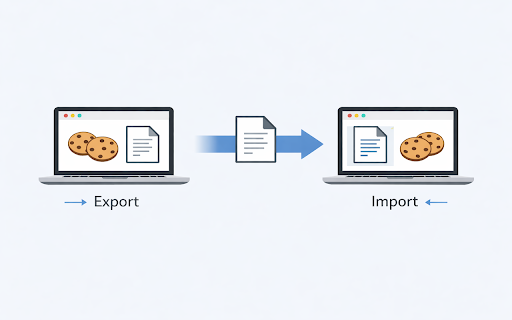
Export and import cookies on the active Google Chrome browser tab to share and transfer active sessions Import Cookies is a simple and powerful Chrome extension designed for quick cookie import and export actions directly from your active browser tab. Whether you are a developer, tester, or power user, this cookie importer and cookie exporter tool offers a fast and lightweight solution without unnecessary extras. 🚀 With this extension, you can easily import cookies to restore sessions, migrate authenticated browsing environments, or continue your testing workflow on another device. You can also export cookies in standard formats like cookies.txt, making session management effortless. This cookie editor extension is extremely helpful when working with login states, security tokens, and cross-environment testing. The ability to get token cookie or get cookies.txt allows flexible automation and seamless browser session handling. Use Import Cookies to: 1️⃣ import cookies from a text file 2️⃣ export cookies from the active tab 3️⃣ keep your authenticated sessions synced between systems 4️⃣ add cookies for API testing or automation scripts 5️⃣ delete cookies as needed No complex configuration, no confusing UI. Just a two-button cookie import and export cookies workflow. 💡 Why choose the extension? Instant actions on the active browser tab Works perfectly with developer tools and automation scripts Sometimes you need more control. Import Cookies can assist when you want to: ➤ edit browser cookies ➤ adjust token values with cookie edit ➤ modify cookie entries before import ➤ use a cookie editor or cookies editor tool together ➤ edit chrome cookies manually or use edit a cookie workflow Even though our main features are strictly export cookies and import cookies, you can combine this extension with any import-cookies utilities if needed. Perfect for professionals who rely on: • chrome export cookies txt for automation • Secure environment transfers • Cookie-based authentication sharing • Working with REST clients requiring session cookies • Saving session data before browser cleanup Key benefits: 1️⃣ No accounts required 2️⃣ Works entirely offline 3️⃣ Ultra-fast chrome export cookies 4️⃣ Lightweight footprint 5️⃣ Fully transparent actions right inside the browser How it helps developers: ▸ Move between staging, pre-prod, and prod environments ▸ Transfer logged-in sessions for debugging ▸ Reuse auth cookies for quick API token testing ▸ Manage cookies alongside other cookie editor extension tools ▸ Fast cookie import without spending time on manual login ✨ Security and Privacy We respect your privacy. Your cookies never leave your device. Import Cookies: ➤ does not upload, store, or process cookies on external servers ➤ handles all actions locally inside your own browser ➤ requests only the minimum necessary permissions to function Your data stays under your full control at all times. 🔒 Designed for: • QA engineers • Web developers • Automation specialists • Growth teams working with cookie-based auth • Tech-savvy users needing quick chrome import cookies If you’re tired of complicated tools, Import Cookies gives you exactly what you need: fast cookie import and chrome export cookies from the active tab without distractions. Simplify your workflow: 1️⃣ Open the tab 2️⃣ Click Import or Export 3️⃣ Done ✨ Enhance your productivity with a minimalistic cookie importer, reliable cookie exporter, and smooth cookies.txt support. This extension is the most practical tool for fast cookie handling. Take control of your sessions today with this extension and enjoy effortless cookie import, export cookies, edit browser cookies, and token-based testing support whenever you need it. 🎯

EditThisCookie (V3)
EditThisCookie is a cookie manager. You can add, delete, edit, search, protect and block cookies! EditThisCookie is a cookie manager. You can add, delete, edit, search, protect, and block cookies! Inspired by the lack of good cookie managers in Google Chrome, I developed this small, simple, and extremely useful extension that allows you to do anything you'll ever need to do to cookies! Delete any cookie Edit any cookie Add a new cookie Search a cookie Protect a cookie (read-only) Block cookies (cookie filter) Export cookies in JSON, Netscape cookie file (perfect for wget and curl), Perl::LPW Import cookies in JSON Limit the maximum expiration date of any cookie

NDT Cookies
NDT Cookies - Export and import cookies easily NDT Cookies - Your Ultimate Cookie Management Tool Manage website cookies effortlessly with NDT Cookies, a lightweight extension for developers, testers, and power users. Export/import cookies in .txt (Netscape) or .json formats, and view them in multiple modes to enhance your workflow. Key Features: Export/Import: Backup or restore cookies in .txt or .json. View Modes: Table (domain, path, name, value, secure, HttpOnly), Raw, or HTTP Header. One-Click Copy: Copy data with "Copied!" confirmation. Secure & Private: Local processing, no server data sharing. Universal Support: Works on any permitted website. Incognito Compatible: Enabled when allowed. Bootstrap-powered, user-friendly interface. Fast and minimal permissions. Created by Tony Nguyen (https://nguyenduytan.com, @nguyenduytan on Telegram). Privacy & Security: Accesses cookies only for permitted sites via "Grant Permission." Data stays local; see https://nguyenduytan.com/privacy for details. Perfect For: Developers debugging sessions. Testers for automation. Users transferring cookies. Changelog: v1.0.5 Jan 30, 2026. Correct for export and copy Puppeteer. v1.0.3 August 09, 2025: Added Puppeteer JSON export with expires support and fixed import functionality for JSON/Netscape formats. Extension Name: NDT Cookies Author: Tony Nguyen Website: https://nguyenduytan.com Telegram: @nguyenduytan

J2TEAM Cookies
Simple tool to export/import cookies. Share online accounts without revealing your password. A simple extension to export/import cookies. Share online accounts without revealing your password. + Export cookies + Import cookies + Set password to encrypt your cookies + Auto-refresh website when import cookies. Website: https://www.junookyo.com/2017/07/j2team-cookies-chrome-extension.html

Cookie Importer
Import cookies from JSON into the browser. Simply click on the extension and paste your json formatted cookies for import. Use this extension to import json formatted cookies in your browser. Other extensions seem to have issues with this, but it is inspired by CookieBro (now defunct) and Cookie-Editor (which seems to only do one domain at a time and has some other issues). Simply click the extension and paste your json formatted cookie data - you can use Cookie-Editor to dump cookie data for a domain in json format as an example. Lightweight and easy to use. Note: Do not share your cookies with anyone you do not trust. Cookies can contain very sensitive information like your login information. If you share your cookies with someone, they could gain full access to your account and compromise it. We believe in privacy. All of your data remains offline and do not store anything. Version 1.1 is updated to deal with host only domain cookie issues.
