
igcjdamjhkmdccbmbilbpabpofenchge
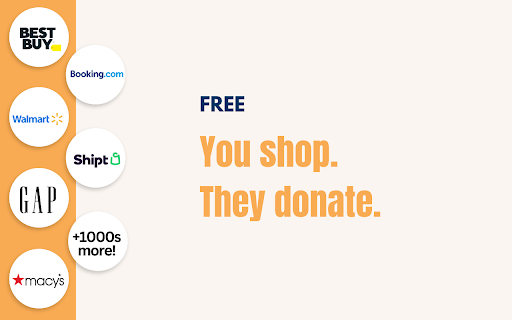
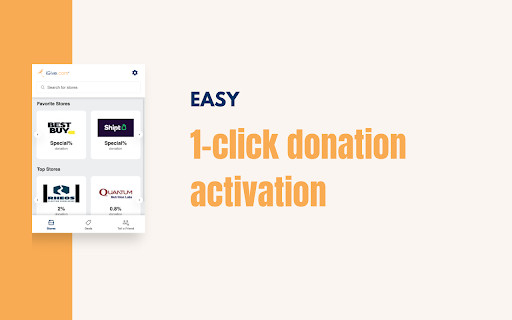
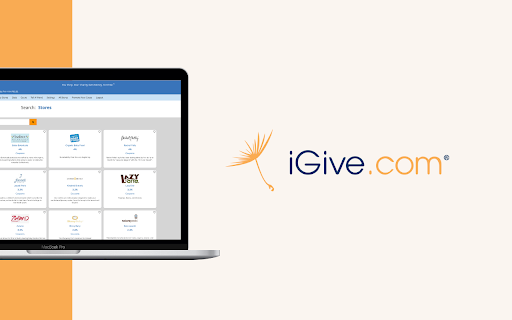
Automatically help your chosen charity every time you shop. 🎁 Make your shopping automatically help YOUR favorite charity or cause at 1500+ great stores, for free! All while you save money with coupons and deals. ✅ Support ANY Cause, Big or Small Whether it's animal shelters, schools, churches, disease research groups, or local PTA chapters, you support the causes YOU care about, big OR small. 🌟 Save Money AND Make a Difference Every Time You Shop The iGive Button (browser extension) is your ticket to effortless charity support! Plus, coupons and deals for you, because stores compete for your shopping dollars. 👥 Add Your Group or Cause Your charity not listed yet? 501(c)3 nonprofit status is not required. Help it thrive by listing it, and telling your friends. Since 1997, that's how iGive has helped millions of people support hundreds of thousands of causes, because friends tell friends. You can list any charity or cause, big or small, from schools and churches to disease research groups and local PTAs. 🤝 You Make a Difference Together, we've sent out $11 million. You can see the list of the most recent checks on our web site. Make your shopping automatically count for more today! 💰 Extra Bonus for First Purchase When you make your first purchase through iGive, we'll donate an additional bonus to your chosen cause! Start making an impact right away! 🌐 Thousands of Stores Help You Help Stores big and small want to honor your choice to help. Stores cover the costs, and you might even save with coupons and deals. From pet rescues to 3rd-grade classrooms, iGive helps you make your shopping count for more. 📱 Seamless Integration with Apps The iGive Button is just the beginning. We offer iPhone, iPad, & Android apps to simplify your charitable shopping journey. Plus, the optional iGive Button is a breeze to install and uninstall. It automatically activates at participating stores, so you never miss a chance to give back.

Fluff Busting Purity
Fluff Busting Purity cleans up & customises Facebook, letting you filter out the junk you dont want to see Fluff Busting Purity hides all the ads, game spam, sponsored posts and other annoying stuff on Facebook and generally makes Facebook less annoying to use If you like Fluff Busting Purity, please be sure to: ★ Give it a 5 Star review and share with your friends! :) ★ Donate to the project: https://donate.fbpurity.com to support all the hard work that goes into producing Fluff Busting Purity. For the latest news and info such as updates and bug fixes, please make sure you like the Fluff Busting Purity Fan Page on Facebook via the following shortcut: https://fans.fbpurity.com Fluff Busting Purity is in no way affiliated with or endorsed by Meta or Facebook Fluff Busting Purity cleans the application spam and other annoying messages off your Facebook homepage. It adds a small information bar at the top of your news feed. It tells you how many game/application posts its hidden and also how many other "Extra" (extraneous) post types (which you can specify in the options screen) it has hidden. The options screen is accessible by clicking the FBP link in the top Navigation Bar. Fluff Busting Purity has multiple options to lets you block a huge range of Facebook post types, that you are not interested in. You can also filter out any subject on Facebook that doesn't interest you, using the "Text Filter" function, for example say you were not interested in Politics, you could put the relevant keywords/phrases that get mentioned in Political posts, such as the names of the Political party members, the party names, etc into the Text Filter box, and FBP will filter out any posts from the Newsfeed including that text. You can also use the Text Filter to filter out any mention of celebrities you are not interested in hearing about, such as Kanye, The Kardashians, etc. There is now also an "Auto Hide" filter, that works the same way as the "Text Filter" but it completely hides the post from your feed, if it detects any of your chosen keywords or phrases. Fluff Busting Purity now also has an image content filter that lets you filter out images of cats, dogs, selfies, babies, memes, food, smoking and also lets you set your own custom image content filters. You can also hide any of the links in the right hand column, such as: Events, Games and App Requests, Recommended Pages, Suggested Groups, People You May Know / Find More Friends, Friend Requests, Birthdays, Chat, Businesses For You, Stories, Watchlist More Features ----------------------- * Hide the Sponsored Posts (aka Hide all adverts ) * Hide the Suggested Posts (aka the Join / Follow posts) * Hide the ads. (Fluff Busting Purity is the best adblocker for Facebook) * An option to Force Facebook to permanently keep your Newsfeed on "Most Recent" (aka the Feeds Page), you can also set it permanently to Friends Feed, or the Favorites Feed. * Hide all game and application posts, including "Games your friends are playing" and "Games you may like". * Choose friends to add to your Friend Allow List (so their posts don't get filtered out by FBP's Filters) * Add words or phrases to your Allow List, which if featured in a post will stop the post from being filtered out by FBP's Newsfeed filters. * Hide Upcoming Events and other Event related posts * Change Facebook's colours (font and background / theme) (Choose what color font and background you want, to customize the site to your liking) * Hide links in left column, including App Center, Meta AI, Meta Quest, Reels, Ray-Ban Meta, Fundraisers, Like Pages, Pages Feed, Games Feed, Events, Pokes, Music, Marketplace, Places Editor, Sale Groups, etc * Remove colored backgrounds and large fonts from statuses * View Your list of Deactivated Friends * Tell you who deleted or unfriended or blocked you * Set the default comment sorting mode to either "Newest" or "All Comments" To learn how to use Fluff Busting Purity, please read the User Guide Page at https://user-guide.fbpurity.com If you have any problems or questions about Fluff Busting Purity, please first read the FAQ: ( Frequently Asked Questions) at: https://faq.fbpurity.com Please check https://news.fbpurity.com for the release notes for the latest versions of Fluff Busting Purity. If you appreciate the extension, please donate to help fund development and support costs. A huge amount of work has gone into this: https://donate.fbpurity.com ----- N.B "Facebook" and "FB" are registered trademarks of Meta / Facebook Inc. This extension is neither endorsed by nor affiliated with Facebook or Meta

DogDog - feed dogs with every search
DogDog feeds shelter pets with every search - for free! This extension replaces the default new tab view on DogDog.org, making it easy and convenient to feed dogs in need by simply searching online. 🔎 Search to raise money for shelters DogDog functions just like Yahoo, but it uses the ad revenue generated from your searches to provide food to animal shelters and dog rescues. With every search you make, you’ll be raising money to feed shelter pets in need! 🐶 Brighten your day with some cute dogs Every time you load a new tab, you’ll be greeted by a new user-uploaded dog photo. Add your own dog photos for a chance to be featured on DogDog’s homepage! Start donating food to shelters while you search now, with the DogDog extension!

Shop TODAY Savings
Shop and save with discounts and TODAY Show-exclusive deals at over 40,000 online stores. Download and save automatically with the Shop TODAY Savings browser extension. Instantly save money while you shop at over 40,000 retailers online! The Shop TODAY Savings extension will automatically apply coupons from your favorite retailers to find you the best deal across the internet. You'll even get access to exclusive discount codes and recommended products from the show. How it works: - Shop TODAY Savings scours the internet for active coupon codes - At checkout, Shop TODAY Savings tests each available coupon - Working codes will be applied to your cart automatically Ready to get started? - Simply install the Shop TODAY Savings extension - Add it to your Chrome bar and shop as usual - At checkout, Shop TODAY Savings automatically apply coupons to your cart FAQs → What is the Shop TODAY Savings extension? Shop TODAY Savings is a desktop extension that automatically applies coupons when you’re shopping on your desktop or laptop computer using the Chrome browser. → How does the Shop TODAY Savings extension work? What we love about Shop TODAY Savings is that you don’t have to change anything about the way you shop! Once the extension is installed simply browse online as you normally would and Shop TODAY Savings will activate at checkout if it sees a valid coupon. → How do I use Shop TODAY Savings to get discounts as I shop? Once you've installed Shop TODAY Savings, you'll see a small orange sunrise logo when you shop on thousands of your favorite sites. On Chrome, this logo can be found in the top right corner of your internet window. → Does Shop TODAY Savings work on mobile? Not at this time. Shop TODAY Savings only works on desktop and laptop computers on the Chrome browser. We plan to bring our extension to mobile in 2024. → Do I need to install Shop TODAY Savings to use Shop TODAY coupon codes? No. Shop TODAY Savings makes it easier by automatically applying our exclusive codes so you don’t have to write them down, but you can also manually enter our codes to save. → Do I need to install Shop TODAY Savings to shop Steals & Deals? No, you can always shop Steals & Deals without installing anything. Simply visit https://deals.today.com/ when deals are live. Sign up for our newsletter to be reminded of upcoming deals! → What if I can’t find Shop TODAY Savings on my desktop? The extension appears as an orange sunrise icon in the top right hand corner of your browser window. If the sunrise is orange, Shop TODAY Savings works on the website you are on. If it is gray, then it does not work on that website. Note: To make the extension easier to find, click on the puzzle piece and ‘pin’ the extension to your browser by clicking the pushpin button and turning it blue. → How do I get the Shop TODAY Savings extension on my computer? Click the blue ‘Add to Chrome’ button above. Click ‘Add Extension’ on the following screen. Start shopping!

The Washington Post
Stay informed with hand-picked stories from the editors of The Washington Post. See today’s top stories each time you open a new tab.
