
ifibfemgeogfhoebkmokieepdoobkbpo
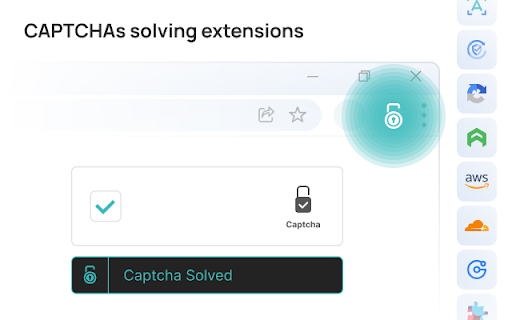


2Captcha Solver plugin allows you to automatically solve CAPTCHAs found on any webpage. An official 2Captcha solver browser extension finds a CAPTCHAs on page and bypass automatically. Payment is debited only for automatic solved. ❗️ https://2Captcha.com account key is required for work. How to use: 1. Add extension to Chrome 2. Sign up on a https://2captcha.com 3. Deposit funds to the balance 4. Add an account key to the extension. The extension allows to bypass: ✅ Simple captcha - any image with symbols ✅ reCAPTCHA V2 / V2 Invisible / V3 / Enterprise ✅ GeeTest / V4 ✅ Arkose Labs Captcha / FunCaptcha ✅ Lemin ✅ Capy Puzzle Captcha ✅ Yandex Smart Captcha ✅ Cloudflare Turnstile ✅ Amazon AWS WAF Captcha ✅ CaptchaFox The extension is made for those users who can't bypass a captcha for some reason being either banned or not able to read or fill some. 2Captcha plugin — automatic solver, which help speed up the captcha bypass. How it works: - The extension goes through page's HTML code. If it contains a captcha code extension sends a request to server for resolution. - When captcha is solved, extension sets a solution inside HTML code of the page. Then it could be used automatically when user submits a filled form. - Keep in mind that solution is valid for 120 seconds only. It means you have 117-119 seconds to complete the form and submit it. - Submit forms automatically Enables automatic submission of forms upon receiving a resolution. Please be extra careful with this option. Some web forms doesn't have validation of data indicated. It leads to page refresh with an error message indicating fields to be filled. Extension will send a new resolution request to API and then will send a form again and again until you close this browser tab or you run out of balance on 2Captcha. - Delay You may set up a delayed automatic submission, indicating amount of seconds of the delay. - If error happens, repeat Try to send a request again if a solution didn't work or extension failed to send challenge to 2captcha.com. Please note, if a website refuse to accept a resolution from extension, will refresh a page and extension will detect it as a new page. Even if this option is not enabled, an extension send a request to server. - Delay You may set up a delay for repeat of submission, indicating amount of seconds of delay. - Enabled / Solve automatically Check options accordingly for every type. - Enabled Check a code of the page for this type of captcha - Solve automatically If set, an extension will send this challenge to server. API for resolution when found. If you leave it unchecked, an extension will add a "Solve with 2catpcha" button to this webpage. If the captcha is invisible, the button will be placed under form submission button. Please check screenshots below. - Use proxy Enable this option if you want a captcha to be solved via your proxy server. We recommend using residential proxies provided by 2Captcha -https://2captcha.com/proxy/residential-proxies - Proxy type Indicate proxy type. We only support HTTP. HTTPS. SOCKS4 and SOCKS5. We can't detect proxy type automatically so you have to indicate it. - login:password@123.123.123.123:3128 Indicate your proxy address, port and credentials accordingly. If your proxy doesn't need authorization, leave only IP and port: "123.123.123.123:3128" Don't forget to allow access to your proxy from our IP 138.201.188.166. Our requests will be tunneled from our gateway, so we will never have direct access to your proxy. - Image captcha solving settings The extension could not detect where is a captcha located and where exactly a resolution should be placed. So you have to indicate this for every website you will need to bypass on. To do so right click on a picture and choose "Solve this captcha" to let extension know where the element is located. Then do the same for resolution field, Right click on it and choose "Insert captcha resolution here". These parameters will be stored in the extension settings for this particular website.

True Captcha
Solve image captchas automatically in the browser. DESCRIPTION ------------------------------------- Our extension helps solving the captcha in the browser so that you can avoid entering the captcha yourself. This extension only supports image to text captchas. SETUP INSTRUCTIONS -------------------------------------------------------- After adding the chrome extension, click on the extension icon. After registration, enter your User name , API Key into the plugin from https://truecaptcha.org USAGE INSTRUCTIONS ----------------------------------------------------------- Right click on the Captcha you want to recognize the text from and select "Solve captcha". Right click on the text box you want to paste the obtained text and select "Paste Captcha". Automatic recognition will be enabled on the next visit to the webpage.

CAPTCHA Solver and Bypass
This solver allows you to automatically solve CAPTCHAs on any website. This extension allows you to solve reCAPTCHAs in under or less than 20 seconds! The extension will automatically detect captchas with in the page but you will have to select the correct CAPTCHA IMAGE and the correct CAPTCHA FIELD then REFRESH the browser for the service to solve the captcha automatically.

Captcha Solver: Auto Recognition and Bypass
MultiBot solver plugin allows you to automatically solve CAPTCHAs found on any webpage MultiBot Solver is a powerful automation extension that detects captchas on web pages, sends them to your MultiBot account for solving, and applies the results automatically. It also lets you customize behavior with site rules and user scripts. Key features: Automatic captcha detection and solving Supports token and click captchas (reCAPTCHA, hCaptcha, Turnstile, Geetest, Yandex SmartCaptcha, etc.) Global attempts limit and smart retry logic Site rules to enable only required methods per URL User script rules (inject your own JS on specific pages) Optional proxy settings for solving Detailed settings, documentation, and script editor Important: User scripts run only on URLs you specify and are stored locally. To enable custom scripts, you must allow “User scripts” in chrome://extensions.

Captcha Solver: Auto Recognition and Bypass
SolveCaptcha Solver plugin allows you to automatically solve CAPTCHAs found on any webpage. SolveCaptcha is a powerful and fast browser extension that automatically solves captchas, including reCAPTCHA, hCaptcha, FunCaptcha (Arkose Labs), GeeTest, image captchas, and Cloudflare Turnstile. Seamlessly integrated into Chrome, it eliminates manual captcha solving, improving your browsing experience. No coding required – just install and let SolveCaptcha do the work! 🚀 Automatic captcha solving SolveCaptcha runs in the background, instantly solving captchas and ensuring smooth web navigation without interruptions. Designed for both technical and non-technical users, it also assists individuals with disabilities by automating captcha recognition and clicking. 🔹 Supported captcha types SolveCaptcha auto-solves reCAPTCHA, Cloudflare, and other captcha types across the web. SolveCaptcha delivers high-speed, accurate captcha-solving, making it a reliable tool for automation, accessibility, and effortless browsing. 🔥 Who benefits from SolveCaptcha? 🔹 Accessibility support – Helps users with visual impairments and motor disabilities by automating captcha solving. 🔹 Effortless web access – Removes barriers to captcha-protected websites, allowing uninterrupted browsing. 🔹 Faster logins and authentication – Streamlines verification processes and reduces manual input. 🔹 Automation-friendly – Perfect for web scraping, content access, and online workflows without interruptions. SolveCaptcha makes the web more accessible, fostering digital inclusivity for all users. 📌 How to install SolveCaptcha for Chrome 1️⃣ Visit the SolveCaptcha Chrome Web Store page. 2️⃣ Click "Add to Chrome" and confirm the installation. 3️⃣ Pin SolveCaptcha for quick access: Click the puzzle piece icon in the Chrome toolbar. Find SolveCaptcha and click the pin icon. Now you're ready to enjoy seamless captcha-solving! 🔹 For browsing: ✅ Install SolveCaptcha in Chrome. ✅ Sign up and add funds on SolveCaptcha.com. ✅ Enter your API key in the extension settings. 🔹 For automation & Puppeteer scripts: 1️⃣ Download the SolveCaptcha Browser Extension.zip. 2️⃣ Open /assets/config.js and enter your API key. 3️⃣ Enable Developer mode in Chrome Extensions settings. 4️⃣ Remove previous SolveCaptcha versions. 5️⃣ Click "Load unpacked", select the extracted folder, and start using SolveCaptcha! 💡 Why choose SolveCaptcha? ✔ Instant captcha solving – Works in the background for a seamless experience. ✔ Accessibility-friendly – Automates captcha-solving for all users. ✔ Cross-browser support – Chrome now, Firefox, Opera, and Edge coming soon! ✔ Secure & private – SolveCaptcha does not store or track personal data. 💰 Pricing & support 📌 Check our pricing page for cost details. 📩 Need help? Contact us at info@solvecaptcha.com. 📥 Install SolveCaptcha now and bypass captchas effortlessly! 🚀
