
idfkalallcehapcpljpfgcnahhlababf
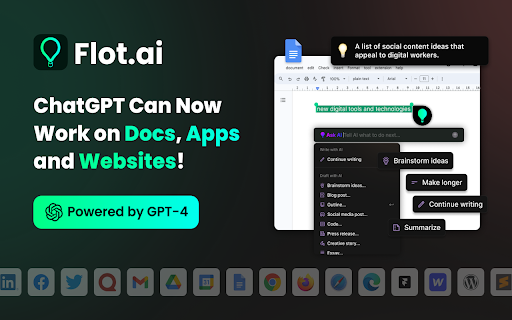


ChatGPT Can Now Work on Any Docs, Apps, Websites, and Emails. Your AI Copilot, Harnessing ChatGPT and Beyond, Seamlessly Integrating ChatGPT Across Apps, Docs, Websites, and Emails. Just highlight the text or use the shortcut to call AI anywhere and any time, and read, write, ask with AI at your side. 👉 1/ ****Works perfectly with all Docs, apps, and websites.**** → Get assistance from Flot while you write in desktop applications and sites across the web—as you move between apps, social media, documents, messages, and emails. 👉 **2/ AI copilot right at your fingertips** → Highlight text and ask AI to generate content based on your selection. → Use a shortcut to chat with AI anytime, anywhere. **👉 3/ Find the Right Words with the preset prompts** → Improve writing: pen your thoughts freely; let AI polish them to a master level. → Edit voice & tone: Rewrite your proposal with the confidence of a CEO. → Translate: Now you can write in Japanese, Spanish, German and more. → Summarize: Cut reading time in half by summarizing blog articles and more. → Grammar check: Not only grammar and spelling check, but beyond and comprehensive. → Outlines: Get rid of blank pages. Let Flot handle the ideas and the first draft. → And more to discover. No, you do not need to have a ChatGPT account to use this extension. Yes, Flot AI offers limited use for free. And you can choose the premium plan to unlock the limit. Yes! Flot is designed to integrate seamlessly with any app or webpage, enhancing your workflow wherever you type or highlight text. 📌 Can I use Flot only on the webpage? Not exactly, you can download the desktop APP to use Flot across any APPs, Docs, Websites, and Emails. Yes, Flot supports over 200 languages, allowing for questions and responses in your native language. Continuously improving Flot for you! Got feedback or questions? Reach out at contact@flot.ai – we're eager to hear from you.

AI Prompt Helper for ChatGPT & Claude - PromptSloth
Improve prompts with one click. 2000+ expert prompt templates. Works with ChatGPT, Claude, and every AI tool. Make your AI prompts better with one click. PromptSloth is a Chrome extension that helps you write better prompts for ChatGPT, Claude, Gemini, and any AI tool you use. ONE-CLICK PROMPT IMPROVEMENT A small helper icon appears in every AI chatbox (ChatGPT, Claude, Gemini, Perplexity, etc.) Click it to improve your prompt before sending. Get better, more detailed AI responses without learning prompt engineering. 2000+ EXPERT PROMPT TEMPLATES Type // anywhere to open the template library. Browse templates for: - Copywriting & Content Creation - Coding & Development - Email & Professional Writing - Research & Analysis - Marketing & SEO - Creative Writing - Business & Strategy - Education & Learning Insert any template with one click - no copy/paste needed. WORKS EVERYWHERE YOU USE AI - ChatGPT - Claude - Google Gemini - Perplexity AI HOW TO USE 1. Install the extension 2. Go to ChatGPT, Claude, or any AI tool 3. Click the PromptSloth icon in the input box to improve your prompt 4. Or type // to browse and insert templates 5. Get better AI responses Get started in seconds. No signup, no setup, just install and improve your AI prompts.

HyperWrite: AI Predictive Writing App
Predictive writing in Gmail, Google Docs, ChatGPT, and more. AI writing assistant that predicts words, sentences, or paragraphs. HyperWrite is not just another autocomplete tool. It is predictive writing reimagined for the age of AI. Our real-time suggestions in ChatGPT and Gemini are HyperWrite’s fastest-growing feature. Get real-time, intelligent text suggestions as you write. HyperWrite autocompletes your sentences with subtle gray text, helping each suggestion feel natural to the way you write. Accept suggestions instantly by pressing “Tab” for a seamless writing flow. It works in your favorite apps: ChatGPT, Gemini, Gmail, Google Docs, and more. • Complete sentences and thoughts as you write • Draft faster with context-aware suggestions • Keep your writing natural, clear, and personalized Focus on your ideas—HyperWrite takes care of the words. Try HyperWrite for free and experience what an AI writing and research partner can do. By installing or using the extension, you agree to and acknowledge: https://www.hyperwriteai.com/terms https://www.hyperwriteai.com/privacy

Clippit AI - AI Email Writer
Write emails, messages, and more using ChatGPT, Claude AI and Gemini AI (privacy-frendly). Works on all sites. Clippit.ai - Your AI-Powered Email & Message Assistant ✨ Elevate your email and messaging experience with Clippit AI, the ultimate AI-powered writing assistant. Seamlessly integrate with your favorite email platforms and enjoy high-quality responses generated by leading AI models like ChatGPT, Claude, and Gemini AI. Key Features: ✅Free to Try: Experience the capabilities of Clippit.ai with no initial cost. ✅Write E-Mails & Messages with AI: Harness the power of advanced AI models such as ChatGPT, Claude Sonnet 3.5, and Gemini 1.5 Flash to craft perfect emails and messages every time. ✅Advanced Gmail Integration: Enjoy seamless integration with Gmail for a smooth user experience. ✅Reply with Context: Ensure your replies are relevant by using contextual information from previous conversations. ✅Highest Quality Responses: Get professionally written responses tailored to your needs. ✅Supports Multiple AI Models: Switch between AI models like GPT-4o, Claude Sonnet 3.5, Gemini 1.5 Flash, and more for varied and precise outputs. ✅Privacy Friendly: Your data security and privacy are our top priorities. ✅Lightweight & Fast: With a size of less than 100kb, Clippit.ai is designed to be incredibly fast and efficient. ✅Supports All Languages: Communicate effectively in any language. ✅Multiple Ways to Launch: Flexibly initiate Clippit.ai through various methods for your convenience. ✅Customizable Writing Tone & Length: Choose the perfect tone (Professional, Casual, Straightforward, Confident, Friendly) and length (Short, Medium, Long) for your message. ✅Easy Text Selection: Simply select any text, right-click, and use Clippit AI to generate context-aware responses. 📧 Compose Emails & Messages: Seamlessly create the ideal message. 📝 Correct Grammar: Easily remove typos and grammatical mistakes. 🔄 Revise Text: Enhance clarity and impact with rephrasing. 🎨 Adjust Tone: Quickly change the mood of your communication. 📚 Summarize Content: Transform lengthy texts into brief summaries in no time. Clippit AI is designed for users who value efficiency, privacy, and quality in their email and messaging communications. Whether you're drafting a professional email or a casual message, Clippit AI provides the tools you need to communicate effectively and effortlessly. Transform the way you write emails and messages with Clippit AI. Download now and start experiencing the future of AI-assisted communication! VARIOUS METHODS TO ACTIVATE ON ANY WEBSITE: ➡️ Activate via Extension Icon ➡️ Activate with a Shortcut Key ➡️Activate by Selecting Text: Simply highlight any text on a page, right-click, and select the extension icon to use the selected text as context. UTILIZING ADVANCED GMAIL INTEGRATION: Clippit AI comprehends your email content to craft the ideal response every time. 1. Open Gmail, find an email, and begin your reply. 2. Click the Clippit AI extension button within the Gmail reply interface. 3. Briefly describe what you wish to reply, then press the "Generate" button. We support a wide range of popular languages. Just specify the language in your text prompt. For example: "Compose an email in Spanish regarding a job application." What information is shared with the AI model? When creating a new email, only the user prompt is transmitted. For replies, the text from the previous email (which can be edited to exclude sensitive details) and the user prompt are shared. What is your privacy policy? We prioritize your privacy and are dedicated to protecting it. Your data is not used for AI training purposes nor sold to third parties. We utilize industry-standard encryption and security practices to ensure the safety of your information.

AI Summarizer: Web, YouTube & PDFs with ChatGPT, Claude & More
Summarize web pages, YouTube videos, and PDFs in a snap with top AI like ChatGPT, Claude, and Gemini. Works in tons of languages! Say hello to AI Summarizer 👋, your new favorite Chrome plugin that makes long content short and sweet 🍬! Powered by badass AI models like ChatGPT 🤖, Gemini 🌌, Grok 💡, DeepSeek 🔍, and Qwen 🔧, it sums up web pages 🌐, YouTube videos 🎥 (with subtitles 📝), Bilibili videos 📺 (with subtitles ✨), and PDFs 📄 faster than you can say "TL;DR." ⏱️ Perfect for students 🎓, researchers 🕵️♂️, or anyone who's tired of wading through endless stuff 🏞️. It works in big languages like English 🇺🇸, French 🇫🇷, German 🇩🇪, Italian 🇮🇹, Spanish 🇪🇸, Chinese 🇨🇳, Russian 🇷🇺, Hindi 🇮🇳, Japanese 🇯🇵, and Korean 🇰🇷—basically, wherever you're from, it's got you covered 🌍. ## What's Awesome About It: **One-Click Magic 🪄:** Hit the summary button in the bottom right ➡️ or click the extension icon 🔧—both work like a charm! Use shortcuts too ⌨️—boom, done! **Smart Selection Power 🎯:** Select any text on a webpage and hit summarize—it'll focus on your selected content first! No selection? No problem, it'll summarize the whole page like before! 📄 **Pick Your AI 🎲:** Choose from a lineup of top-notch AI models 🤩. **Drag & Drop Vibes 📍:** Grab that summary button and slide it up and down the right side of your page! Perfect positioning, your way! 🎨 **Hide When You Want ❌:** Hover over the button and spot the little "X" in the top-right corner—click it to temporarily close the button for clean browsing! 🧹✨ **Make It Yours 🎨:** Tweak the AI prompts to get summaries your way ✍️. **Global Vibes 🌏:** Summarize stuff in all kinds of languages 🗣️. **Bilibili Support 📺:** Support Chinese content creators with Bilibili video summaries! 🇨🇳 ## How to Roll: 1. Install the plugin ➕ and log into your fave AI model's site 🔐. 2. Open a webpage 🌐, YouTube vid 🎬, Bilibili video 📺, or PDF 📚. 3. Click the summary button 🖱️, hit the extension icon 🔧, or tap the shortcut ⌨️. 4. Kick back with a slick summary 😎. Save time ⏳, learn fast 🚀, and ditch the fluff 🗑️. Join the crew already loving AI Summarizer ❤️—try it out now! 🎉
