
icgbkmklcjfcoheacbenhcghhogichlh
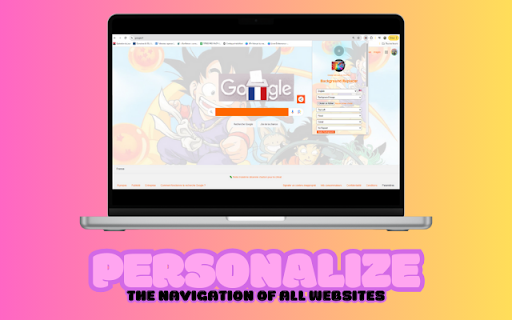


Description: Personalize any website’s theme with your own styles. Complete Web Theme Customizer allows you to modify background images, colors, text colors, button styles, and more, making your browsing experience truly unique. Background Images: Choose and apply your own background images for any website. Background Colors: Select and apply solid background colors. Animated GIFs: Use animated GIFs as backgrounds to bring your pages to life. Position and Size Control: Background Position: Adjust the position of your background image (top left, center, bottom right, etc.). Background Size: Define the size of the background image (cover, contain, custom, etc.). Repetition and Scrolling Settings: Repetition: Configure the repetition of the background image (repeat, no-repeat, repeat horizontally, repeat vertically). Background Attachment: Choose whether the background image scrolls with the page or remains fixed. Text Color Customization: Text Colors: Modify the color of text across the page. Title Colors: Adjust the colors of headings (h1, h2, h3, etc.). Link Colors: Change the color of links to make them more visible or aesthetic. Button Customization: Button Background Color: Set the background color of buttons. Button Text Color: Modify the color of button text. Button Border Color: Customize the border color of buttons. Input Field Customization: Input Background Color: Change the background color of text, email, password, etc. Input Text Color: Adjust the color of text in input fields. Language Selection: Multilingual Support: Change the plugin's interface language (English, French, Spanish). User-Friendly Interface: Toggle Plugin: Enable or disable the plugin with a simple toggle button. File Support: Upload image files directly from your computer. How to Use: Installation and Setup: Install the plugin from the Chrome Web Store. Open the plugin by clicking the icon in the toolbar. Select a Background: Choose an image or color background from the dropdown menu. Upload an image of your choice or select a color using the color picker. Advanced Adjustments: Define the position, size, and repetition behavior of the background. Customize text, title, link, button, and input field colors for each website. Apply Changes: Click the apply button to instantly see the changes on the page. Save and Persist: All customizations are automatically saved and applied during future visits to the customized sites. Required Permissions: ActiveTab: Allows the plugin to access the currently active tab to apply customizations. Storage: Used to store customization settings and preferences locally. Scripting: Needed to execute scripts and apply styles on web pages.

Background Color Changer
Changes the background color of web pages This extension will change the background color of any website.

A+ FontSize Changer Lite
Extension that lets the user change the font text size, font type, font color and background color on a page. An extension that allows the user on any site to change the font text size, font type, font color and background color on the page. Suitable for use by persons with disabilities

CoolStyles - Create Theme for any website
Any website can be customised to your colour scheme in a single click with thousands of user styles' gorgeous themes Make your variant of the web with Stylish: ★ Browse countless topics for probably the most famous sites, including: Google, Youtube, Facebook, Tiktok, Twitter and then some! ★ Modify website background, shading plans, skins, informal organization records, textual styles, and even activitys. ★ You can rapidly create, enable, edit or delete any installed style. ★ Make and offer your own client styles with a large number of individuals utilizing CSS supervisor. ★ Turn into a piece of one of the biggest innovative networks on earth ***Make your own theme*** Assuming you know CSS, become a subject designer - make and offer styles for any famous site. If you don't know CSS, don't worry, you can visit https://coolstyles.org to create website easily, help you to style without knowing css ***Significant notes*** ★ We care about your protection and consequently it is essential to us that you comprehend our information rehearses: Coolstyles furnishes you with ideas and admittance to important styles for pages you visit, as well as the times each style has been introduced. To empower this help, we gather mysterious perusing information as depicted in our security strategy https://sites.google.com/view/coolstyles-privacy-policy strategy, including: All Host, tabs, and capacity. The gathered information isn't utilized to distinguish individual clients, and you can constantly switch this programmed information assortment off on the extra choice page. ****************** * Version: 1.3 ****************** Update: Update new interface, easy to use ******************* * Version 1.4: ****************** fix bug installing style on page coolstyles.org on the first time ****************** 🚀 Version 1.5 Update – What's New? We are excited to introduce one of our biggest updates yet! CoolStyles is now more powerful and global than ever. ✨ Personal Theme Creator You are no longer limited to existing styles! Design your own: Introducing the Custom Theme Editor – a new feature that allows you to create and save personalized themes for any website you love. Full Control: Tweak colors and styles to perfectly match your eyes and your workspace. 🌍 54 Languages Supported CoolStyles has gone global! To support our users worldwide, we have integrated full localization for 54 countries and languages. Whether you speak English, Vietnamese, Malayalam, or Norwegian, CoolStyles now speaks your language. 🛠️ Performance & Optimization Optimized the core engine for faster CSS injection. Improved UI responsiveness in the popup dashboard.

Background
A Chrome extension to set the background of ANY page A Chrome extension that can help you add background to almost any website you go. 1. Why using this extension: ---> If you tired of having boring background of websites and want to change it then this is a solver for you, with this extension you surf your favorite website with a background of your choice. 2. Benefits from this extension: - Lightweight extension and optimized, not taking up your RAM and usage - No ads and not sending user information to anywhere, everything is running under your local machine and google account (open-source soon?) - Works with any other website manipulation extension - Help you have a better focus on websites =w= 3. Features: - Live Updates on websites whenever the settings changed - Able to set the Z-index of the background to wherever you think it works for you - Options to remember websites settings - Can disable any time you want - Dark mode for preview popup and options page or better preview since some websites are dark and others are light - Works for local image too (this option actually help the extension to work anywhere since some website restricted to load image from links) - Remember your settings across all your devices connected to your account (not the same case for the Local Image option, this require your account to turn on sync) - Notice when the URL changed to activate the extension running, this will help on SPA websites - Smooth User Interface for better experience Disclaimer: image URL must be raw image, not the link of some image upload page, to get raw image right click into it and "open image in new tab" then copy that link in the new tab. (The link should ended with a image file extension .png .jpeg .jpg .gif etc... videos are not supported) CHANGE LOG --------------------------- 1.1.0 | 20/9/2024 Big changes with shortcut: - Added shortcut keys: opacity up/down, z-index up/down You can change the shortcut binding in your browser settings: chrome://extensions/shortcuts --------------------------- 1.0.1 | 11/9/2024 (dev) background element now is inside a div for easier debugging.
