
ibicnkbgpkdjdpbnaighfkkdbghbolaa


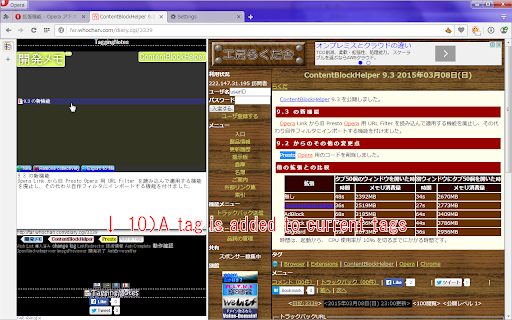
This extension adds notes managed by tagging without Hierarchized tree to sidebar. * Manages data by tagging * Shown in sidebar * Imports notes from Vivaldi * Imports notes from Presto Opera * Backup and Restore data * Copy to notes by context menu of page * Add tag by context menu of page # Write anything to textarea of panel or copy to notes by context menu on selected text of page. # Add tags by input to bottom of textarea or context menu on selected text of page. # Click tags on top of panel to search notes, click again it to unchecked. # If you don't check any tags, then all notes are shown. # Click any note shown to edit it. # Click add here to create a new note tagged by selected tags on top of panel. # You can delete a note/tag by context menu or delete key on it. # Deleted note is tagged as "Trash", and delete it again, then it will be deleted completely.

Research Notes
Bookmark, tag or add notes to pages, highlight and save quotes or images, save selected Google searches, filter out search results. KEEP NOTES AND ORGANIZE PAGES Bookmark, tag or add notes to pages. SAVE & HIGHLIGHT QUOTES Save quotes or other text snippets from pages (or PDFs), highlight quotes on the page. SAVE IMAGES Save images with pages - either pictures directly from the page or copy-pasted screenshots via a tool like Snipping Tool or Paint. TAGS WITH VALUE Advanced tagging: you can add values to the tags. For example, to record a page’s author, add a tag like “Author: ”. Or, when searching for products and comparing good websites with alternative offerings, add tags to pages such as “Product: ” or “Price: ”. You can group and sort by tags and values separately on the all notes -page. RESEARCH UNDER SEPARATE TOPICS All your pages and searches will be saved under topics that you define. This helps keep your different research topics - be it work, school or hobbies - separated from each other. SAVE YOUR GOOGLE OR GOOGLE SCHOLAR SEARCHES When studying a topic in-depth, save searches to remember what search terms you’ve used, which ones got great results and how far into the results you have looked. By default, search saving is turned off, it can be activated for each Google search tab separately. HELPFUL SEARCHING OPTIONS Cross out and hide search results that are not useful. Instantly add notes and tags to results straight in your Google search. OVERVIEW OF SAVED RESEARCH A special all notes -page gives a comprehensive overview of your topics, pages and searches. See your researched pages either in list or table format. Filter pages by text, tags, notes or bookmarks. PRIVATE The information that you create while working with the extension - addresses, searches, notes, tags, etc - is stored exclusively in your own browser and is not shared with anyone. We only collect anonymous analytics information about this products usage to get an overview of what features are used. DO YOU HAVE QUESTIONS OR RECOMMENDATIONS? We are open to feedback about this product, about existing features or new ideas - just send as an e-mail (feedback@onlineresearchnotes.com) or drop by in our Discord server (https://discord.gg/pE9BMg2m). And please do inform us also about any possible bugs that may be lurking. FREE This extension is free to use.

MyMenu
Your personal menu ! Former name: Customize Menu. A collection of chrome pages with additional functions v1.3.0 customize font size fix edit item and delete item button v1.1.1 new feature: Cloud sync It is disabled for old user. (Because you may have different setting in different computer) To enable it, just go to Backup tab and check "Synchronous Setting". new feature: a lot of panels related functions Unless you use dev or canary channels, you should go to "chrome://flags/#enable-panels" and Enable Panels to make them work. v1.0.0 Chrome Style option page Remove Task Manager Remove script and custom item support(because of new chrome extension rule)

Awesome Window & Tab Manager
Displays a list of all windows and tabs open in Google Chrome. Allows filtering, sorting, refreshing, bookmarking, and saving. Awesome Window & Tab Manager does the following: (1) - Tells you how many Chrome windows and tabs are open. (2) - Displays all the windows and tabs. (3) - Allows text filtering (searching) on the windows and tabs. (4) - Allows alphabetic sorting of tabs. (5) - Categorizes tabs by window, domain, or category. (6) - Categories are determined by your own bookmark structure. (7) - Window, domain, or category groups can be refreshed or closed. (8) - All windows and tabs can be saved and restored later. (9) - Window, domain, or category groups can be saved and restored later. (10) - Unbookmarked tabs can be bookmarked. Note: Google Chrome version 16 or higher is required for tab refreshing functionality.

Extentie - extension manager
A simple and elegant Chrome extension manager allows you manage your extensions in a popup window. Extentie is a simple and beautiful tool that allows you to toggle and manage Chrome extensions in a popup. Latest update: - Now you can create your own groups to manage your extensions - Revamped from ground up, added more features
