
iagkjnocbkjeohadeimlkaofjpilhpfh

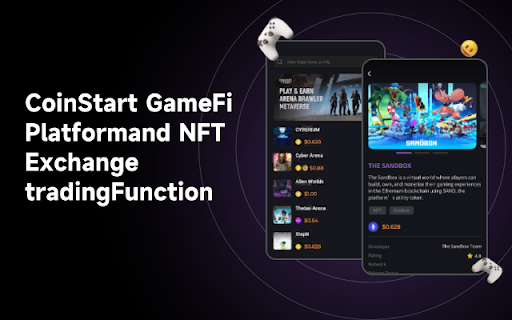
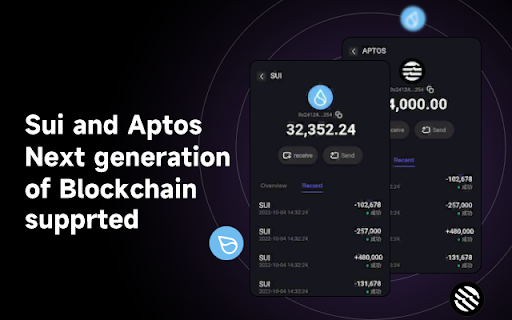
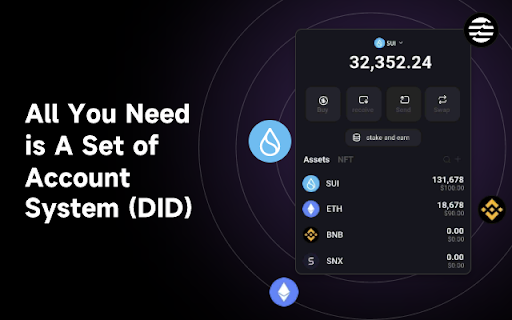
CoinStart Chrome Wallet Extension The CoinStart wallet , Sui based Multi-chain Wallet. Portal to crypto world, safe & easy for you to store, buy, send, receive, swap tokens and collect NFTs. Built on Sui blockchain, fully Open-sourced. -Fully support Suinetwork and Aptos blockchain -Safe storage of crypto currencies - Protect your assets on the go with the convenience you expect. -70+ main nets supported for you to explore NFT, DeFi, DAO... -Dapps Marketplace, Discover 10,000+ Web3 Dapps, navigate with ease in one minute Established in Singapore in May 2022 , Coinstart Inc. Coinstart is the top decentralized multi-chain digital wallet in Asia. Integrating Wallet, Swap, NFT Market, DApp Browser and Discover in a single location, it is committed to creating the world's largest decentralized Web3.0 gateway.

NeoOffLine
yet another NEO thin wallet for chrome extension NeoOffLine is based on NeoLine, equipped with the following features: - public key only wallet - THE MOST IMPORTANT FEATURE TO PROTECT YOUR CRYPTOS - create a wallet by its public key and store your private keys offline; - when signatures are required, the extension will ask you to sign and provide them; - zero priority gas fee by default - do NOT install NeoOffLine and NeoLine together - although all the features from NeoLine are supported, it is NOT recommended to `generate new wallet` or `import a PRIVATE key` or `use the wallet on Neo2` - USE AT YOUR OWN RISK, see source code https://github.com/neo-off-line/extension - potential bugs from NeoLine can also be introduced to NeoOffline

Congree Web Interface
Write according to your company's Style Guide This extension helps you to integrate your company's Congree Authoring Server into specific websites. Research Meets Practice Content optimization solutions based on scientific insight and long-standing industry experience Higher text quality with less effort Apart from the reuse of sentences and consistent use of terminology, Congree offers a comprehensive Language Check that covers 98 percent of the English and German languages. The Congree Authoring Server is scalable and thus supports the editorial work in small, medium-sized, and large enterprises. Rule-Based Language Check Apart from the spelling, grammar, and terminology, the rule-based Language Check also checks the style. Predefined rule sets cover most application cases; additional company-specific rules can be added as needed. Authoring Memory The Authoring Memory serves as a sentence repository, which shows all text segments that are similar to your text and that were written and approved in the past. You can apply these text segments with a click. New sentences are included in the Authoring Memory after they are checked and approved. Congree Data Grooming can help to maintain and improve the quality of your Authoring Memory. Terminology Component The connection of third-party terminology software enables access to a wide range of information on terminology hits. The terminology component in Congree delivers definitions and usage information on specialized terms – including preferred terms, admitted terms, and deprecated terms.

Uniton - TON (Toncoin) Wallet
Uniton friendly crypto wallet is a true, non-custodial TON wallet. Client-side interface helping you interact with TON blockchain. Uniton is an extension for easy access to the world of web3 on The Open Network ecosystems directly in your browser. A non-custodial wallet that tracks no data and leaves you in complete control of your assets! Everything in the TON blockchain made easy. A crypto wallet reimagined for DeFi & NFTs. With Uniton Wallet, users have full control over their digital assets. Do More With Your Crypto — Easy access to the world of web3 — Buy token with a few clicks — Instant transactions with super low fees — A beautiful home for your NFTs and tokens — View and manage all of your NFTs across different chains — View and manage all your tokens — Send and receive tokens from the extension We Keep You Safe — View balances of your assets — Sign messages — Confirm transactions — Your privacy is 100% respected — One recovery phrase for ALL chains! — Use all your favorite TON dapps The Most Advanced TON Wallet — Stake your tokens with a couple clicks — Import your existing addresses — Built-in swapping is quick and easy — You have full control over your assets — Independently audited by top security firms — Get the best deals when swapping between tokens The friendly crypto wallet for tokens, NFTs, and Defi on Web3. Uniton makes it easy, safe, and fun for everyone to explore all that Web3 has to offer. Just deposit some Toncoin into Uniton and get started with Web3 today!

Salesforce Shortcuts
Quickly open the most used URLs in your Salesforce Orgs. How to use it: 1) Open the extension using the "Alt + S" keyboard shortcut ("Option + S" on macOS). 2) Select your Salesforce Org with up and down arrows 3) Press "Control + 1" to open its Home page 3.a) use "Control + 2" to open Setup, or "Control + 3" to open Developer Console You can change the default "Alt + S" shortcut by opening the following URL in your browser: chrome://extensions/shortcuts 100% safe and private. No tracking and no permissions required to run. Also, completely free. There is also a version of this plugin that allows changing the colour of Salesforce Favicons: https://chromewebstore.google.com/detail/salesforce-shortcuts-with/pegpfhbecbiefakehnmehoaembjmican Features: - Allow exporting and importing of settings Improvements: - Ask for a review on 200th usage Features: - It is now possible to configure the plugin to search through all the orgs even if a tag is selected Improvements: - Minor styling improvements in Help page Fixes: - Fixed the issue where the Alt keyboard shortcuts are ignored when not using the Numeric Pad Fixes: - Fixed the issue where the Alt keyboard shortcuts sometimes didn't execute the correct shortcut Improvements: - New "Help" page with basic instructions on how to use the plugin - New "Settings" page where a different shortcut activation key can be selected (Control vs Alt/Option) Improvements: - Width of the Name cell will remain constant independent of the Name length - Improved spelling in some labels Improvements: - Reduced the size of the drop down icon in Tag selector - Added more robust handling of Salesforce domains to prevent adding duplicate orgs Features: - Orgs can now be assigned different colors - Holding down "CTRL" will show shortcut numbers instead of icons for easier use of keyboard shortcuts Improvements: - 12 new icons are available for custom shortcuts - When 7 or more shortcuts are displayed in the home page they are now not as narrow as before Improvements: - Explanation for "System" theme is provided Fixes: - Fixed the scrollbar look in Dark mode Improvements: - Moved "Delete Org" button to Reordering screen to prevent accidental deletions - Display plugin version in Settings - Added "Arrow Up" and "Arrow Down" icons for Custom Shortcuts - Added help text next to "Shortcut URL" field to make it more clear how it functions Fixes: - Fix the flickering when opening pages - Focused buttons couldn't be executed when pressing "Enter" key before. Now they can, but in order to open the selected Org "Ctrl + Enter" has to be pressed. Features: - Allow adding custom shortcuts that are applied across all Orgs - When Org is selected, pressing the "Enter" key will execute the first action - Allow reordering of Orgs
